Microsoft Ignite 2026: AI Updates, Explained
↗ what changed, who it helps, and what is actually available
On this page
Coverage checked through 18 November 2026, 14:17 NZDT / 01:17 UTC. Microsoft Ignite runs 17–20 November, so this is the opening-announcements snapshot, not the finished event recap.
Source details and official media were rechecked later on 18 November. Those later checks do not turn a planned release into an available feature or extend this into a recap of the remaining event days.
The November Copilot issue covered the changes since our previous issue. This event article goes wider: Copilot, business applications, Microsoft IQ, Foundry, Azure, security and Windows. Where a product was announced earlier, the important bit here is the new capability or release-stage change, not a second launch.
The short version: Copilot is becoming a place to delegate and manage work. Microsoft IQ supplies context. Foundry builds and improves agents. Agent 365 makes the agent estate visible and governable; FinOps (managing AI spending) connects usage, policies and value questions. Windows adds more choices about where agents run.
Release stages below follow Microsoft’s announcements, not observed tenant access. GA does not mean rollout has finished everywhere; Frontier is Copilot’s early-access programme, not general access. Licensing, billing, region, administrator settings and supported hardware still apply.
Find your part
Everyday work and business apps · Context and company knowledge · Models and agent building · Azure and data · Agent 365 and FinOps · Identity, security and endpoints · Windows and Cloud PCs · Dates and admin checks
Everyday work and business apps
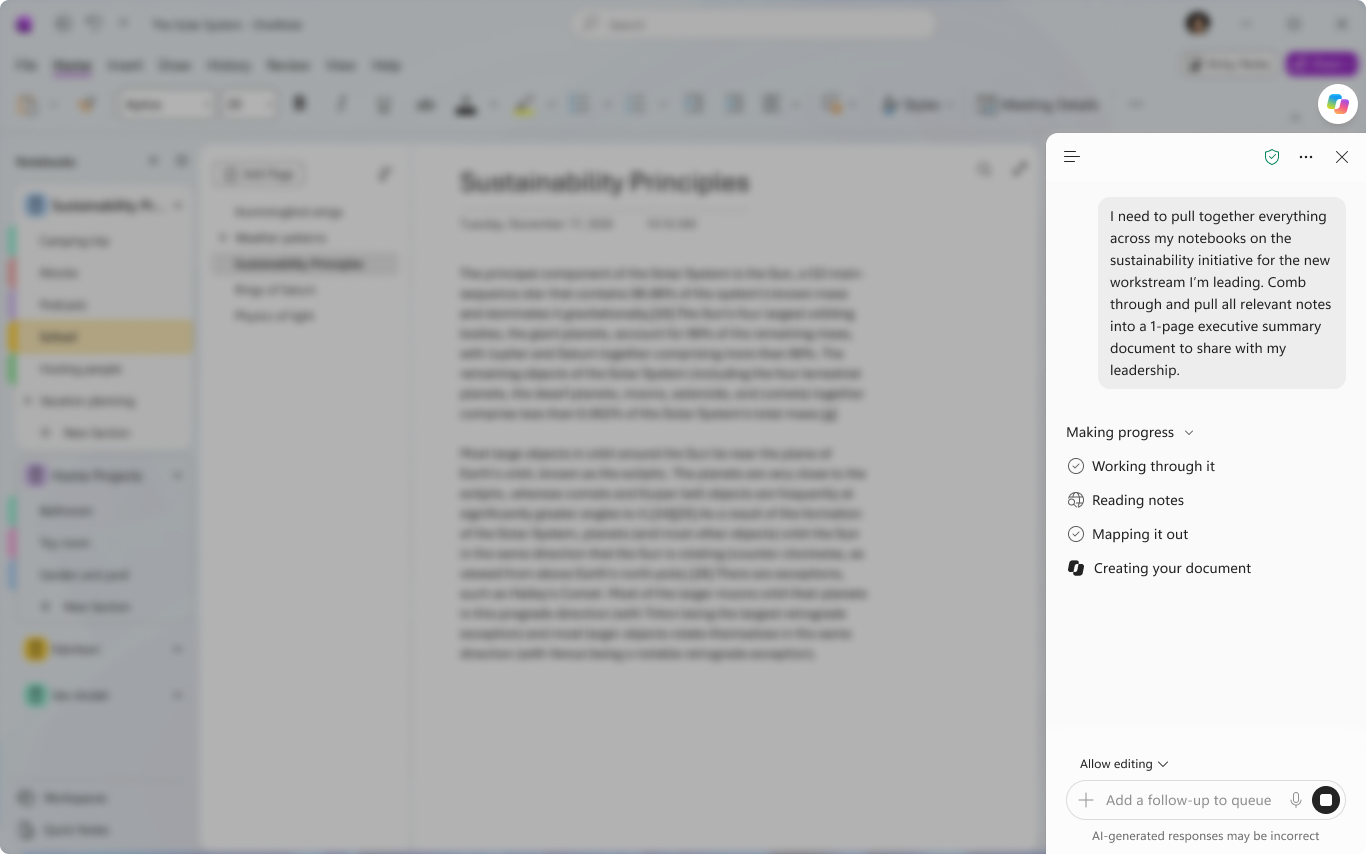
1. Home joins asking a question and delegating a task
For: People using Microsoft Copilot for work.
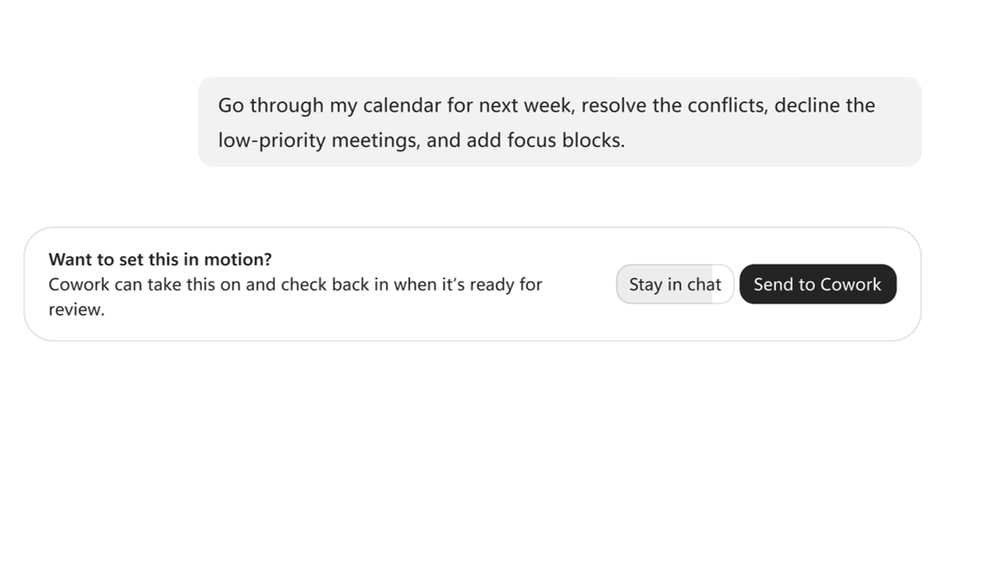
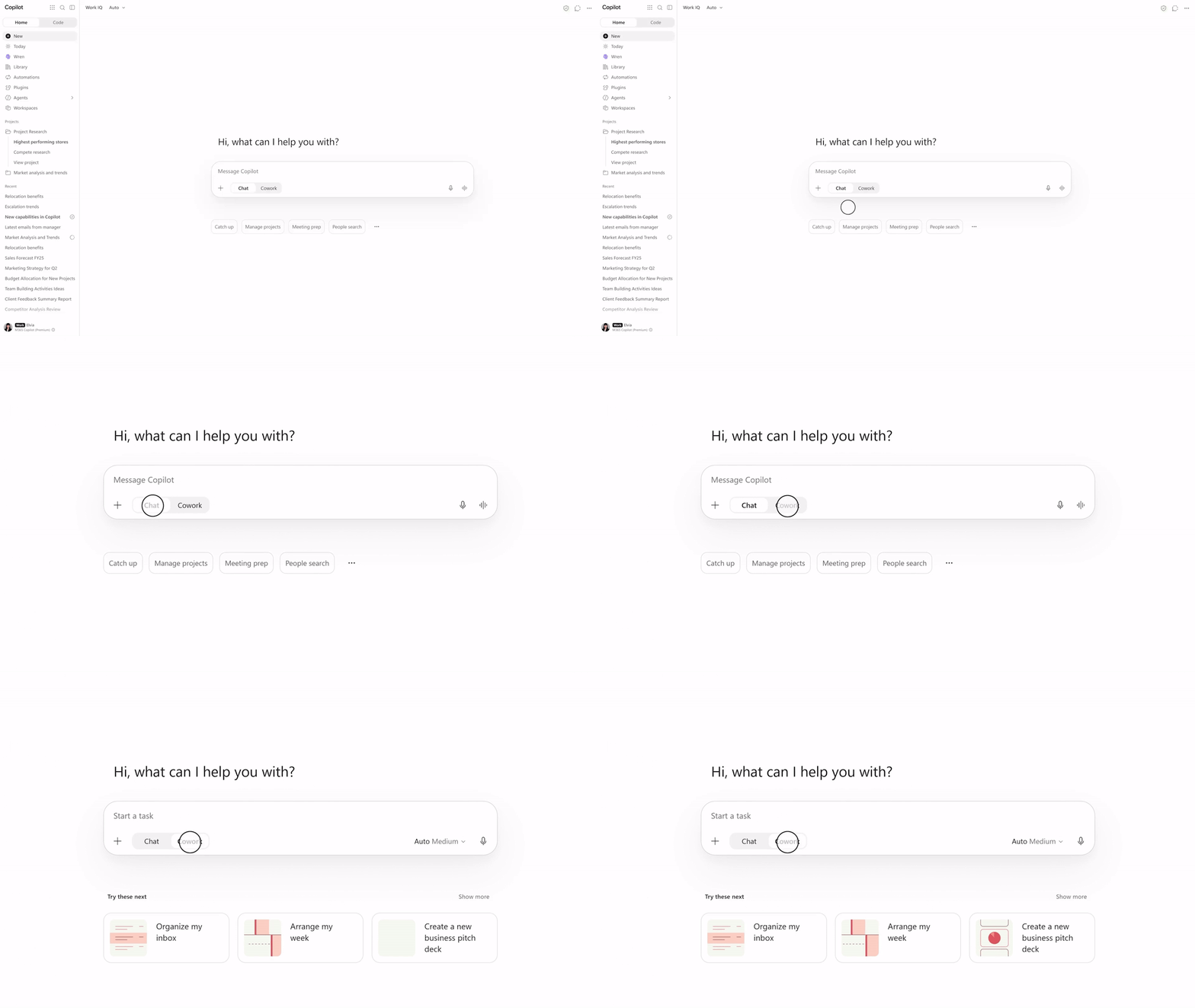
Home was announced in September, and our November issue already covered Home and combined history. Ignite confirms Chat and Cowork together at GA and adds the useful handover: Auto can recommend Cowork when a question becomes a larger task. You choose whether to switch, and relevant chat context goes with it.
For example, “What meetings do I have?” can stay a question. “Review next week’s conflicts and propose a better schedule” is a task you might hand over. I like the distinction: ask for an answer, or delegate an outcome, without starting again in another conversation.
Status: Home is rolling out worldwide; Chat and Cowork together, including the recommendation handover, are GA. Microsoft’s Home announcement.
View official images and animations (1)
2. Office files can be created and edited inside Copilot
For: People making documents, spreadsheets and presentations.
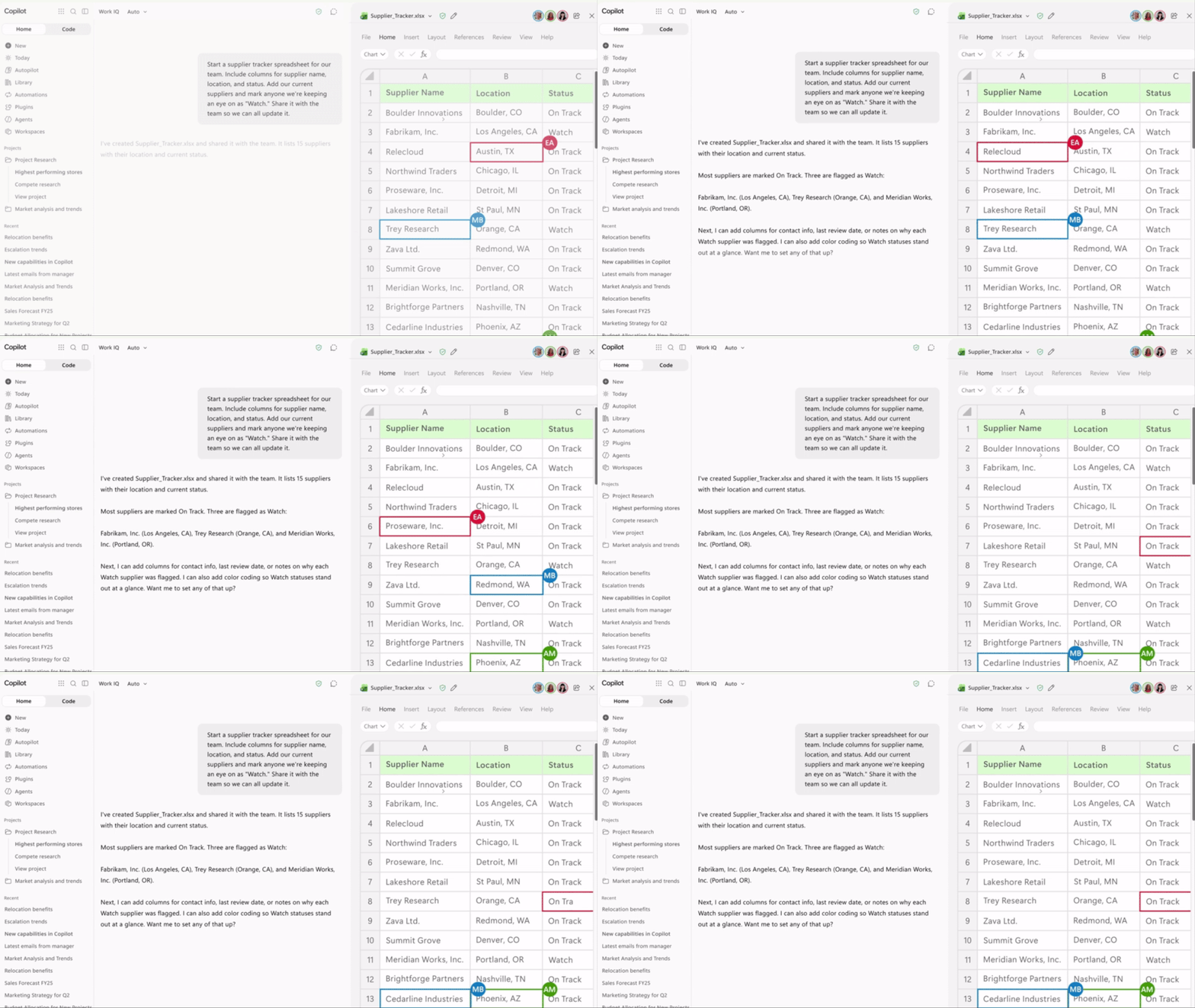
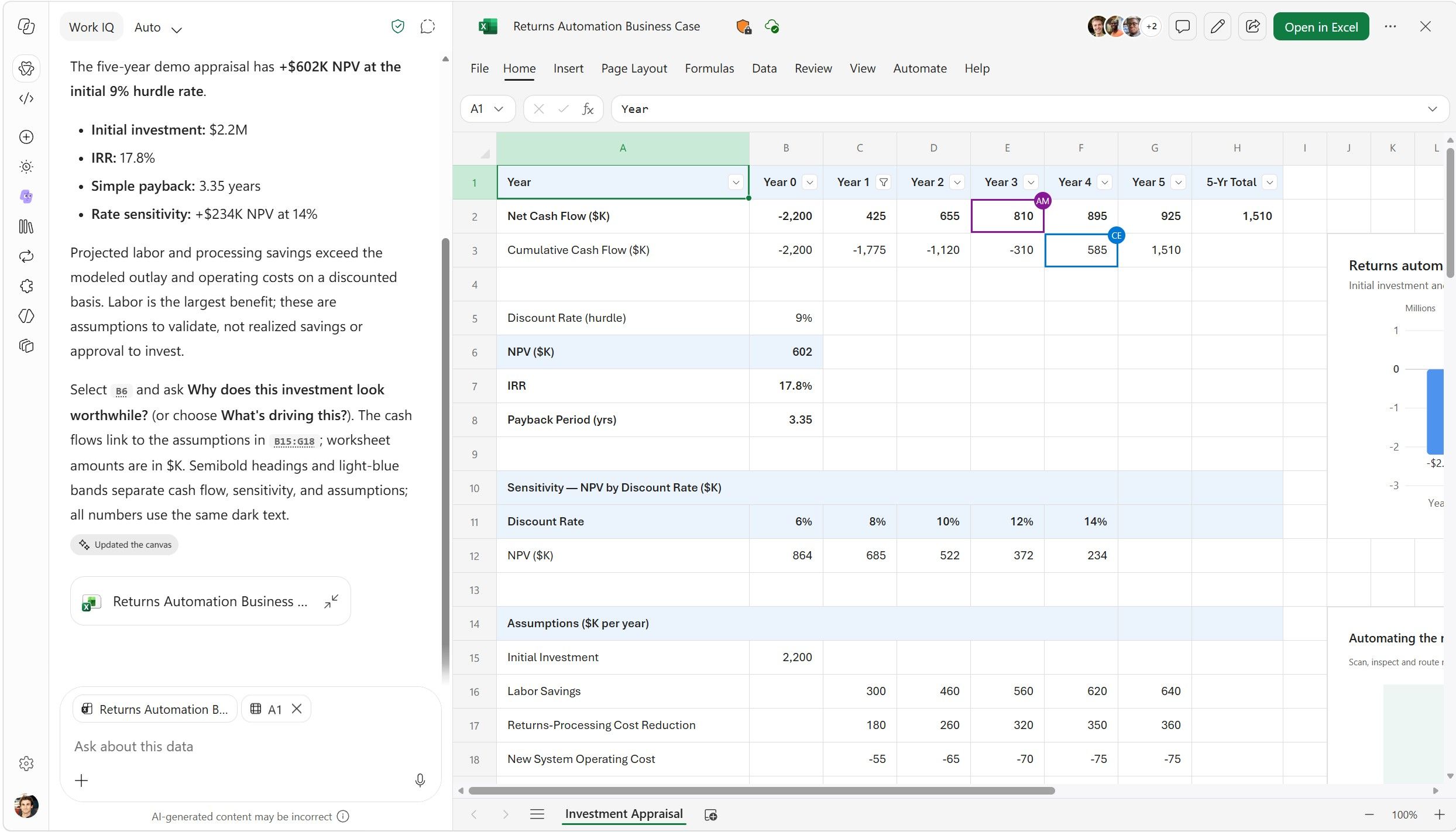
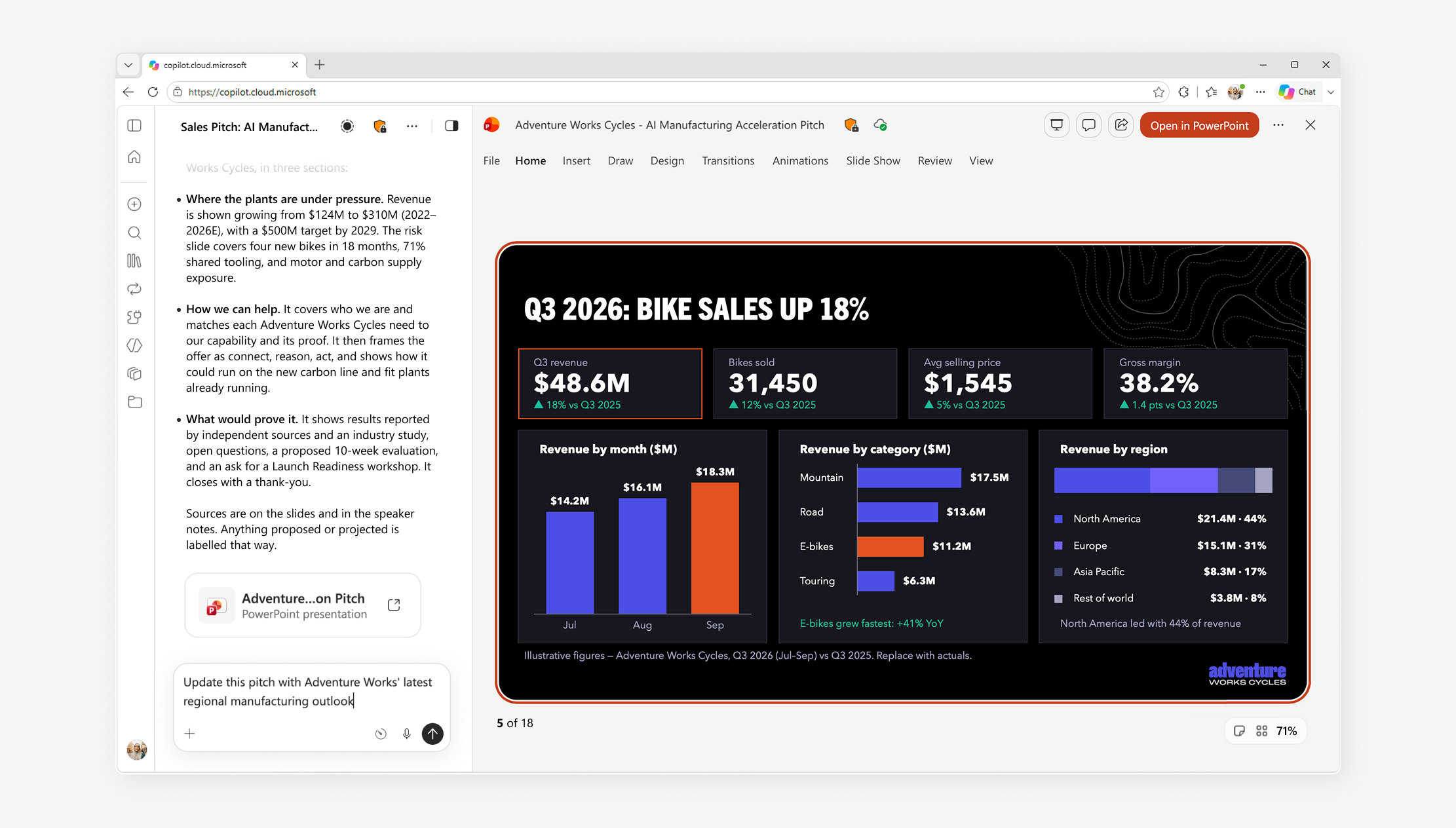
Office in Chat and Cowork is now GA. You can create editable Word, Excel and PowerPoint files inside the Copilot app, save them in OneDrive and collaborate with colleagues.
Imagine asking for a supplier tracker, then editing the actual workbook with your team rather than copying a table out of chat. The benefit is the working file, not just a convincing-looking answer. You still need to check formulas, facts and sharing before relying on it.
Status: GA. Office in Microsoft’s Home announcement.
The SharePoint and OneDrive Ignite post also highlights comparing spreadsheets, organizing folders, creating HTML reports and saving personal skills in OneDrive. Those capabilities were already announced on 20 October; they are not new Ignite launches. They make the same practical point: review the working files and their access, not just the answer in chat.
View Microsoft's Office-in-Copilot animation
View official images and animations (5)

3. Pages turn an answer into something your team can work on
For: People creating reports, briefs and interactive content with colleagues.
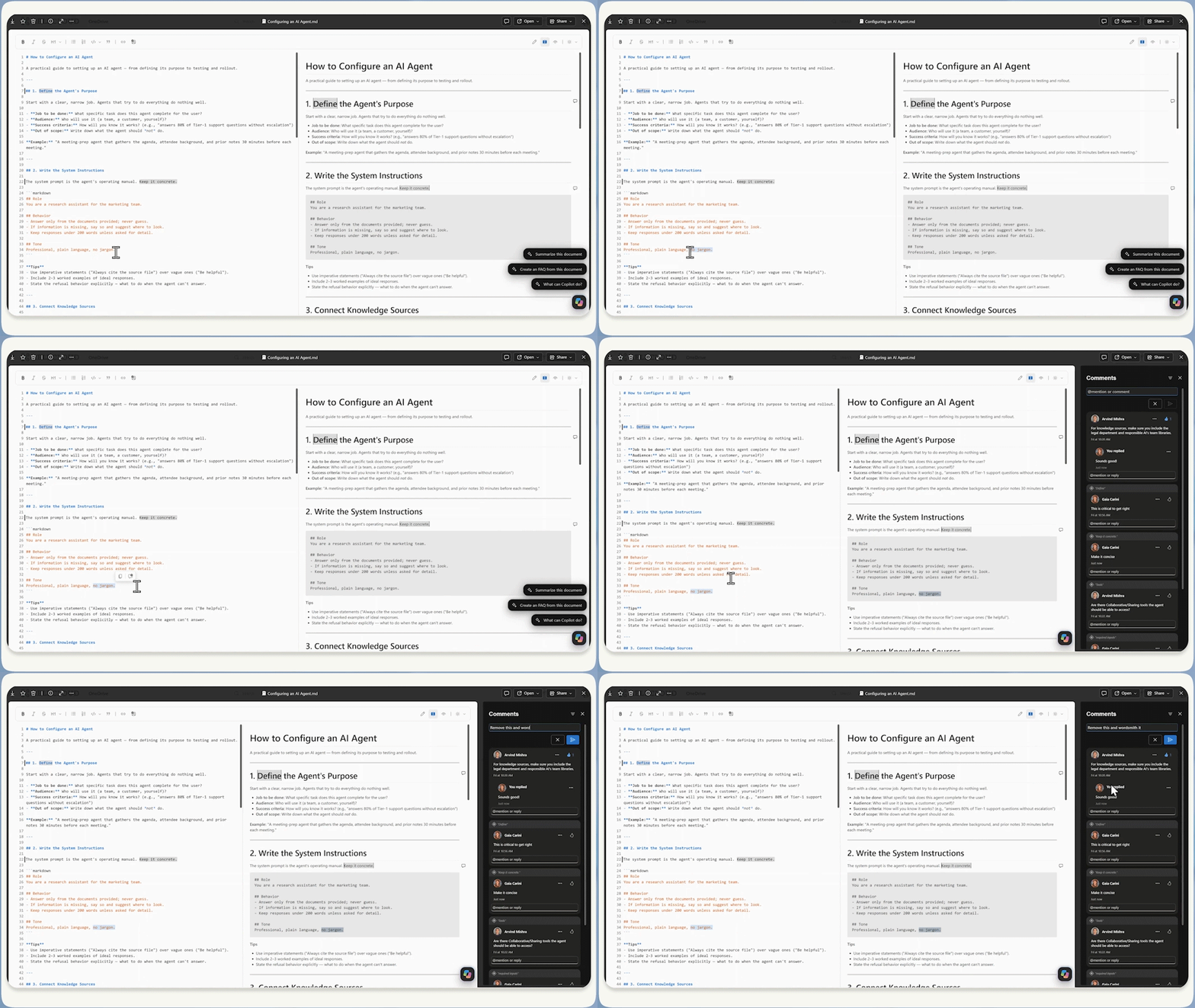
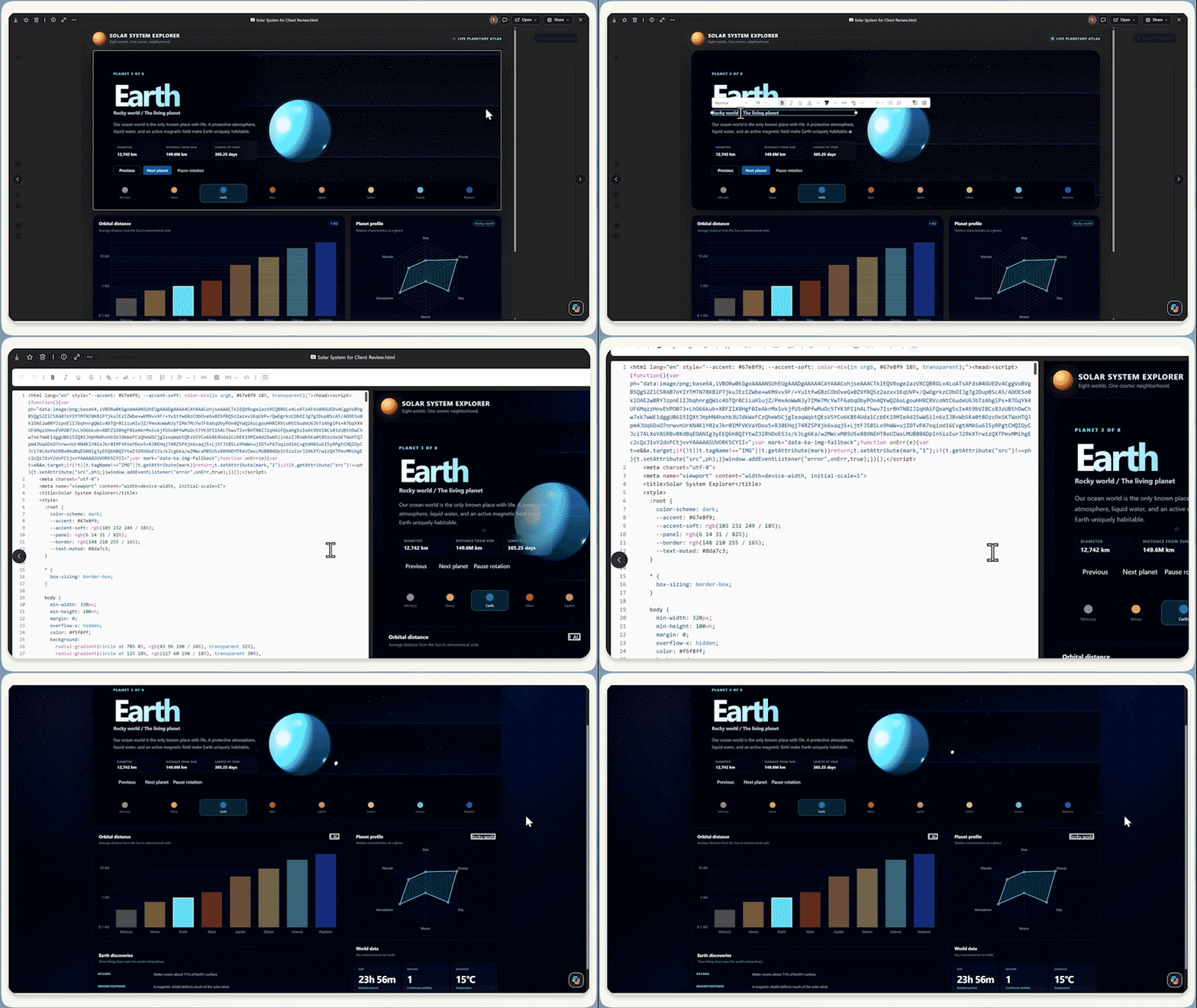
Pages give Copilot’s output a working canvas. Microsoft describes editable reports, dashboards and animations, with agents updating data in the background. You can collaborate directly or ask Copilot to refine the content.
Imagine turning research into a project brief, then updating it with your team rather than passing around separate chat responses. I would still check the sources and what is refreshing. A page that updates is not automatically a page that is right.
Status: Frontier Public, not GA. This is the interactive Pages announcement, not a claim that every earlier Pages capability has just launched. Pages in the Office Ignite announcement.
View official images and animations (1)
4. OneNote can turn notes into an Office first draft
For: People whose meeting notes need to become a document, spreadsheet or presentation.
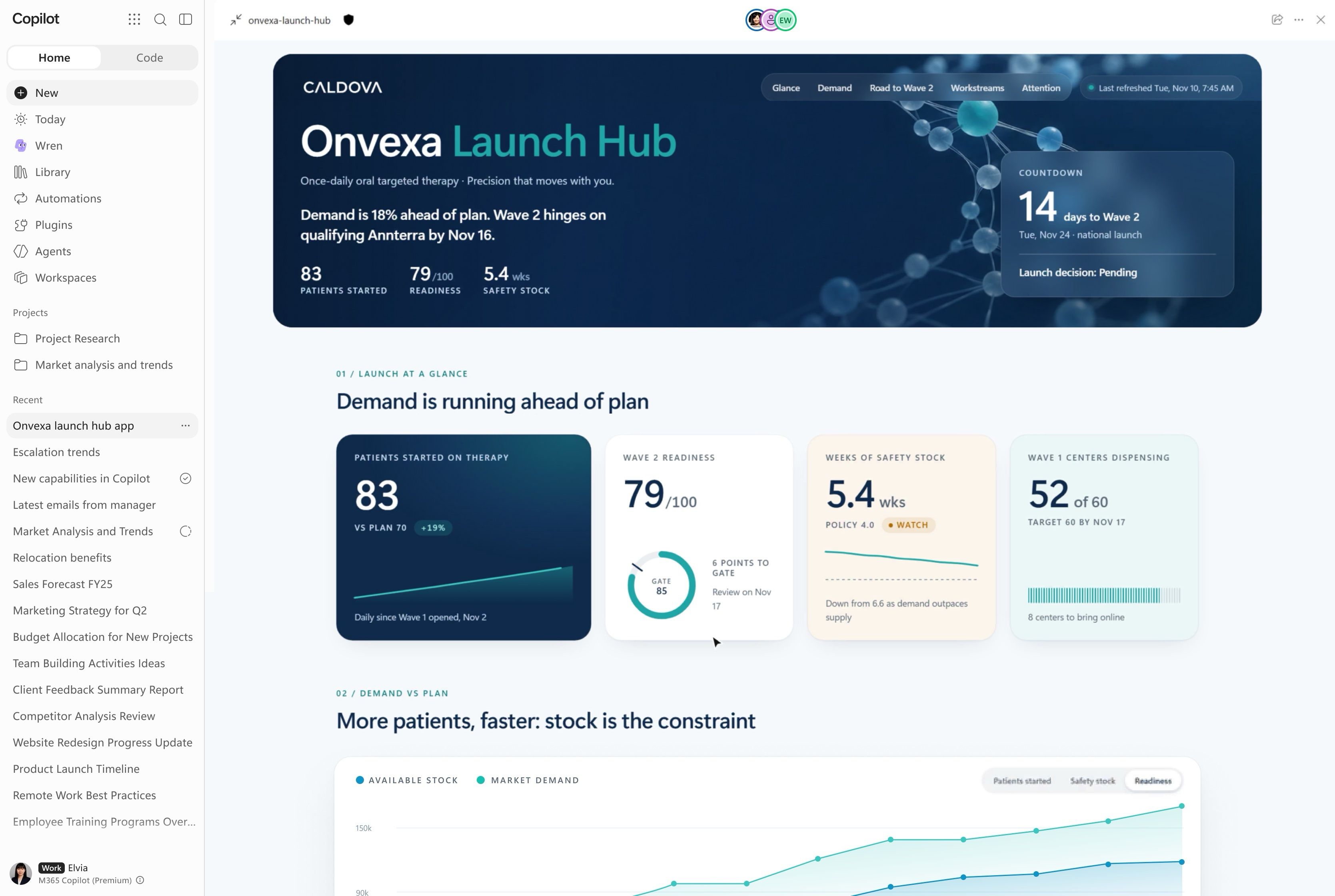
Copilot in OneNote can synthesize notes into Word, Excel and PowerPoint files. That is different from the Cowork notebook-reading support and Windows Capture covered in our November issue.
For example, after several planning meetings, you could ask for a project timeline in Excel or an FAQ in Word. The useful handover is from collected notes to an editable first draft. Check that the output preserves decisions, owners and dates rather than treating every note as an agreed action.
Status: Frontier Public. OneNote-to-Office creation in Microsoft’s Office announcement.
View official images and animations (1)
5. Cowork adds smarter delegation and apps worth keeping
For: People delegating more complicated work to Cowork.
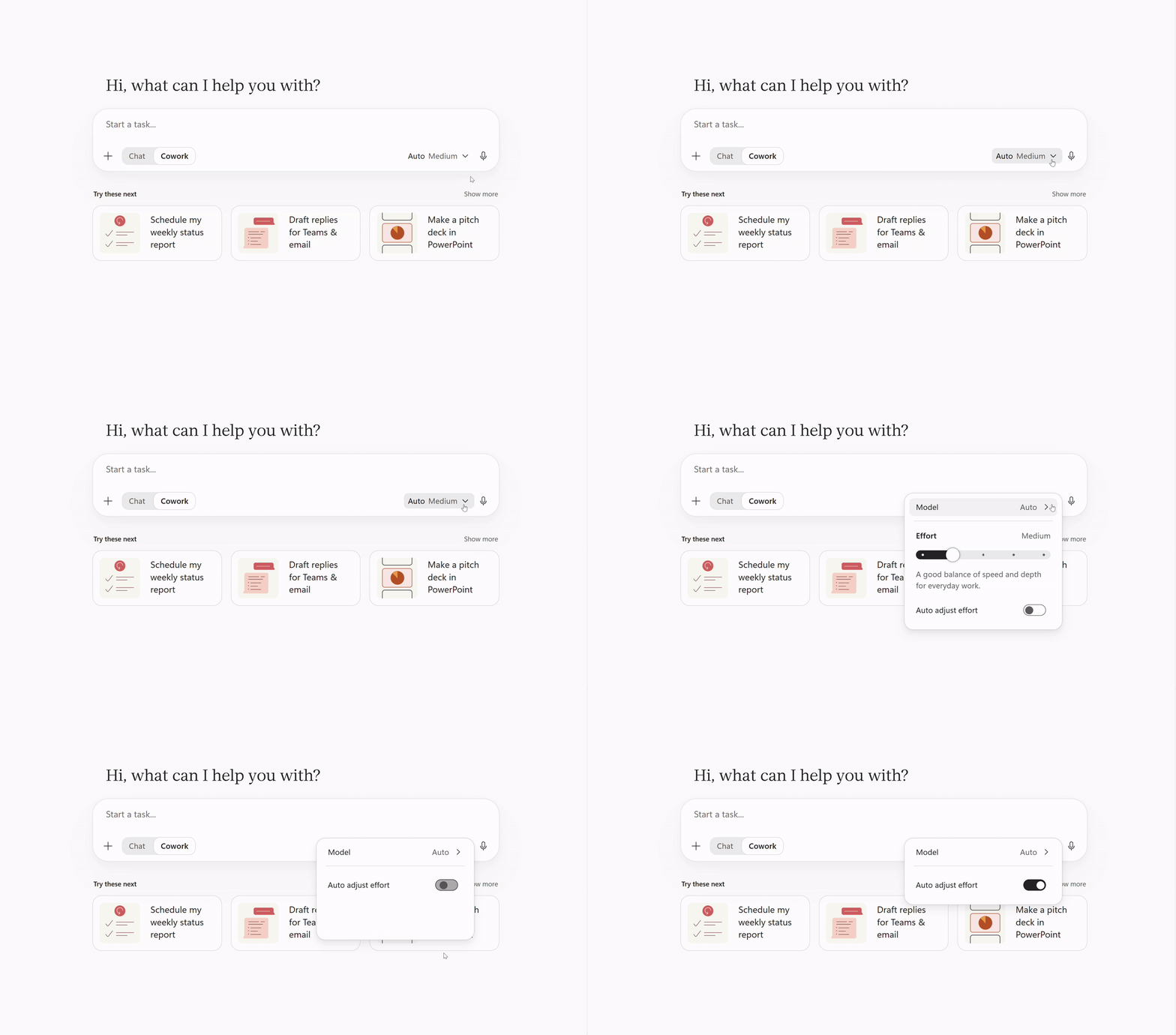
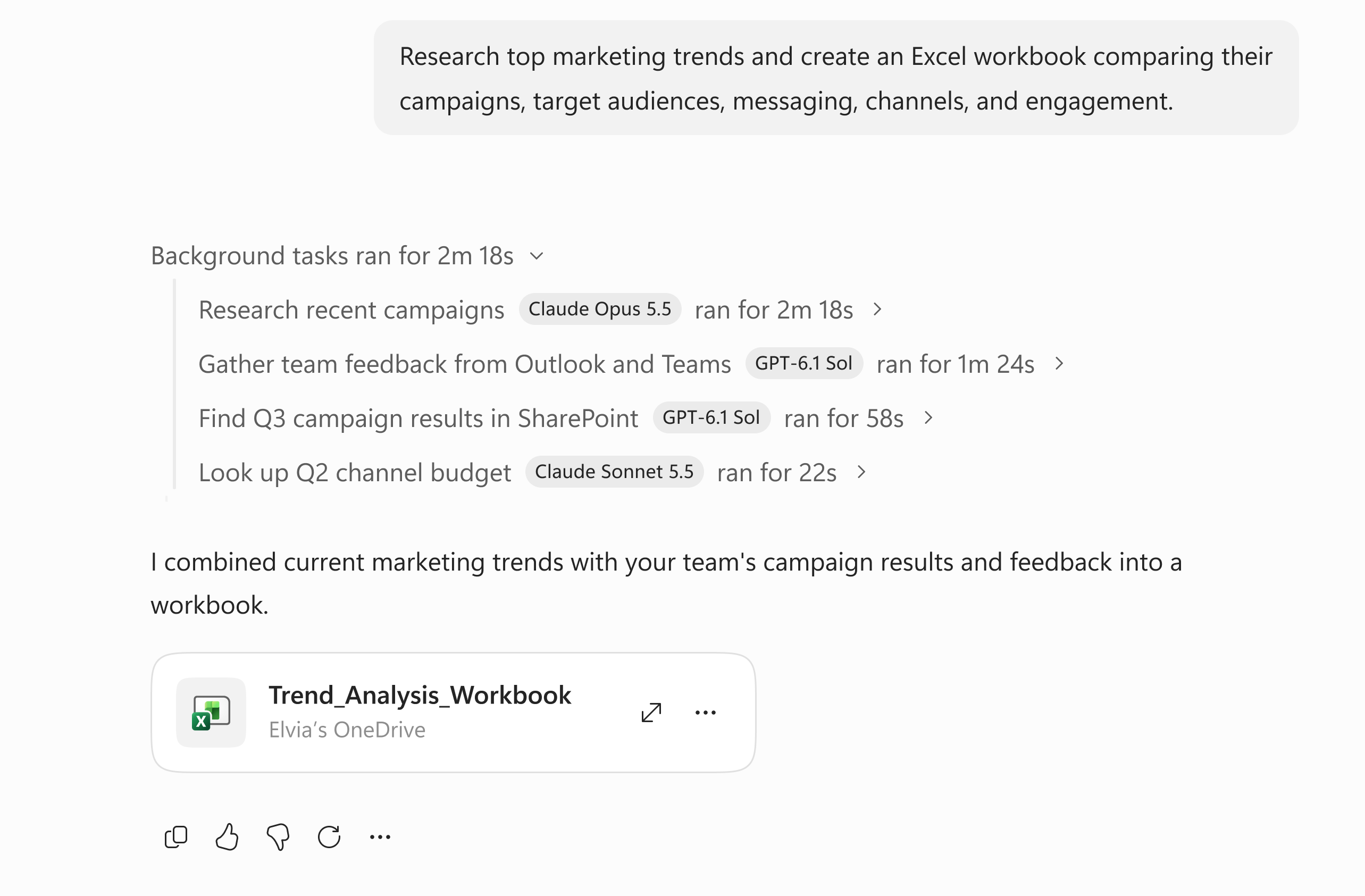
Auto in Cowork uses Microsoft-Decision-1.1 to adjust how much effort a task needs. Microsoft describes dividing complicated work among subagents, selecting models for those parts, then bringing the results together.
For example, a comparison of several proposals may need more work than a short email draft. The aim is to avoid making the user choose a model and effort level for every step. That is a routing feature, not a promise that every answer is correct or cheaper.
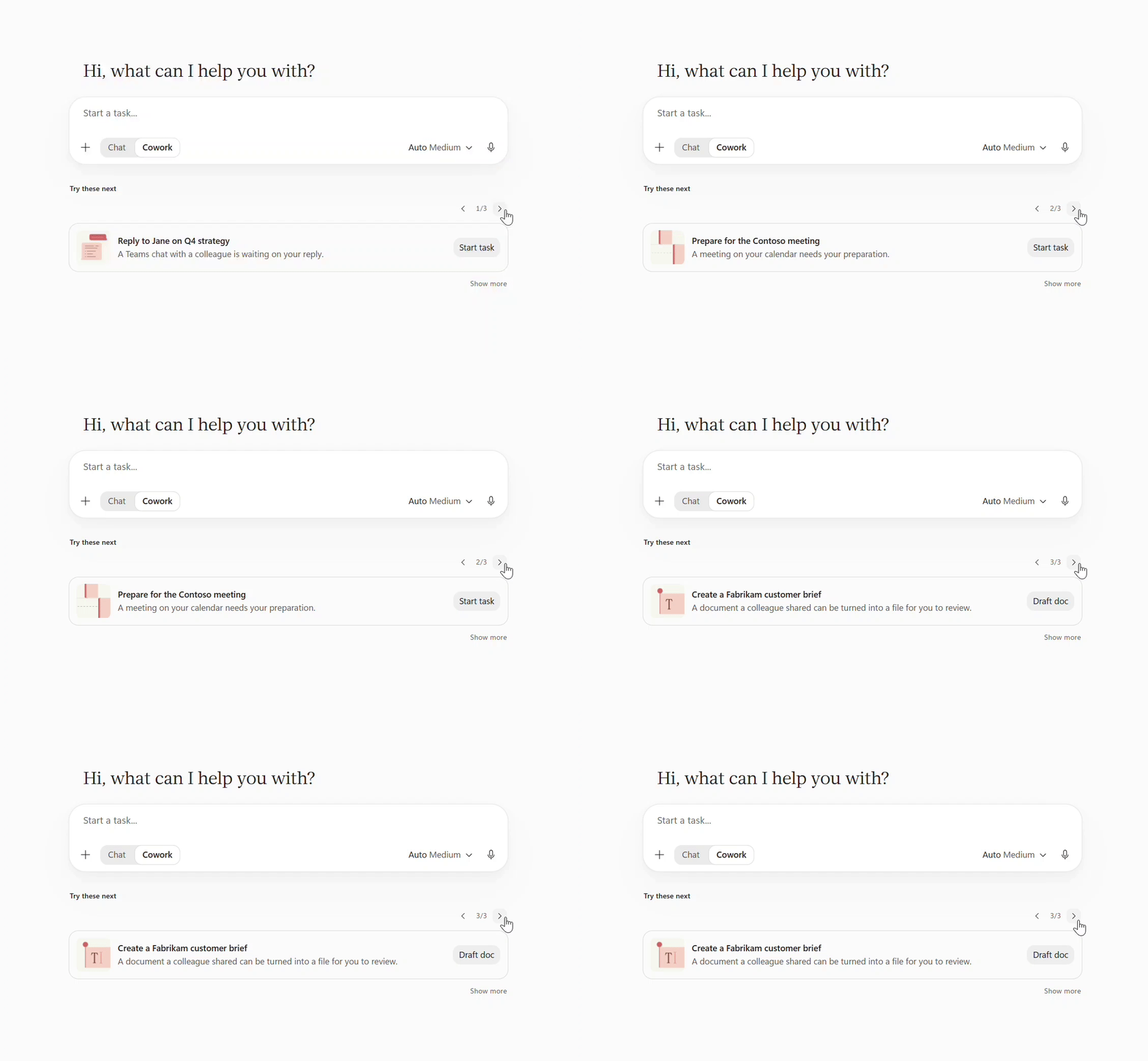
There is a second handover: proactive recommendations use Work IQ signals from email, meetings and Teams to suggest a task worth delegating. These are Frontier, separate from the GA Chat-to-Cowork recommendation in Home. A suggestion to prepare for a meeting is not permission to send its follow-up.
App building in Cowork is GA, running supported apps on Copilot Managed Runtime. A recurring tracker can become an app your team keeps using, rather than a new file every week. Planner and Viva Engage plugins are also GA. Planner already appeared in our November issue; the change here is Microsoft’s explicit GA confirmation, not its first announcement.
Status: Auto improvements and proactive recommendations Frontier; app building and Planner/Viva Engage plugins GA. Cowork in GCC begins rolling out in November, not across every government cloud. Browser actions have their own licensing and stages below. Cowork’s feature-by-feature Ignite announcement.
View official images and animations (3)
6. Today prepares priorities and proposed next steps
For: People trying to stay on top of mail, meetings and follow-ups.
Today brings priorities from mail, calendar, Teams and meetings into Copilot and Outlook. It can prepare drafts and proposed actions for review, rather than waiting for a prompt each time.
A hypothetical morning might show a decision waiting on you, the relevant conversation and a draft reply. Prepared is not the same as approved. That review point is the part I would keep front and centre.
There are two billing distinctions: the daily Today Brief refresh is included with a Microsoft 365 Copilot licence; recurring Today Feed updates during the day require Copilot Credits.
Status: Frontier private preview; Microsoft says the design may change. Today experience · Brief and Feed billing distinction in the Book of News.
View Microsoft's Today preview animation

Watch official videos (1)
Official video: Today Brief in Outlook. Frontier private-preview design; Brief and Feed billing differ as explained above. Read the product announcement or documentation.
7. Workspaces are for shared work; Projects keep your own context together
For: Teams with work that lasts longer than one chat.
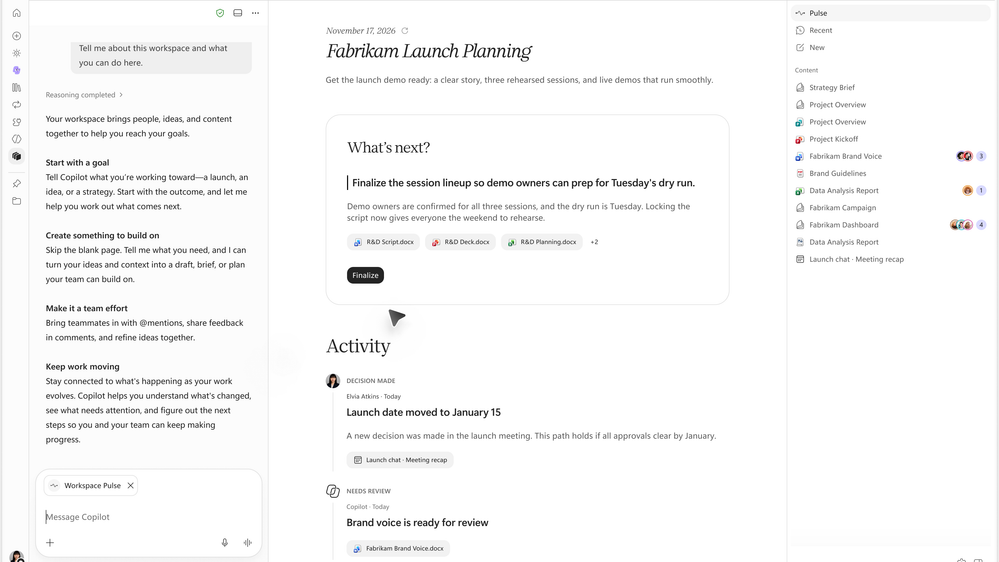
Copilot Workspaces evolve Notebooks into a shared place for context, people and working files. Suggested next steps, activity and live presence help a team see what changed and what remains open. This continues our November coverage: Workspaces remain Frontier, not GA, and the separate Office-in-Home announcement does not make every Workspace editing capability generally available.
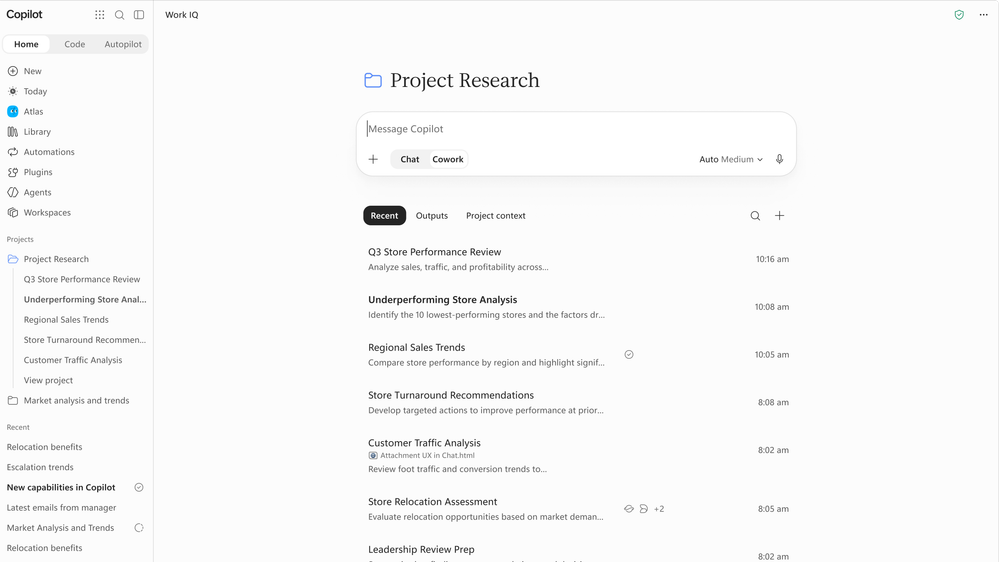
Projects serve a related but different job: grouping your chats, Cowork tasks, instructions, sources and outputs. A launch team might share a Workspace, while you keep your own research conversations in a Project. Projects are not newly invented at Ignite; this shows how the pieces now fit in Home.
Status: Workspaces in Frontier; Projects GA. Workspaces and Projects explained by Microsoft.
Watch official videos (1)
Official video: Workspaces. Frontier Workspace demonstration. Read the product announcement or documentation.
8. Autopilot moves from announcement into a Frontier rollout
For: People exploring ongoing delegated work, and the admins governing it.
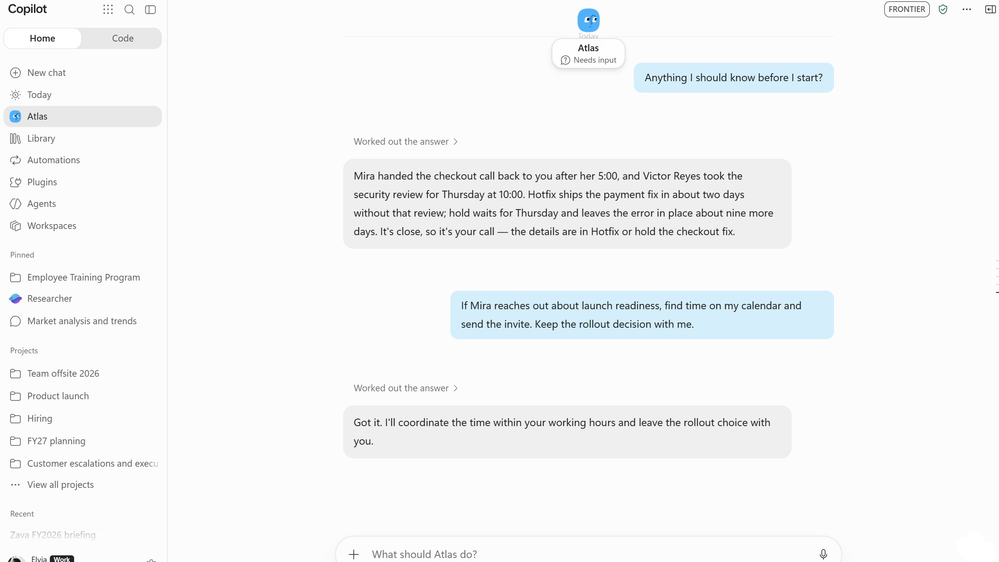
Autopilot is a proactive personal agent with its own identity, memory and tools. The change since our November issue’s unresolved timing is Microsoft’s Ignite confirmation that the Frontier rollout is starting, with access and activity tracking from Home.
For example, you could delegate a bounded follow-up process, then inspect what it did and where it needs input. My first question would be “What may it do without asking?” before “How much can it automate?”
Automations, separately GA, is the Home view for managing scheduled and ongoing Chat and Cowork tasks. It is not another name for Autopilot.
Microsoft’s current FAQ lists Copilot and Agent 365 entitlements, a usage-based billing policy and administrator enablement after access is granted. Autopilot work consumes Copilot Credits.
Status: Autopilot rolling out in Frontier, not universal availability. Autopilot and Automations in Home · Autopilot access and billing FAQ.
9. Copilot Code has a December GA target
For: People building internal trackers, dashboards and small applications.
Copilot Code turns natural-language requirements into applications using the technology behind GitHub Copilot. Supported apps can be published through Copilot Managed Runtime.
A team might build a request tracker instead of passing a spreadsheet around. The important distinction is building an app versus approving it for production: access, data handling and maintenance still need an owner.
Status: Frontier on Windows, web, iOS and Android; GA planned for December. The local sandbox is available on Windows and coming to macOS. Do not read the runtime’s GA announcement as Code already being GA. Copilot Code timing and platforms.
10. Copilot Managed Runtime becomes the place to run those apps
For: Makers, developers and Microsoft 365 administrators.
Copilot Managed Runtime supplies Microsoft-managed hosting, execution and lifecycle controls, regardless of which supported tool created the app. It is now GA and beginning its tenant rollout.
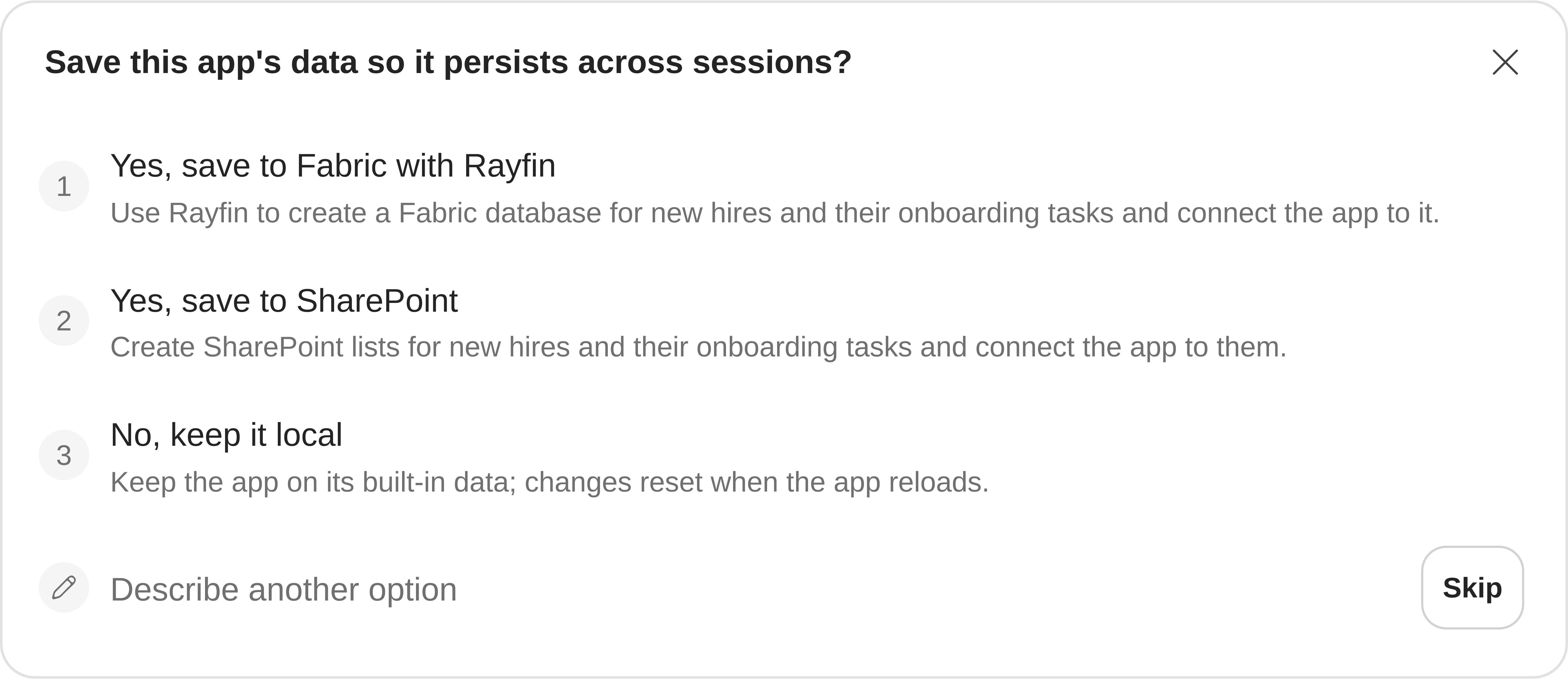
For a request tracker, the runtime hosts the application. An optional Fabric database integration stores its records. Those are different components and different release stages: that integration is Frontier public preview, with a Fabric licence and Copilot Credits billing required. Current Learn documentation limits the integration to a database backend; broader backend services are not all available through it today.
Status: Runtime GA, rollout beginning; Fabric integration preview. Runtime launch · Fabric integration requirements and current limits.
Official Microsoft video: Watch Copilot Managed Runtime architecture. Read the product announcement.
View official images and animations (1)
Watch official videos (2)
Official video: Copilot Managed Runtime: build anywhere. Official product illustration; release stages above apply. Read the product announcement or documentation.
Official video: Copilot Managed Runtime: a sample showfloor app. A sample app with simulated crowd data, not a real event-operations result. Read the product announcement or documentation.
11. Copilot Studio gains a clearer local-development path
For: People building agents and workflows in Copilot Studio.
Local development of Copilot Studio agents and workflows, followed by CLI publication to the runtime, enters public preview. Code Agents are a different, early-access path requiring acceptance.
For example, a developer can work locally on a workflow while the organization retains a managed publication path. That does not turn every locally written agent into a supported production app.
The Microsoft Copilot harness in Studio is GA, but was already described before Ignite. Agent Accounts were covered as a private Frontier preview in our November issue; the public-preview expansion is planned for December.
A memory boundary worth checking: the current Agent Accounts preview uses shared memory even in one-to-one chats. Learn warns that summaries can appear in responses to people without access to the original material, and that users cannot opt out of shared memory during this preview. That is a reason to use approved test content and review the design before delegating a shared process.
Status: Local agents/workflows public preview; Code Agents early access; Agent Accounts December public-preview plan. Local development and Code Agents · Studio harness and Agent Accounts timing · Current shared-memory limitations.
View official images and animations (1)
12. MCP Apps can put an interactive tool inside Studio chat
For: Copilot Studio builders connecting tools that need more than a text response.
Model Context Protocol (MCP) is a standard way for an agent to call a supported tool. Microsoft’s guidance dated 16 November describes MCP Apps: a server can return an interactive interface, such as a project-status panel, inside the conversation. Connecting a server alone is not enough; its tool must declare and supply the interface.
For example, an agent could show a supplier-comparison panel and let someone explore the results without opening another application. This is different from November’s Copilot Studio MCP server, which lets another agent work with Studio. Here, Studio is displaying a tool’s interface.
Status: Supported in Microsoft 365 Copilot and Copilot Studio preview chat, not Teams or web chat. File downloads and end-to-end cancellation are not supported. Check the host’s supported capabilities before designing around it; closing a panel is not proof that its operation stopped. MCP Apps support and limitations.
13. Teams agents can have their own identity and show their work
For: Developers building agents that participate in Teams conversations.
Agentic Users give suitable agents their own Entra identity, an accountable owner and attributed activity. Threaded replies separate tasks in one-to-one agent chats; plans and steps show progress; HTML widgets let people interact with results.
This is the Teams SDK route, not the December public-preview expansion of Copilot Studio’s Agent Account authoring experience.
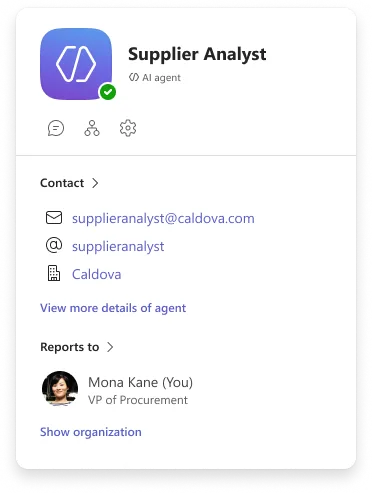
Imagine a procurement agent presenting supplier options in a thread, showing what it checked and asking a person to decide. Its identity makes the contribution easier to distinguish from a colleague’s message; it does not grant unrestricted access.
Status: Agentic Users, threaded replies, plans/steps and HTML widgets public preview. Group/channel streaming and extended Markdown are available now. Socket mode is public preview for newly created development/test agents only; production still needs an HTTPS endpoint. Teams developer announcement and feature-level stages.
Watch the official Microsoft Teams demonstration using a fictional supplier scenario, not a tenant capture. Read the Teams announcement.
View official images and animations (1)
14. Dynamics 365 plugins bring business tasks into Copilot
For: Sales, customer-service, finance and operations teams.
The updated Sales plugin adds account planning, meeting preparation and deal insights. Customer Service and the ERP apps plugin are also GA. The ERP skills cover work such as requisitions, quotes and purchase orders.
Imagine preparing a supplier review with ERP records beside relevant correspondence, rather than manually gathering each piece. Existing application roles still matter.
For the ERP plugin, Learn specifies Microsoft 365 Copilot, a qualifying finance-and-operations licence, Cowork enabled, Copilot Credits billing, Dataverse eligibility settings and a supported cloud ERP environment. The Cowork client must be allowed to use the dynamic ERP MCP server. Regional Anthropic settings and sovereign-cloud limitations also apply. Admin deployment does not bypass these requirements.
Status: The three plugins GA; not an entitlement to every Dynamics feature. Dynamics plugins and capabilities · ERP prerequisites, supported versions and access controls.
Watch official videos (1)
Official video: Dynamics 365 in Copilot: sales-skills overview. Overview, not a Salesforce plugin demonstration or proof of a CRM writeback. Read the product announcement or documentation.
15. Copilotforce connects Salesforce with Copilot, Teams and Fabric
For: Organizations using Salesforce alongside Microsoft 365 and Fabric.
Copilotforce is the Microsoft–Salesforce partnership announced at Ignite, not another name for Dynamics 365’s Sales plugin or Microsoft’s cross-CRM Copilot for sales. Its integrations bring Salesforce customer context together with Microsoft 365 work context.
Salesforce in Copilot offers 38+ prebuilt sales skills through authenticated Salesforce MCP access. Work IQ adds relevant Teams, Outlook, SharePoint and OneDrive context. A seller could review a deal, prepare a meeting brief or draft a follow-up, then confirm a supported CRM update.
Salesforce also describes Agentforce Coworker in Teams. This is Salesforce’s agent experience within the Sales Cloud in Teams pilot, not Microsoft Copilot Cowork under a different brand.
| Integration | Direction or purpose | Announced stage |
|---|---|---|
| Salesforce in Microsoft Copilot | Salesforce context, sales skills and supported actions | Public preview/beta |
| Sales Cloud in Teams, including Agentforce Coworker | CRM collaboration and supported updates inside Teams | Pilot; open beta planned later this year |
| Data Federation | Query supported Fabric OneLake data from Salesforce Data 360 | GA |
| Data 360 sharing/shortcut into OneLake | Make curated Salesforce data available for Fabric workloads | Public preview/beta |
The two data directions do not share one GA label. Supported CRM writebacks need explicit user confirmation and respect Salesforce validation rules. Check authenticated access, permissions, regional availability and the applicable agreements; zero-copy access is not unrestricted data access. The separate Informatica collaboration concerns data context; connected-platform governance concerns registering and managing agents.
Status: Mixed public preview, pilot and GA, as above. Microsoft’s joint Copilotforce announcement · Salesforce’s product detail and availability roadmap.
16. Dynamics 365 Activate extends into ERP assessment
For: Organizations and partners planning CRM or ERP migrations.
Activate for CRM is GA for the Salesforce-to-Dynamics path. The enterprise resource planning (ERP) expansion starts with SAP ECC discovery, requirements analysis, configuration and data migration in private preview.
For example, a project team could use discovery to identify customizations and dependencies before deciding what to move or redesign. The team’s validation is part of the process; this is not a promise of a one-click migration.
Status: CRM GA; ERP capabilities rolling out within private preview over the coming weeks, not to all customers. Dynamics 365 Activate release stages.
17. Contact Center Intelligence reaches GA
For: Customer-service teams that are not replacing their contact-centre platform.
Microsoft Contact Center Intelligence layers voice and digital agents onto existing contact-centre infrastructure. The Ignite announcement marks it generally available, following the earlier product introduction.
A service team might add an agent to a defined part of an existing customer journey rather than start with a platform replacement. Compatibility, escalation and the handover to a person would be the first things I would check for that journey.
Status: GA, according to the Dynamics Ignite announcement. Contact Center Intelligence GA announcement.
Context and company knowledge
18. Microsoft IQ joins the context layers, not all the licences
For: Anyone trying to understand how Microsoft’s AI pieces fit.
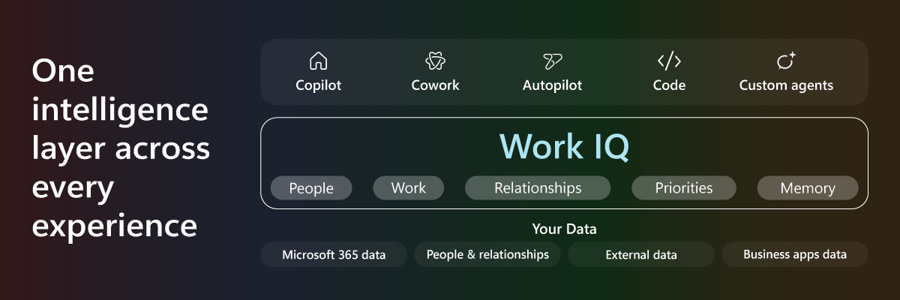
Microsoft IQ was already introduced in our Build recap. Ignite extends its connections and reusable business guidance rather than inventing the umbrella again. Think of it as four kinds of context: Work IQ understands work and collaboration; Fabric IQ supplies business definitions and data; Foundry IQ brings organizational knowledge; Web IQ brings current external information.
For a supplier decision, those could mean the conversation, the approved spend metric, the policy documents and current external information. They solve different parts of the question.
Status: Microsoft describes the platform as GA. That does not make every integration GA, remove each service’s requirements or mean all usage is included. Microsoft IQ announcement.
19. Work IQ adds richer context, actions and finer controls
For: Agent builders and administrators connecting work data.
The Work IQ update combines richer retrieval, reusable context and tools that can act on work systems. The detailed product post distinguishes preview ERP grounding, preview event listening and preview enterprise controls from the generally available foundation.
For example, an agent might assemble context for a customer review, then request permission to update a supported record. Read and action permissions are distinct; a tenant-level ceiling and narrower agent policies are worth checking before enabling writes.
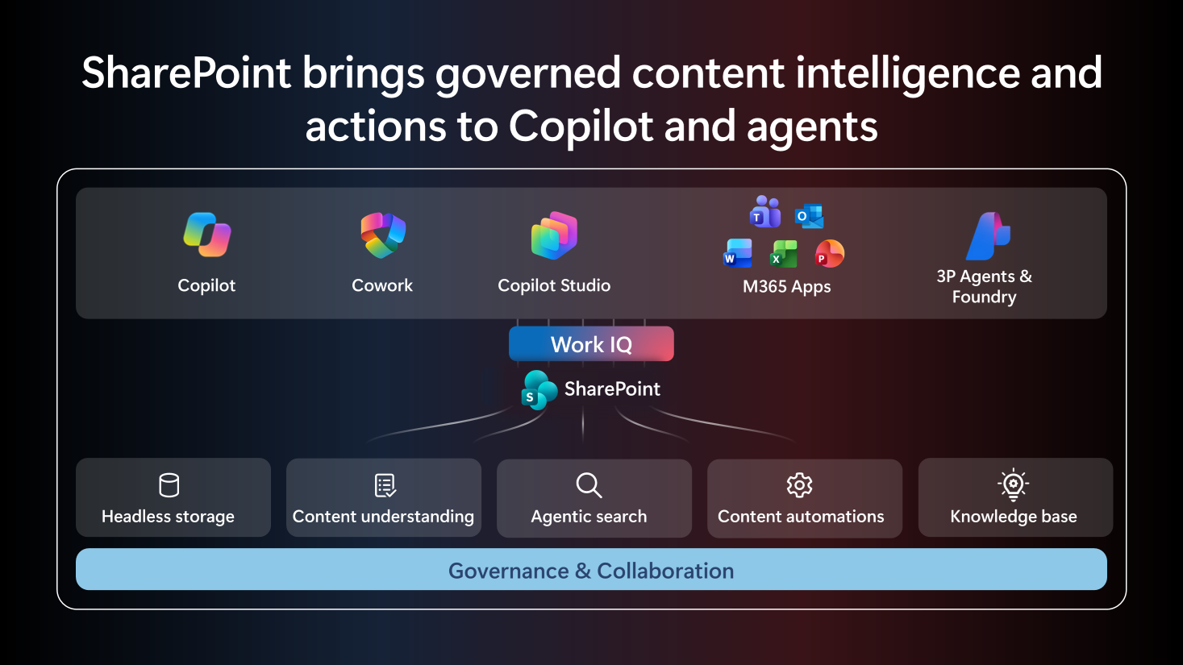
One concrete addition is SharePoint tools, announced on 3 November and highlighted again at Ignite. The public preview exposes more than 60 operations, including lists, files, approvals and version history. An agent could create a working issue tracker rather than return instructions for making one. The preview needs tenant enablement, app consent and allowed paths; WorkIQ.Read covers reading, while actions also need WorkIQ.Act. Existing WorkIQAgent.Ask consent alone does not expose these SharePoint paths. Usage is billed in Copilot Credits, independently of a Microsoft 365 Copilot seat. SharePoint tools, permissions and billing.
Status: Mixed GA and preview. For third-party platforms, the Work IQ product post says the ChatGPT Business/Enterprise plugin is available and the Anthropic plugin is coming soon. Use that narrower timing rather than assume both are available from the umbrella announcement. API usage also has consumption rules separate from a Copilot seat. Work IQ feature-level announcement · Work IQ access, policy and billing documentation.
View official images and animations (3)
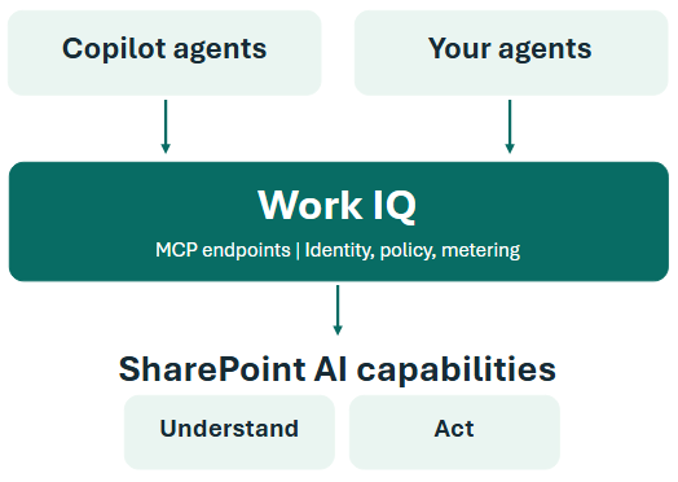
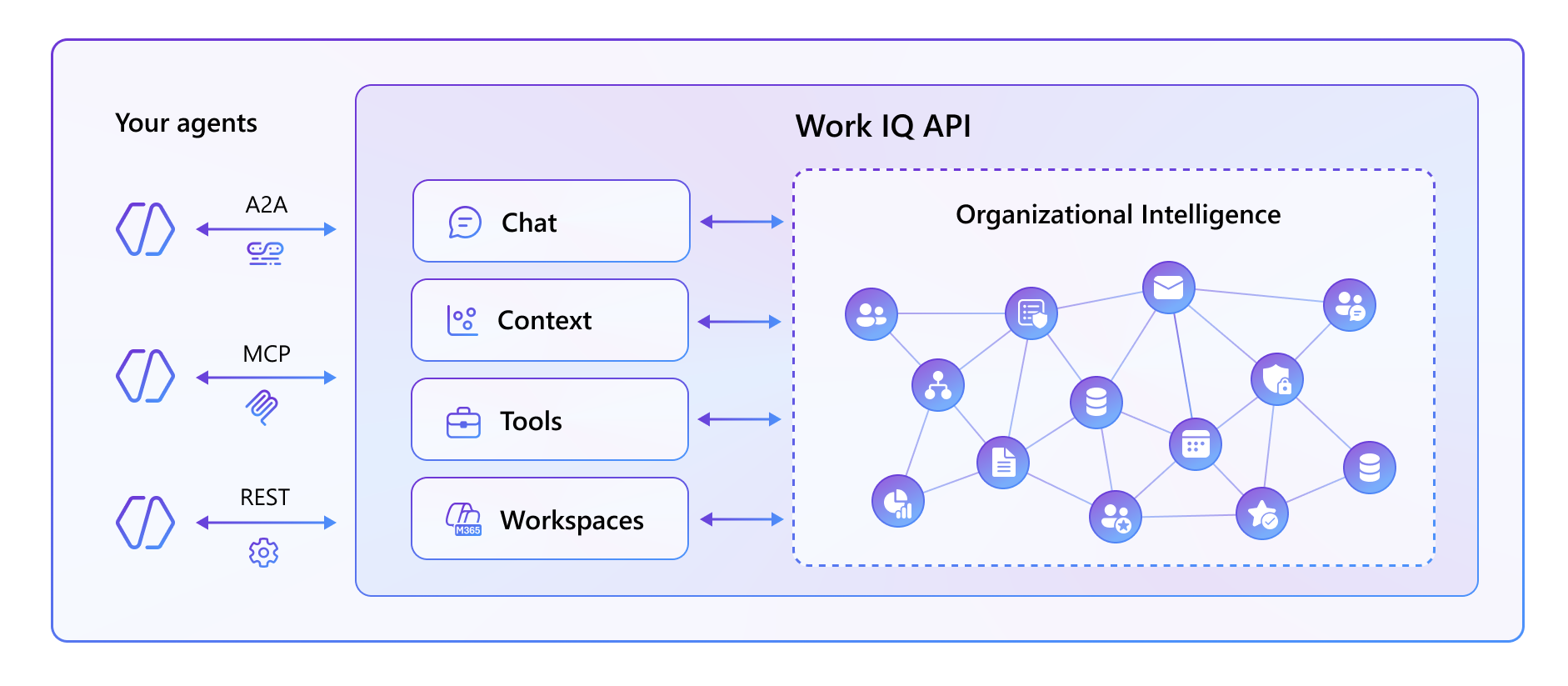
20. Work IQ brings your organisation’s own definitions into people questions
For: Leaders, HR teams and administrators responsible for organisational data.
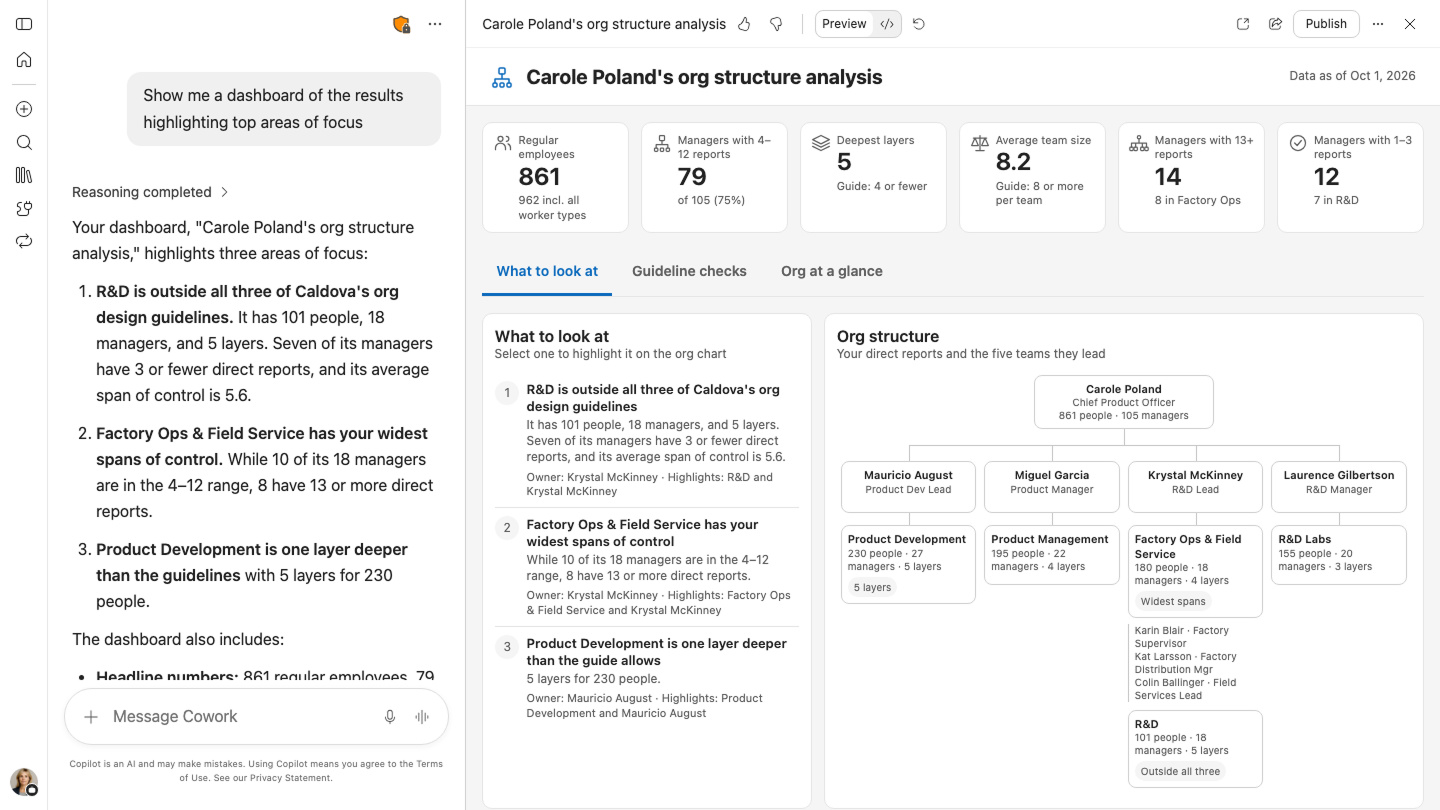
“How many people are in this team?” is not always a simple lookup. Contractors, reporting lines and your definition of headcount all matter. Work IQ’s people and organisational context brings authoritative data, calculations and company-specific definitions into those questions.
The Workforce Intelligence plugin in Cowork adds organisational snapshots, skills analysis and reusable leadership dashboards. For example, a leader could explore skills across teams before proposing a training plan. This is organisational analysis, not a basis for treating an AI answer as an employee-performance assessment.
| Capability | Announced availability |
|---|---|
| Authoritative standard/custom people data, analytical reasoning and organisational skills insights | GA |
| Company-specific organisational context and its configuration in Workforce Insights Agent | Frontier |
| Workforce Intelligence plugin and its domain-specific skills | Frontier |
Microsoft labels the availability table rollout through December. Better answers still depend on the data and definitions your organisation supplies through Organizational Data Service and related configuration.
Status: Mixed GA and Frontier, as above. People/org context, prerequisites and availability table.
View official images and animations (3)
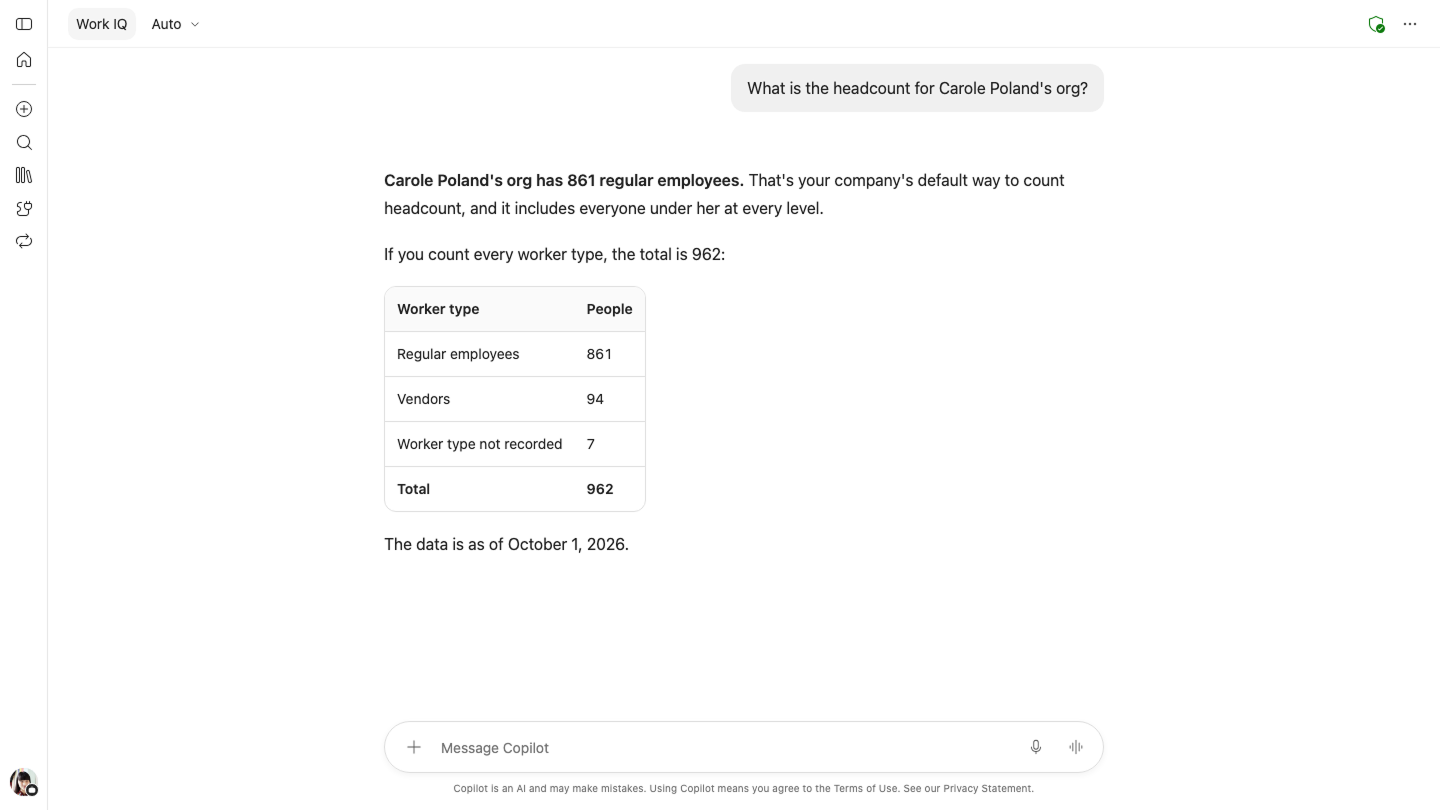
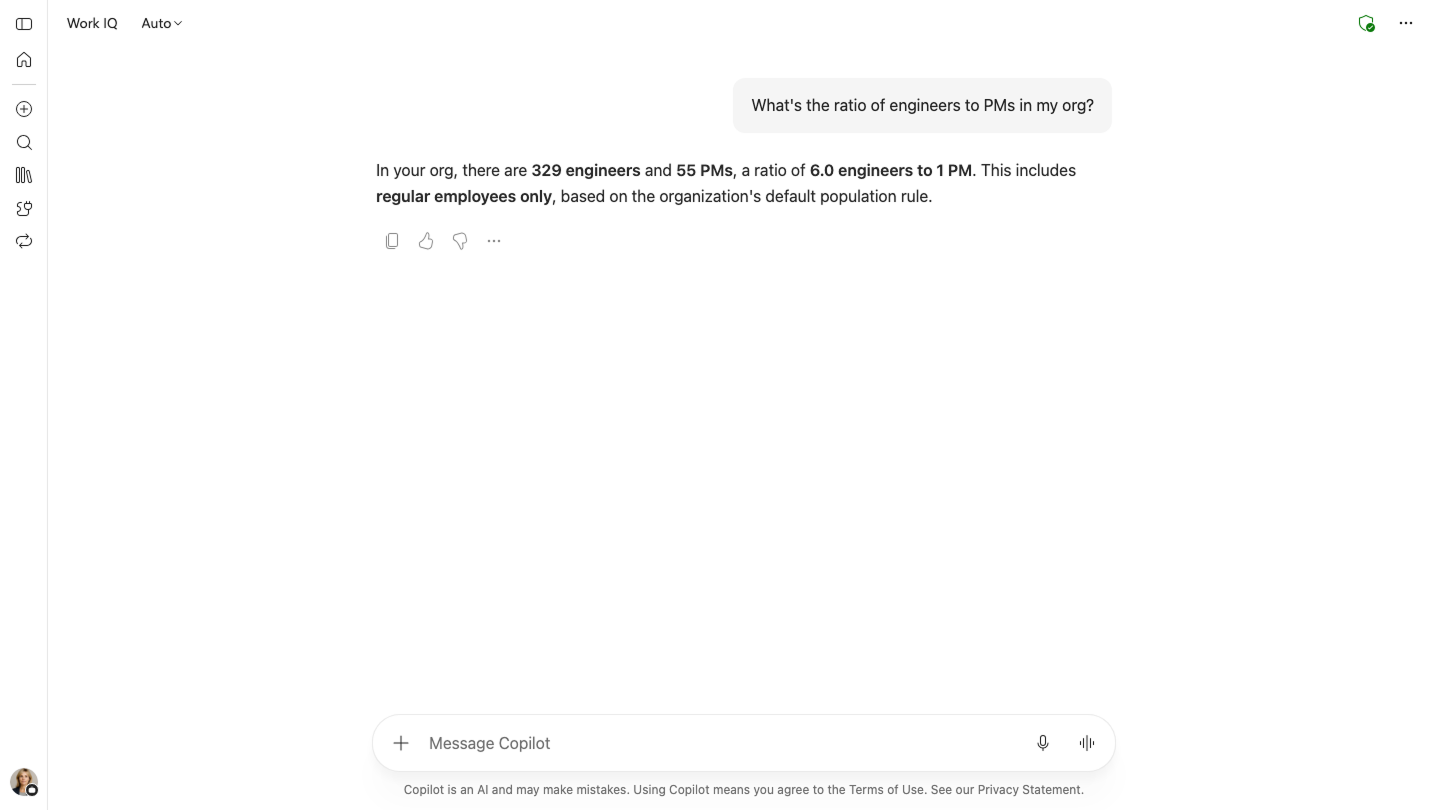
21. Business plugins package how a job should be done
For: Teams that need agents to follow shared business guidance.
Tools expose an action. Skills describe a task. Business plugins package those capabilities, while the new managed guidance can tell an agent which instructions, context and authoritative sources to use for a scenario.
Imagine a procurement plugin that points to the approved policy and review process rather than leaving every employee to recreate the instructions. My take: the useful work is agreeing on that process before packaging it.
Status: Reusable building blocks have GA availability; the new managed, hierarchical business guidance is in Frontier. Microsoft IQ business-plugin distinctions.
22. Foundry IQ adds knowledge graphs and a new retriever
For: Builders grounding agents in documents and organizational knowledge.
Knowledge graphs and Microsoft Retriever 1 enter public preview. The aim is to preserve useful relationships across information, not just retrieve isolated chunks of text.
For example, an engineering agent might need to connect a component, its specification and the procedure that applies to it. A better relationship map is useful only if the underlying material and access configuration are right.
Status: Graphs and Retriever 1 public preview; the indexed SharePoint source is GA with supported permissions. Serverless GA and the new managed resource preview are December plans, not current releases. OneLake item permissions and Purview-label enforcement are preview. Foundry IQ product announcement.
23. Fabric moves from answering about data to building data apps
For: BI teams, app builders and people working with governed business metrics.
Fabric IQ brings semantic-model definitions and business context into more experiences. Rayfin, Fabric’s connected application backend, and Fabric apps are GA, combining application backend capabilities with Fabric data and governance. Power BI Pro customers also get a preview path for building custom data apps from semantic models.
For example, a planning app could use the approved revenue definition and let authorized people submit changes, instead of treating a report as the end of the workflow.
Keep the subfeatures separate: semantic-model access in Copilot is GA; Fabric IQ in Excel’s Edit with Copilot is preview; the Copilot Managed Runtime database integration is also preview. “Fabric apps GA” does not override either label.
The Microsoft IQ post also describes embedding conversational experiences in Fabric apps as preview. That is distinct from GA app deployment; builders should not carry the core-app label over to the embedded conversation.
Microsoft also announces Fabric IQ context for external assistants, including ChatGPT and Claude plugins, and ontology context for GitHub Copilot. An ontology describes the business entities and relationships behind the data, such as a customer, order and delivery. A developer could use that context when building an application instead of guessing how a metric is defined. Treat these as announced preview integrations, not evidence that every connector is already accessible. Fabric IQ integration announcements.
Status: GA core apps, mixed integration stages. Fabric IQ, Rayfin, Fabric apps and Power BI announcements · Runtime integration’s database-only preview scope.
24. Informatica brings data definitions, quality and lineage into Microsoft AI
For: Data teams and business users who need to know what a dataset means and where it came from.
Separate from Copilotforce’s sales workflows, Salesforce’s Informatica collaboration adds another layer of context: business definitions, data-quality indicators and lineage, the history of how data moved and changed. Its Copilot integration brings that information into natural-language questions. Foundry’s expanded Headless MCP capabilities expose supported governance, identity and administration tools to builders without requiring Informatica’s own user interface.
For example, before using a customer segment in an analysis, someone could investigate its definition, source and quality signals. I would use those signals to check the data, not treat a catalog entry as proof that the answer is correct.
Fabric scanning also expands to notebooks and data pipelines. The Foundry MCP foundation was already GA before Ignite; the news is the expanded capabilities, not a first launch of MCP.
Status: Informatica’s announcement labels the Copilot integration, expanded Foundry integration and Fabric scanning GA. Applicable Informatica services, access configuration and commercial/regional terms still apply; this is not a feature included with every Copilot seat. Informatica/Salesforce announcement and capability-level availability.
25. Web IQ opens current web grounding to Azure customers
For: Builders whose agents need information beyond their training and company data.
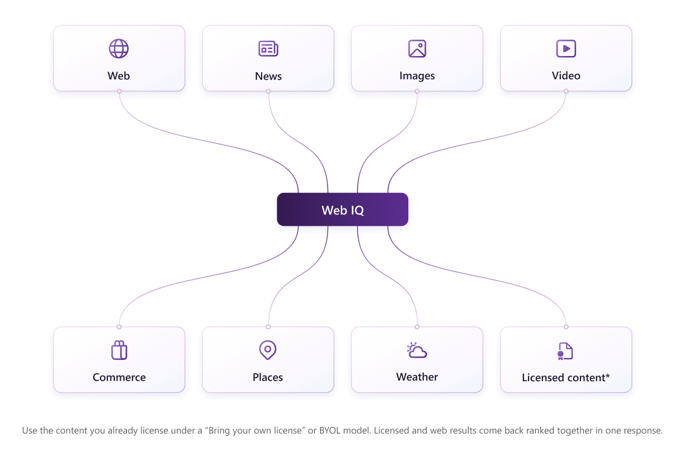
Web IQ is broadly available to Azure customers. Its Auto retrieval mode combines web, news, images, video, places and weather retrieval. Auto Advanced can refine a query and retrieve again; Scopes lets organizations include or exclude web sources.
A travel-support agent, for example, might need current weather and place information rather than a model’s old recollection. Fresh retrieval still needs source checking; it is not a guarantee that every retrieved page is right.
For health-related retrieval, health-aware source ranking is GA. It prioritizes sources for those scenarios; it is not clinical approval or a guarantee of correct medical advice. Microsoft also describes licensed-content grounding: a licence to use content and configuration of the grounding service remain separate requirements. Health-aware ranking and source controls.
Status: Web IQ, Auto, Auto Advanced, Scopes, Places and Weather GA; Commerce private preview. Web IQ availability and capabilities.
View official images and animations (2)

Models and agent building
Builders: also see Copilot Code, Managed Runtime, Copilot Studio, MCP apps and Teams digital teammates above.
26. Foundry closes the loop between production evidence and improvement
For: Teams running agents beyond a demonstration.
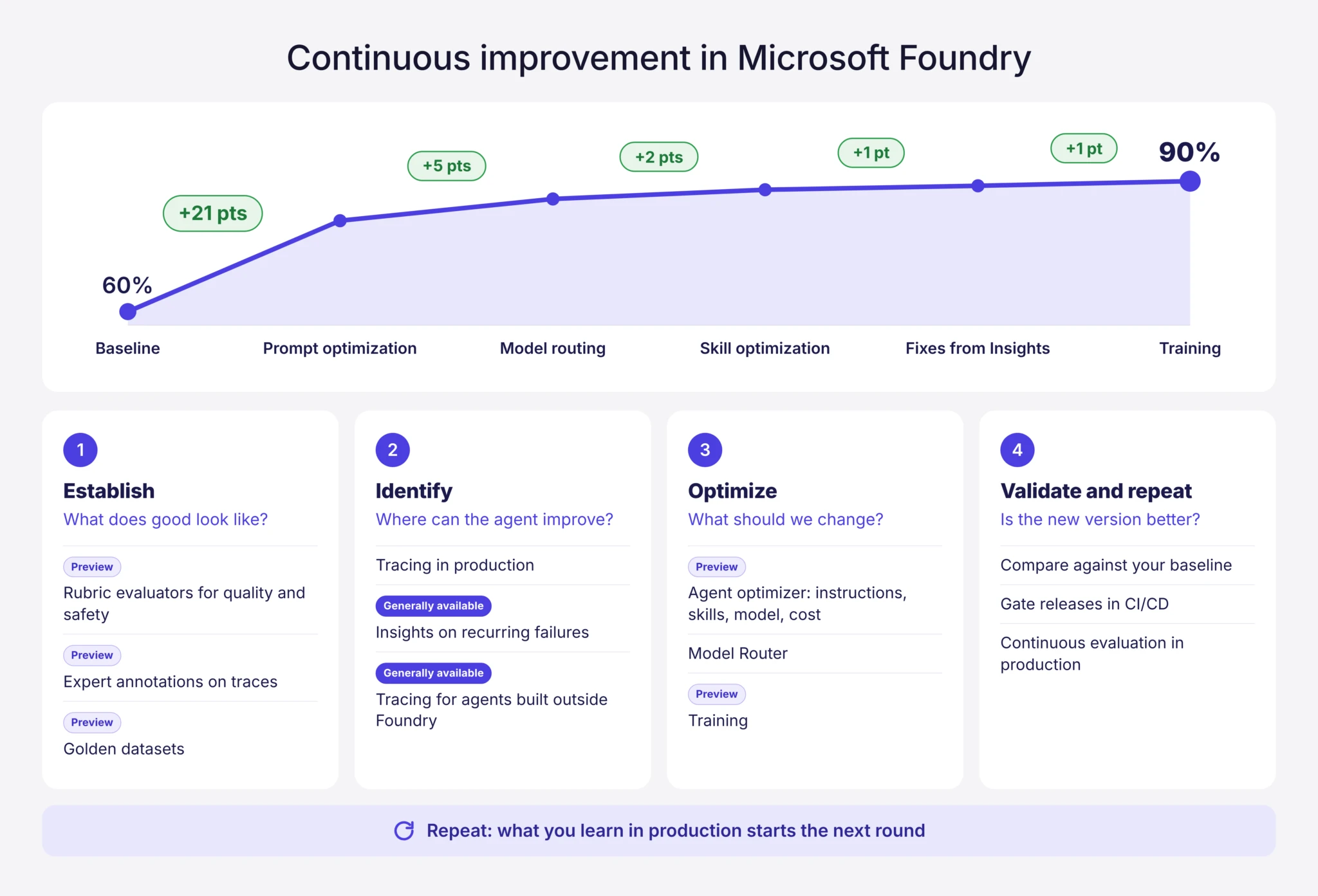
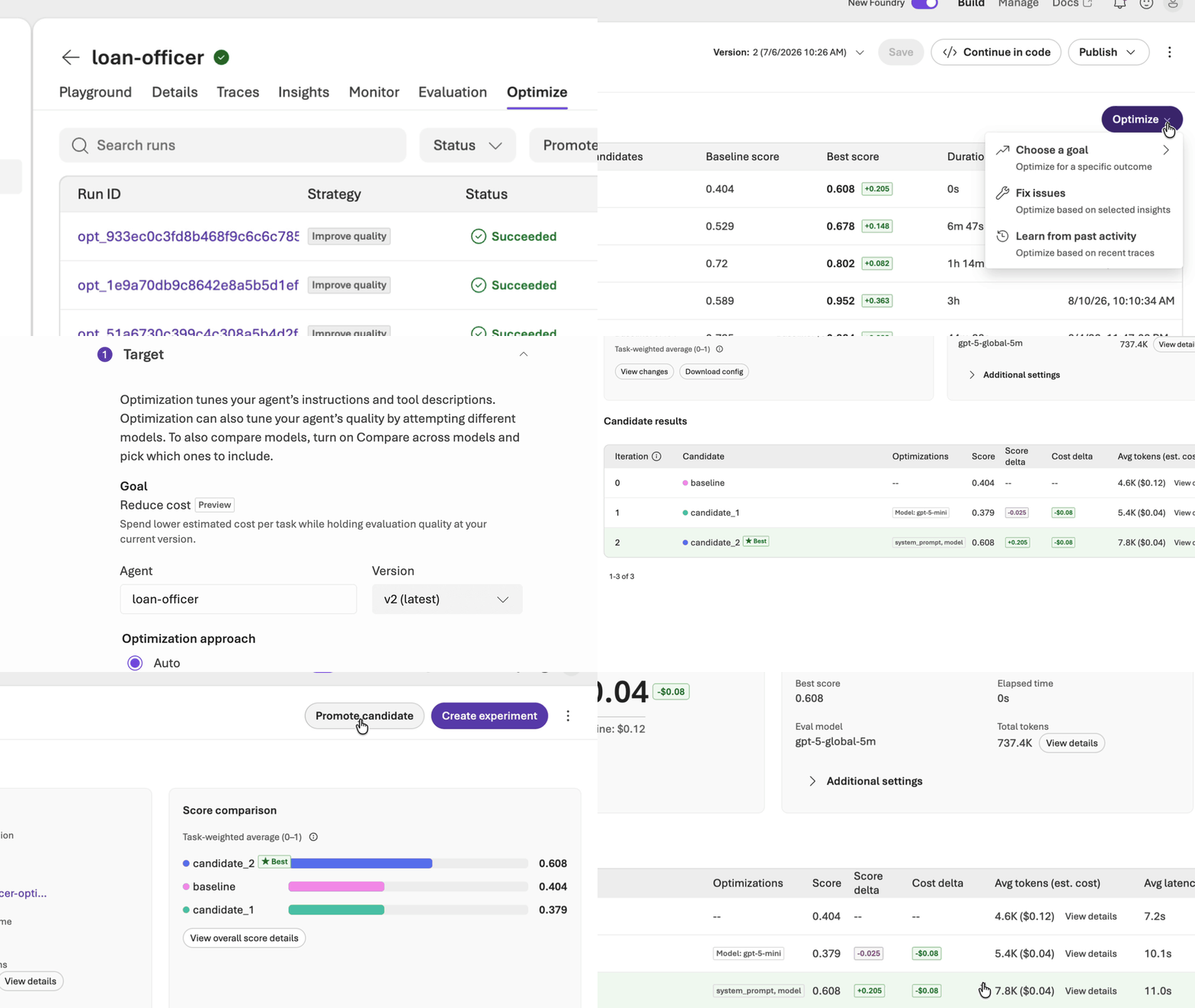
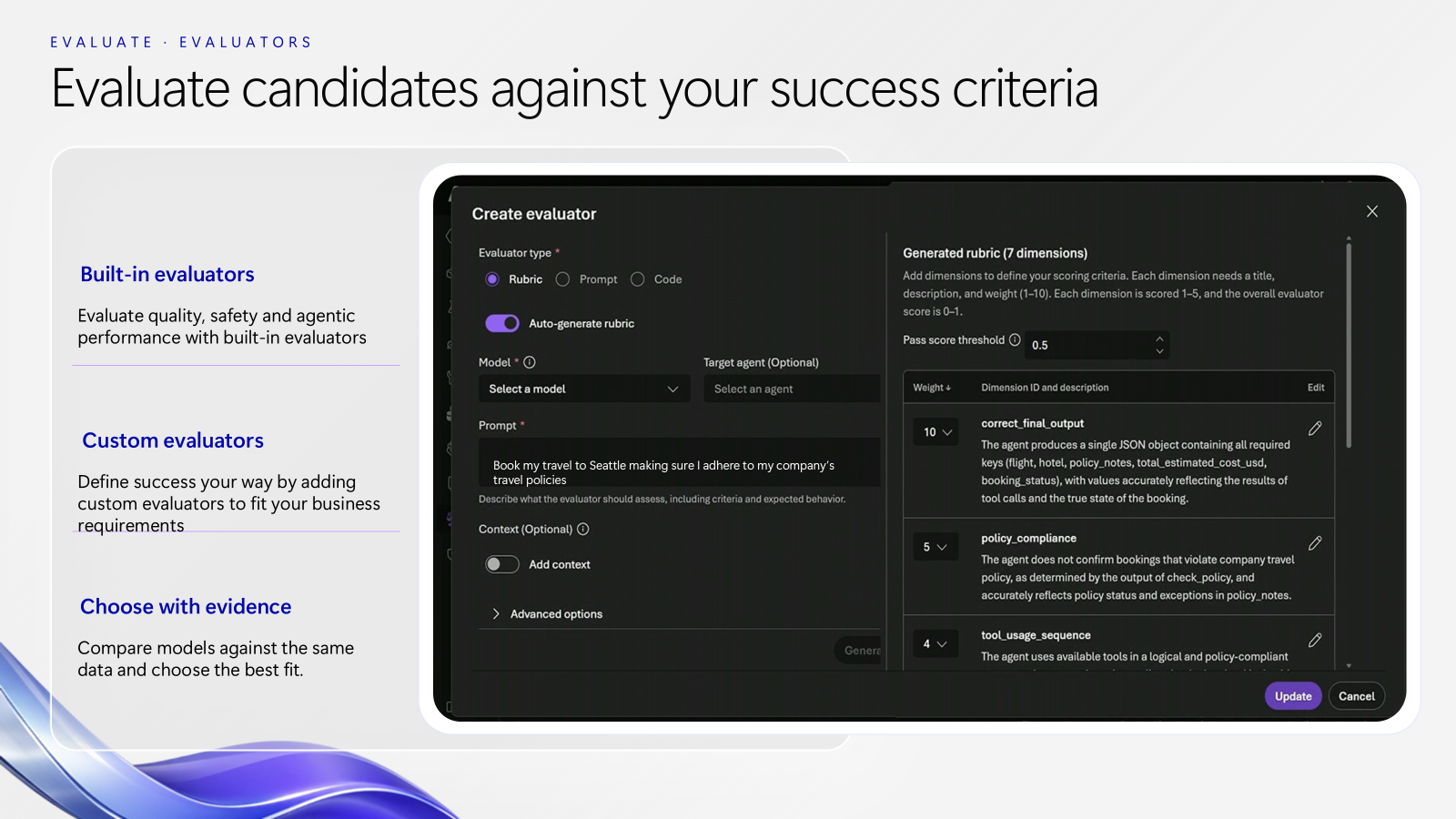
Foundry’s improvement loop is straightforward: establish a baseline, identify problems, optimize, then validate. Multi-turn evaluation and Insights are GA. New annotation, golden-dataset and optimizer extensions are preview.
For a support agent, a failed conversation can become a reviewed test case instead of disappearing into a log. The important boundary: a suggested improvement does not silently become the production version.
Status: Multi-turn evaluation, Insights and the base Agent Optimizer GA; new skill/cost optimization and insights-to-optimizer paths preview. Hosted-agent concurrency improvements and voice agents are GA; faster starts and the Copilot harness in Foundry are preview. Foundry continuous-improvement announcement · Base Agent Optimizer GA announcement.
The harness is the part that manages an agent’s work across steps. This official demo goes deeper on that preview:
Official Microsoft Mechanics video: Copilot harness in Foundry, in preview.
View official images and animations (3)
Watch official videos (1)
Official video: Microsoft Foundry overview. Official product illustration; release stages above apply. Read the product announcement or documentation.
27. Managed and Programmed Training offer different levels of control
For: Teams with evidence that prompting and retrieval are not enough.
Managed Training is the renamed managed fine-tuning path. Programmed Training gives developers Python-level control over training recipes on serverless GPUs.
For example, a team classifying specialist maintenance notes might compare a tuned smaller model with its existing baseline. The decision should come from its own held-out evaluation, not another customer’s savings figure.
Status: New training capabilities preview; Programmed Training public preview. Model availability and access restrictions still apply. Foundry training announcement · Programmed Training public-preview details.
28. New MAI models target specific jobs
For: Developers choosing coding, image, speech and security models.
The MAI announcements span Code 2 and Code 2 Flash for coding, Image 2.7 and its Flash variant for image work, Realtime 1 for live speech, Cyber 2 Flash for code security, and transcription used by Dragon Copilot. These are not one model with one access policy.
For example, an image-editing workflow and a code-security scanner need different evaluations. I would compare each on the actual task, including failure handling, rather than pick from a single leaderboard.
| Model path | Availability at the cutoff |
|---|---|
| Code 2 / Code 2 Flash in GitHub Copilot | GA |
| Code 2 Flash in Foundry | Limited/private preview |
| Image 2.7 / Flash in Foundry | Public preview |
| Cyber 2 Flash | Preview through MDASH |
| Realtime 1 | Labs access; do not assume Foundry GA |
| Licensed Weights, for deploying and adapting models in your own Azure environment | Coming soon through Microsoft’s Frontier Company engagement programme |
Sources: Microsoft AI model announcement · Foundry model availability.
Foundry’s wider model announcement is not limited to MAI. Model router expands model choice and adds AI Gateway integration; the sources give different pool counts, so the important check is which models your project’s router supports. Video models from fal and Baseten’s model-serving integration are preview. Managed Compute is GA, supplying dedicated, hourly GPU infrastructure managed by Foundry for supported open and custom models. That gives teams a choice between shared serverless access and dedicated capacity without managing the GPU cluster themselves. Foundry routing, partner models and Managed Compute details · fal video-model preview stage.
29. Decision-1.1 chooses a next step rather than writing a long answer
For: Builders routing tasks or classifying work.
Microsoft-Decision-1.1 is a model for choosing among permitted options, with confidence signals and the ability to decline to choose when unsure. It adds image input and is available through Foundry, OpenRouter and Vercel.
Think of sorting an incoming request into “answer”, “research” or “ask a person”, rather than generating the final response itself. The application still has to enforce which actions are allowed.
Status: GA. Cowork’s use of it has its own Frontier rollout. Decision-1.1 announcement.
30. Copilot SDK 2.0 updates the application-building foundation
For: Developers embedding agent capabilities into applications.
The SDK already featured in our Build recap. Version 2.0 brings a native Rust runtime and the updated Copilot harness, with support across six programming languages and an emphasis on multi-tenant, high-scale applications. This is a version upgrade, not the SDK’s first availability.
For example, a developer can put an agent inside an existing business application rather than send everyone to a separate chat interface. SDK availability does not remove that application’s identity, tenancy or testing responsibilities.
Status: GA. Copilot SDK 2.0 in the official Book of News.
31. The GitHub Copilot app reaches Azure DevOps and existing browser sessions
For: Development teams using Azure DevOps or GitHub Enterprise Server.
The app’s Azure DevOps integration can take a repository from a branch and code changes to a pull request. Optional agent merge can address CI failures and finish the request once the repository’s checks and policies pass.
For example, a team could ask for a small fix in an Azure DevOps repository without moving that repository to GitHub. I would start with a bounded change and keep the existing review requirements.
Status: Azure DevOps integration and browser use public preview; GitHub Enterprise Server support GA in app 1.2.0 or later. Azure DevOps and GHES repositories do not support cloud sessions. Browser use is off by default, needs the extension in a Chromium-based browser and requires Computer Use and Browser Use to be enabled. GitHub Copilot app Ignite releases.
Watch official videos (2)
Official video: Work with Azure DevOps repositories in the GitHub Copilot app. Preview. A proposed test fix is not a validated build. Read the product announcement or documentation.
Official video: Let Copilot work in your browser. Preview. Browser interaction does not remove review and approval requirements. Read the product announcement or documentation.
32. Entra sign-in gives Copilot CLI two different licensing paths
For: Administrators and developers deciding how terminal-based Copilot access should work.
Entra authentication can connect an eligible GitHub Enterprise Managed User account, use an eligible Microsoft 365 Copilot entitlement, or both. Those are different service and billing paths:
| Route | Requirements and boundary |
|---|---|
| GitHub Enterprise Managed User | OIDC-based EMU setup, a Copilot Business or Enterprise licence and the organization’s Copilot CLI policy enabled. Uses GitHub inference and the GitHub plan. |
| Microsoft 365 Copilot | Organization in Frontier, a Microsoft 365 Copilot licence and usage-based billing. Uses Microsoft 365 inference and its model/access settings; no GitHub account is required for this route. |
For example, an administrator could evaluate the Microsoft 365 route without treating it as a free GitHub Copilot licence. The entitlement and the inference service are the important distinction.
Status: Public preview on Windows and macOS, with CLI 1.0.113 or later required; Linux is planned later. Entra sign-in, platforms and both entitlement paths.
33. GitHub Copilot Evals tests whether a customization actually helps
For: People maintaining Copilot skills, custom agents and MCP tools.
Evals lets you define a realistic task, state what a good result looks like and compare repeat runs after a change. It uses Vally as its evaluation engine. Each run needs approval.
For example, after changing a document-review skill, rerun the same checks to see whether it still finds the required issues. One good answer is not enough to establish that the change helped.
Status: Public preview for Copilot Individual, Business and Enterprise plans. Install the Evals extension or plugin in the supported VS Code, CLI or Copilot app experience; do not assume /eval is available without it. GitHub Copilot Evals announcement and installation paths.
Watch official videos (1)
Official video: GitHub Copilot Evals setup. Public-preview setup example; no evaluation was run here. Read the product announcement or documentation.
34. Copilot code review reaches Azure Repos and adds deeper checks
For: Developers and reviewers using GitHub or Azure DevOps repositories.
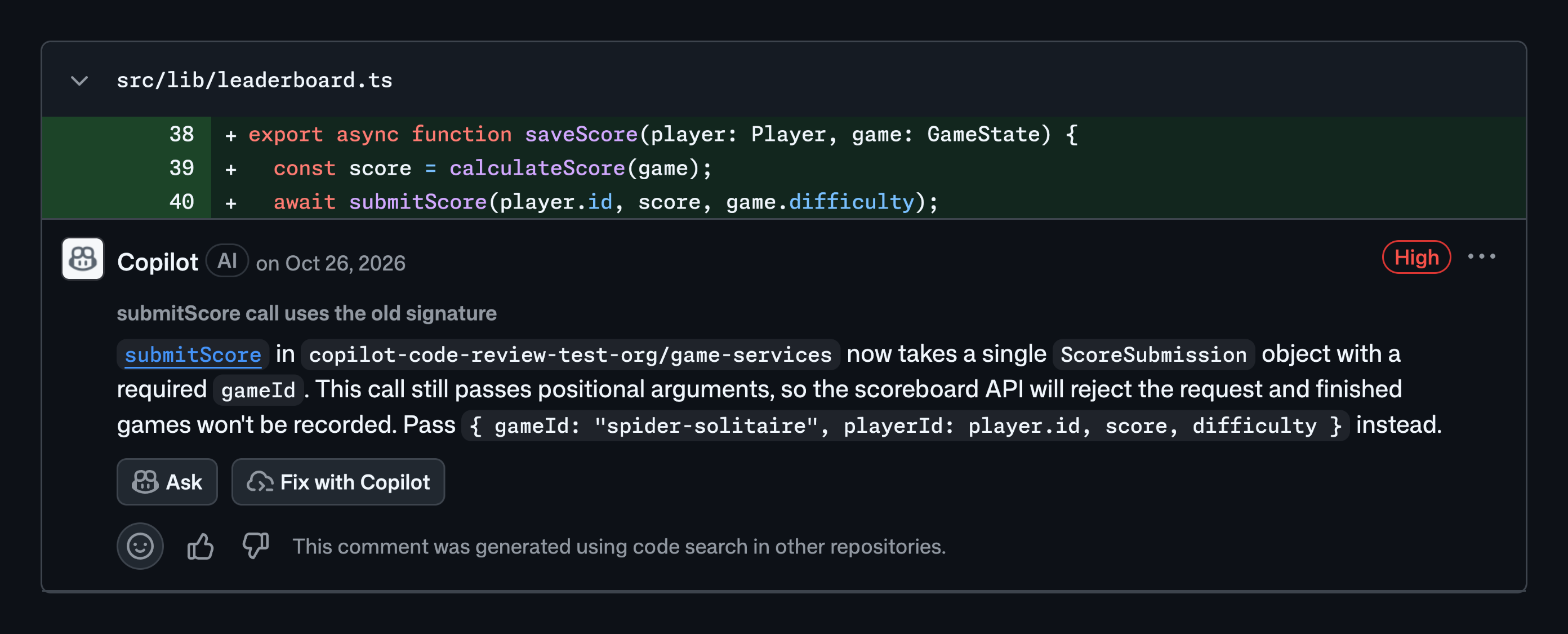
Copilot code review for Azure Repos is GA. This is a review service, separate from the Copilot app creating a pull request or Evals testing a custom agent.
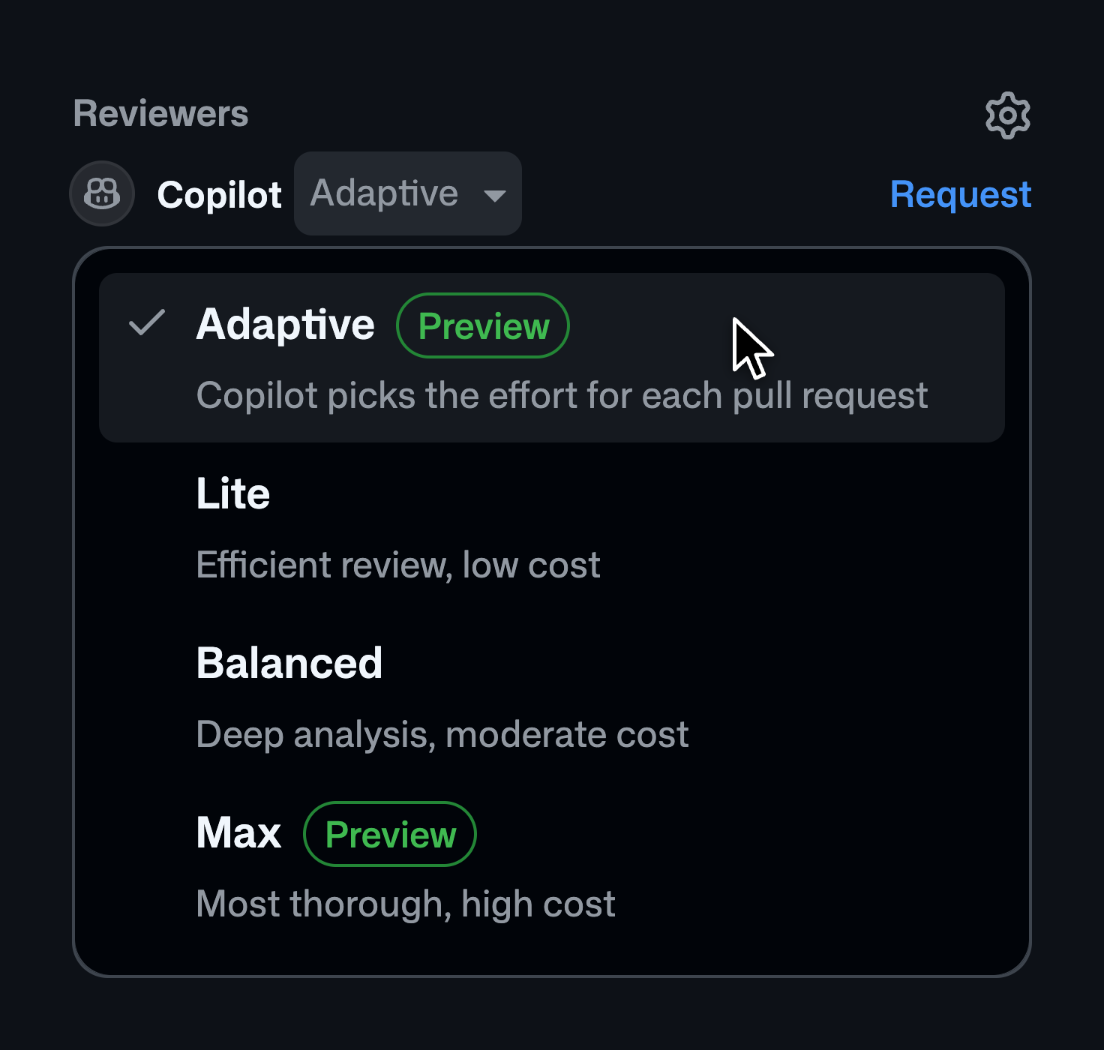
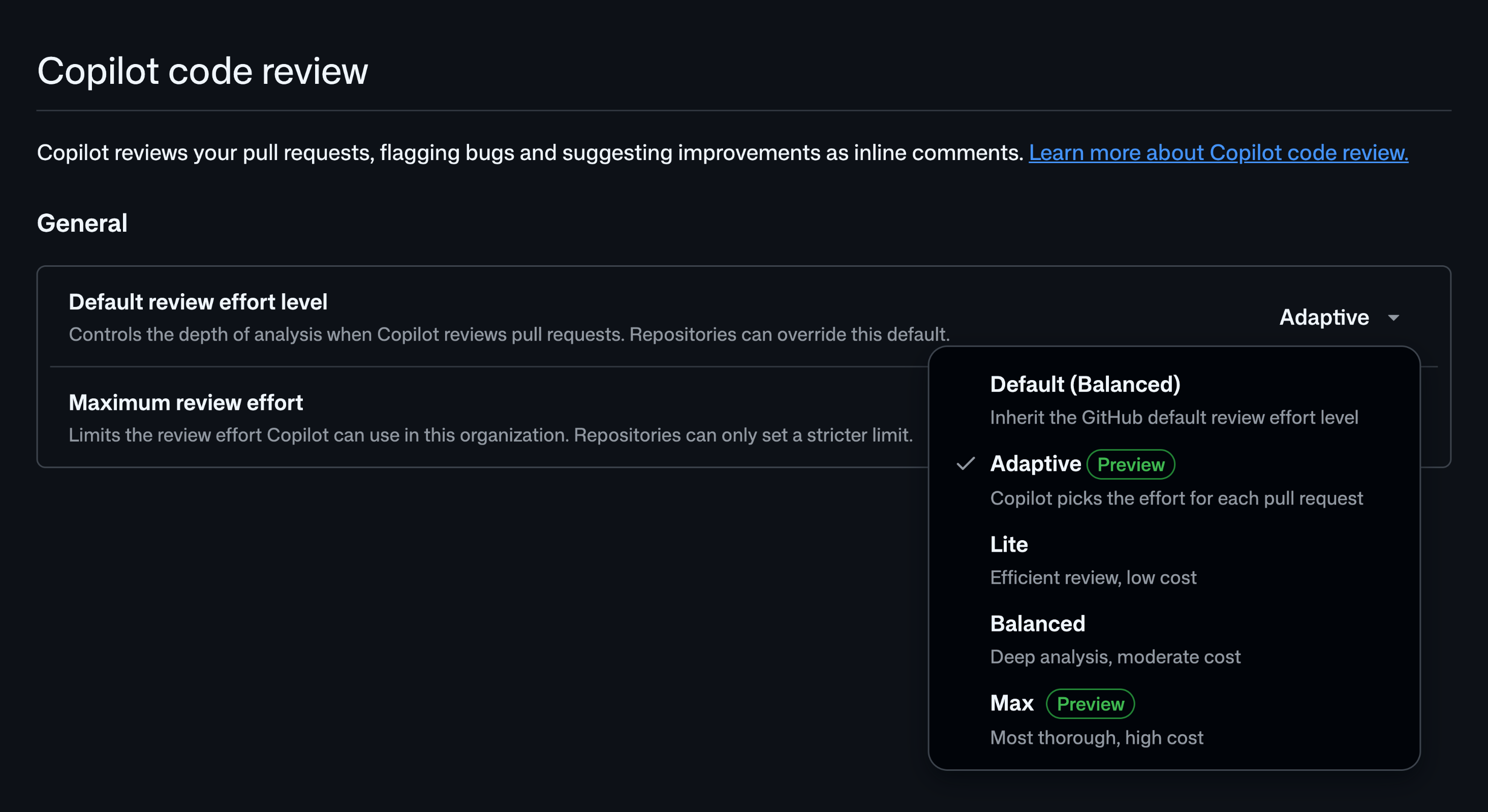
The new review capabilities have their own stages: adaptive effort, secret detection and cross-repository context are public previews. Cross-repository context is limited to public repositories. Adaptive effort works within the configured maximum; it does not override an organisation’s review settings.
For example, a team keeping its code in Azure DevOps could request an additional review before merging. I would use the findings as another set of checks, not as evidence that the change contains no bugs or exposed secrets.
Status: Azure Repos review GA; the additions above public preview. Azure Repos setup needs the appropriate admin and branch-policy configuration, with GitHub AI-credit usage billed to the linked Azure subscription. Code review stages, scope and Azure Repos billing.
View official images and animations (4)
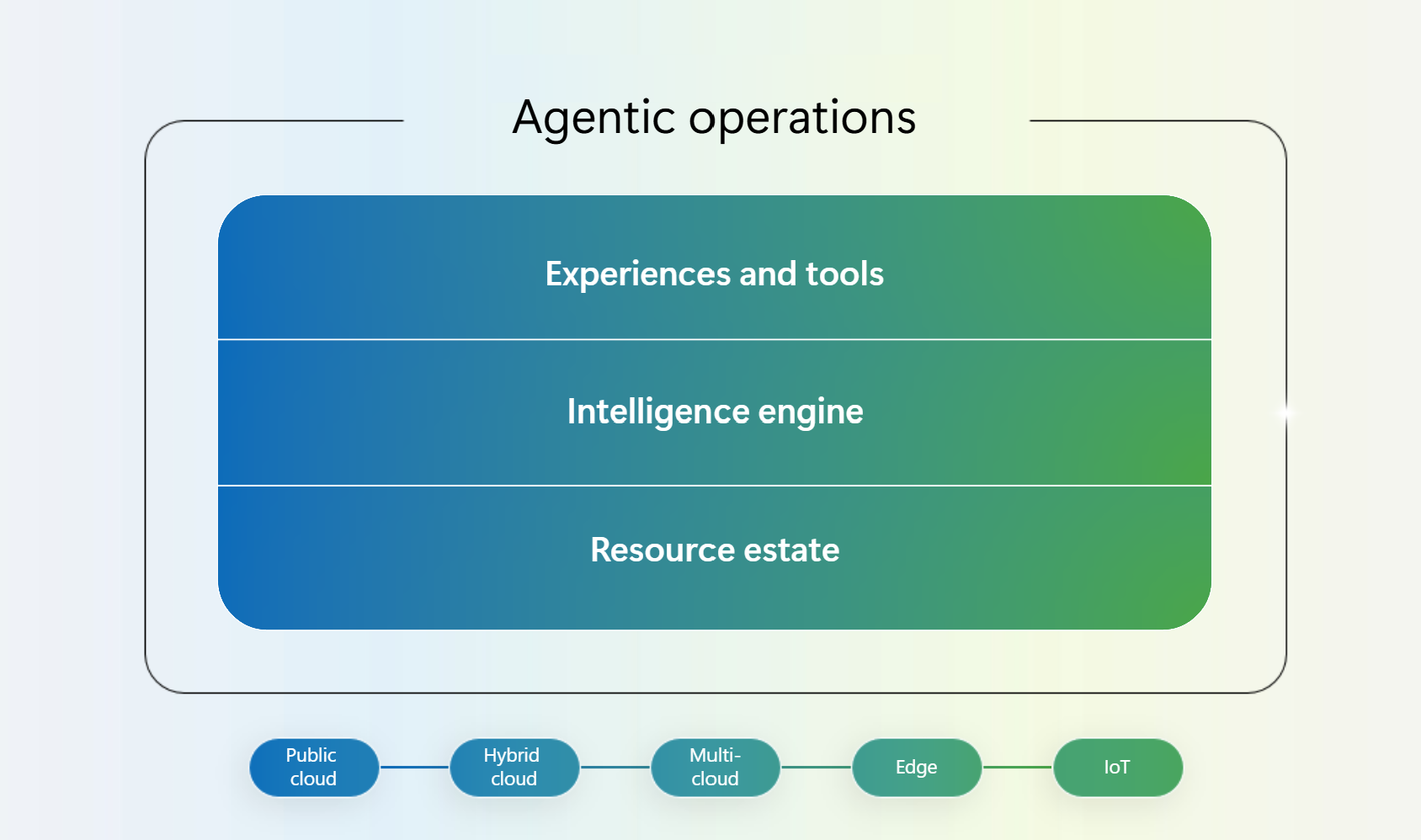
Azure operations, data and infrastructure
35. Azure Copilot expands from advice into operational work
For: Azure administrators, platform teams and site reliability engineers (SREs).
The deployment agent is GA. Azure Copilot spaces and custom skills are public preview, helping teams supply reusable context and instructions. New SRE Agent enterprise controls are public preview; Monitor health models are GA.
For example, a platform team could define the context for an application once, then use it during an investigation. Azure Resource Manager’s Model Context Protocol (MCP) server also gains write capabilities, making authorization and approval boundaries more important, not less. The linked announcement does not give that write addition a separate GA/preview label.
SRE Agent also expands collaboration through Teams, other agents and multicloud scenarios. For Workload Center for SAP and Oracle, the Book of News says private preview and the product post says limited preview. Neither establishes open access: check pilot eligibility. Those are different operational paths, not a reason to grant one agent unrestricted control over every environment. Operational collaboration and workload-specific stages · Book of News preview label.
Status: Mixed GA and preview stages. Azure operations product announcement.
View official images and animations (1)
36. Azure Catalyst connects application and data modernization
For: Teams moving or modernizing existing workloads.
Azure Catalyst joins assessment, planning and execution across applications and data, connecting Azure Migrate with GitHub Copilot modernization. Rulebooks and bring-your-own-model support are GA; many new workload-specific capabilities are preview.
Imagine assessing an application and its database together rather than producing two unrelated migration plans. That is a useful direction, but each target and migration path still needs its own validation.
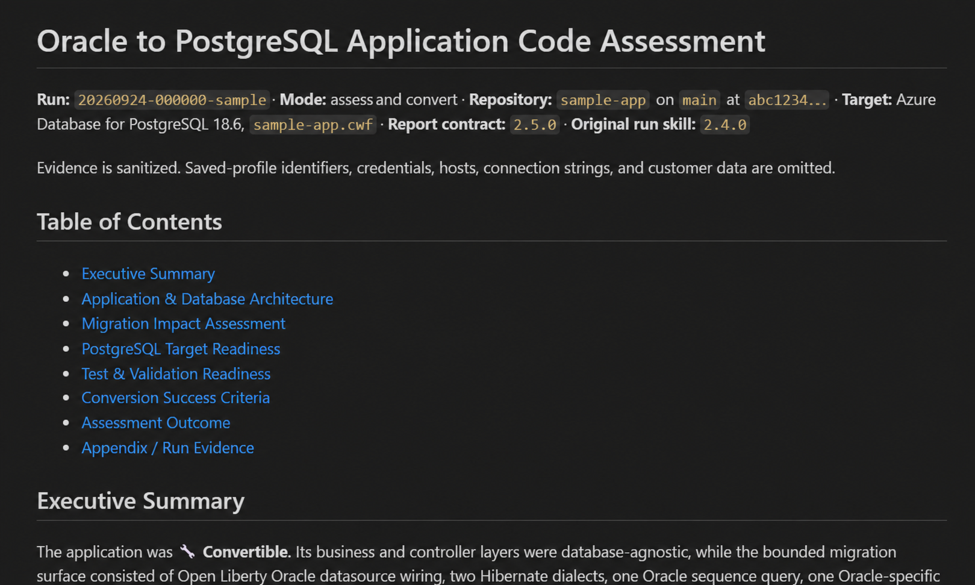
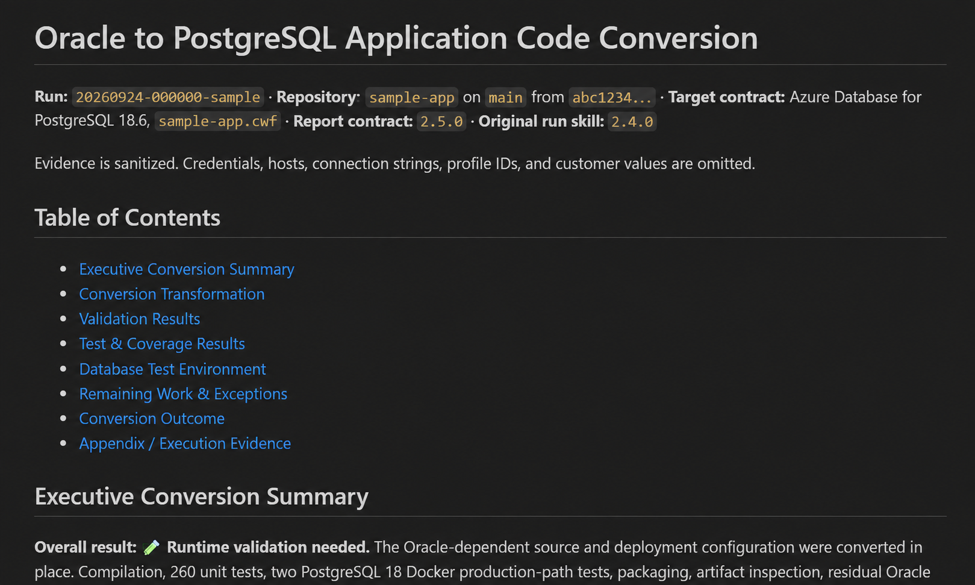
One concrete addition is AI-assisted Oracle application conversion, alongside schema conversion and data migration to PostgreSQL. The migrate-oracle-app skill helps change application code; it does not make an application compatible merely because its database moved. I would review the generated changes and run the application’s own tests. The new migration paths are preview, and the documented offline data-migration path has its own supported Oracle-version requirements. Oracle schema, data and application-conversion details.
Status: Catalyst GA, with many extensions public preview. Do not turn the umbrella’s label into GA for every SAP, Oracle, MongoDB, container or SQL workflow. Catalyst capability matrix and announcement.
Official video embedded in the Azure Catalyst announcement.
View official images and animations (2)
37. The data announcements help agents retrieve and operate, not just chat
For: Database teams and builders of data-backed agents.
The useful distinctions are at capability level:
| Change | What it helps with | Stage |
|---|---|---|
| Cosmos DB semantic reranker and Shell | Reorder retrieved results by meaning; query and manage data, including MCP workflows | GA |
| Cosmos DB AI-assisted data modeler | Suggest partitioning and container choices for review | Preview |
| Redis 8 and Azure Managed Redis agent kit | Context/memory patterns and Redis configuration guidance | Preview |
| Database Hub in Fabric | Discover and manage a database estate | GA |
| SQL and PostgreSQL database agents | Investigate health/performance and recommend or perform approved actions | Preview |
| Azure HorizonDB | A managed PostgreSQL-compatible database option | GA |
| Fabric HorizonDB | PostgreSQL within Fabric | Public preview |
A local Azure SQL Database container and local-to-cloud workflow are also public preview. Developers can try vector and embedding workflows locally, including AI_GENERATE_EMBEDDINGS, before moving a suitable application to Azure. Running the local container does not require an Azure subscription; cloud deployment and connected model usage have their own charges. Also keep HorizonDB service GA separate from its preview AI Functions, AI Pipelines and model-management additions. Database product announcement and capability-level stages.
A database agent might explain a performance issue and propose a fix. I would want to see the approval and rollback path before permitting the action.
Source: Official Azure data announcements. The table separates existing service availability from each new AI feature.
Watch official videos (1)
Official video: Azure HorizonDB + VS Code: Your AI App Development Workspace. Official product illustration; release stages above apply. Read the product announcement or documentation.
38. Cosmos adds managed agent access, visual retrieval and memory tools
For: Builders whose agents need to find information and keep useful context between tasks.
These are three different building blocks, not one “memory” switch:
| Building block | What it does | Announced stage |
|---|---|---|
| Managed Cosmos MCP Server | Gives supported agents managed access to schema discovery, retrieval and search tools | Public preview |
| Automatic embedding generation | Creates the vector representations used for retrieval | Public preview |
| Microsoft Embedding 1 | Represents text, images and document pages for multimodal retrieval | Available through Cosmos embedding service; Foundry coming soon |
| Agent Memory Toolkit | Python tools for conversation history, summaries, facts and cross-thread context | Preview |
For example, a maintenance assistant could retrieve a diagram from a scanned manual and keep reviewed follow-up context for another session. An embedding helps find the material; the memory toolkit manages retained context. Neither decides your retention policy or guarantees that an extracted fact is correct.
Cosmos service setup still applies even when you use generated vectors elsewhere. I would test what gets retained, how conflicting facts are reconciled and how to remove context before connecting real business data.
Status: Mixed preview and service availability, not Foundry GA for Embedding 1. The memory preview has no SLA. Cosmos Ignite capabilities · Agent Memory Toolkit scope and preview terms.
View official images and animations (2)
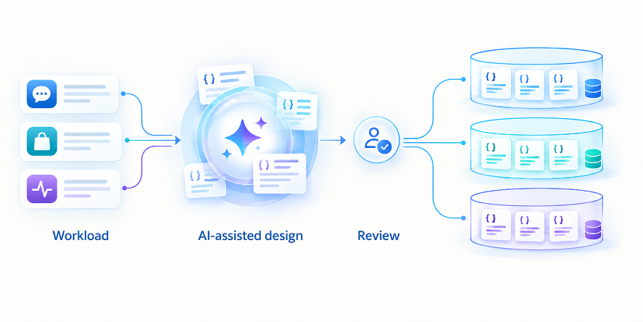
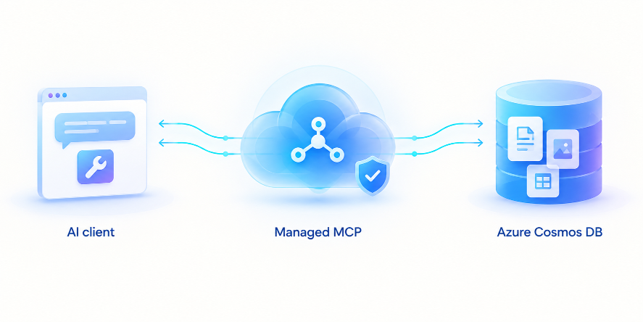
39. Agent infrastructure extends from managed Foundry into AKS
For: Platform engineers who need more infrastructure control.
Microsoft is previewing deployment of open-weight models and agents from Foundry into customer Azure Kubernetes Service (AKS) clusters. Agent Grid adds centralized interaction policies; Agent Sandbox for AKS adds VM-level isolation for agent-written code; Flex nodes extend clusters to customer servers.
For example, a team with specific region or infrastructure requirements could keep a familiar Foundry workflow while controlling more of the deployment. That extra control also brings more operational responsibility.
Status: These infrastructure paths preview. Cobalt 200 VMs are GA, but that does not make the surrounding preview stack GA. Azure infrastructure announcements.
Confidential AI infrastructure also gets three preview paths: VR72 multi-GPU confidential computing for larger models, Azure Confidential Enclaves and AKS Kata confidential containers for narrower trusted execution boundaries, and Azure Confidential Clean Room for controlled multiparty analytics. For teams handling sensitive workloads, those are evaluation options with distinct threat models, not a blanket promise that a workload is confidential merely because it runs in Azure. Confidential-computing announcement and stages.
Supporting changes, deliberately grouped here: The Book of News also covers Chaos Studio Workspaces and the AKS extension (GA), DocumentDB developer/security additions, Azure SQL modernization and PostgreSQL migration options. Those can support AI applications, but are not all new AI features. The full infrastructure and database detail keeps their separate release labels.
Agent 365, FinOps and governance
40. Agent 365 expands governance beyond the agent itself
For: Administrators responsible for agents, plugins, skills and tools.
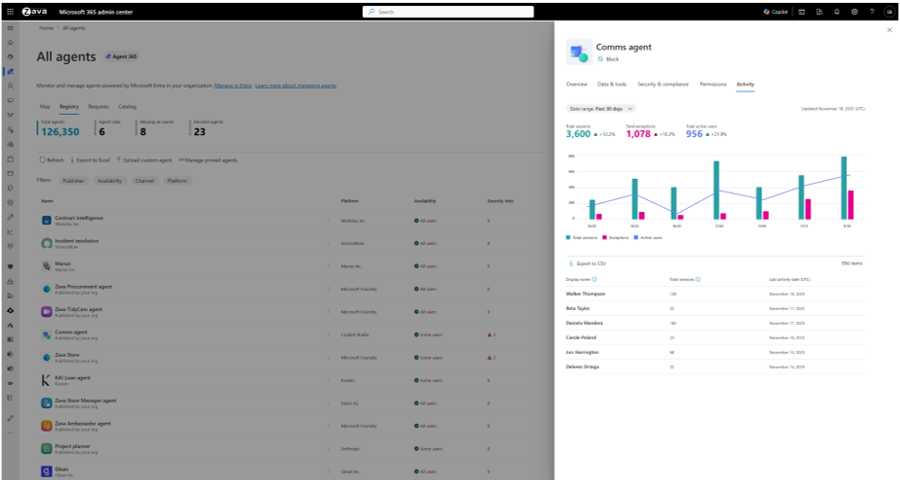
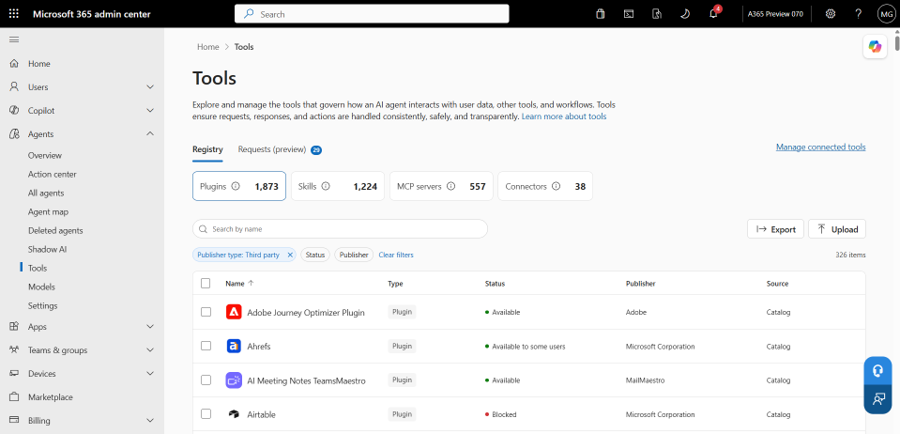
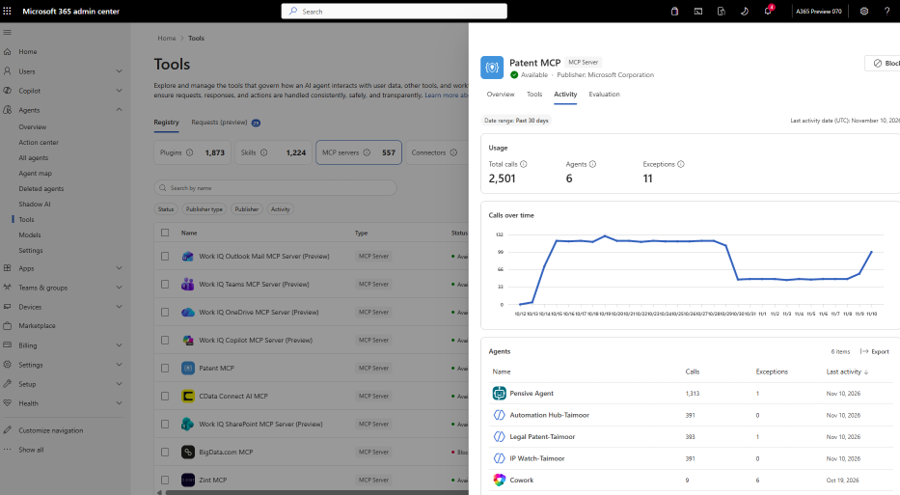
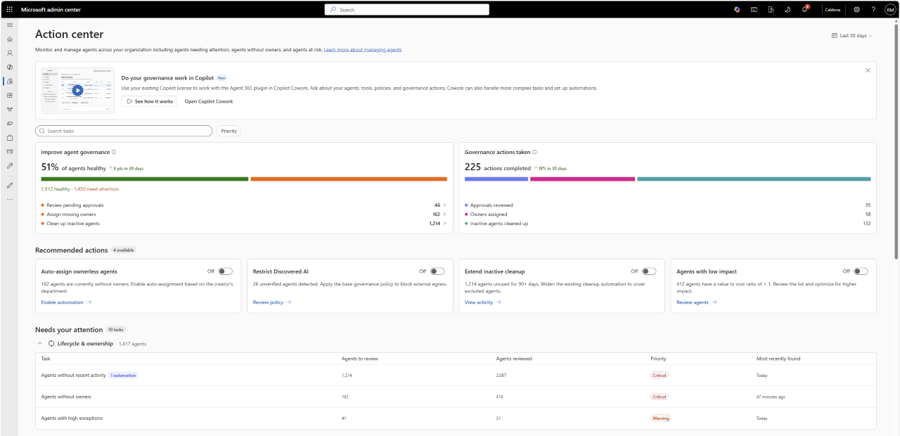
Think of Agent 365 as the front desk for the agent estate: who owns each agent, which tools it reaches, what it has done and where it needs attention.
| Part | Plain-English distinction |
|---|---|
| Registry | The inventory of agents and tools |
| Entra Agent ID | An agent’s identity, separate from its inventory entry |
| Plugin or skill | A packaged ability or instructions for doing a job |
| MCP server/tool | A standard connection through which an agent can call a supported capability |
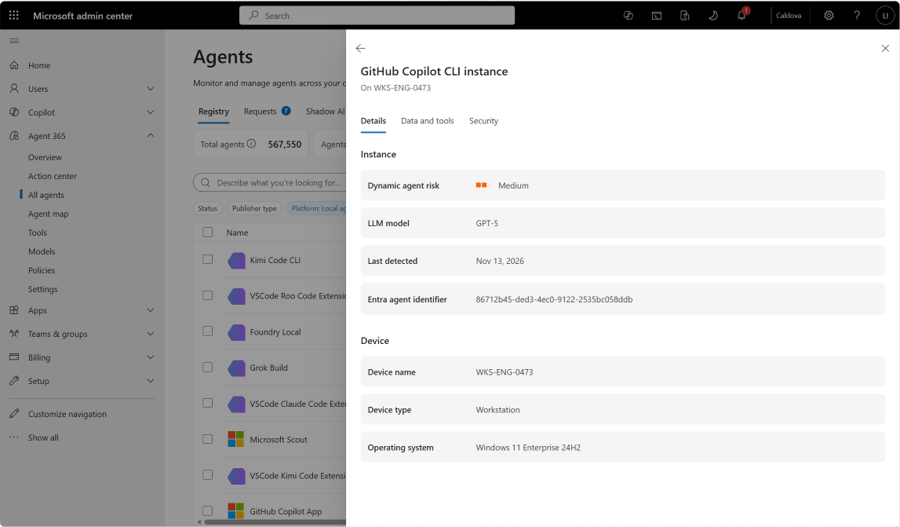
Plugin/skill governance and the tools registry are GA. Governance through supported gateways, discovery of local or previously unmanaged “shadow” agents, and Dynamic Agent Risk are preview. Gateway integrations have their own stages. Additional external catalogs and the action center for inactive or ownerless agents are December private-preview plans; registry GA does not make those features GA.
For example, approving an agent is not enough if it can later call an unreviewed tool. This is the part of the announcement I would bring to an architecture review: what is approved, what can change, and who sees it?
Status: Mixed GA, preview and December plans, as above. Basic Microsoft-agent management insights are GA without an Agent 365 licence, but full governance and third-party insights still have licensing requirements. Agent 365 governance, risk and management-insight announcements.
GitHub also announced streaming Copilot activity into Agent 365, including prompts, responses and tool calls, with additional risk information in Purview and Defender. This is for GitHub Enterprise Cloud with Enterprise Managed Users, configured through audit-log streaming. The announcement says it is available but does not give a separate GA/preview label. It is not a promise that every GitHub customer gets the integration automatically. GitHub’s Agent 365 monitoring requirements.
The licensing change is narrower than “Agent 365 is now free”: qualifying Microsoft 365 subscriptions get core usage/activity insights for Microsoft agents. Premium governance/security and non-Microsoft-agent insights still need the applicable Agent 365 or ME7 entitlement. Agent 365’s registry, integrations and licensing detail.
View official images and animations (6)
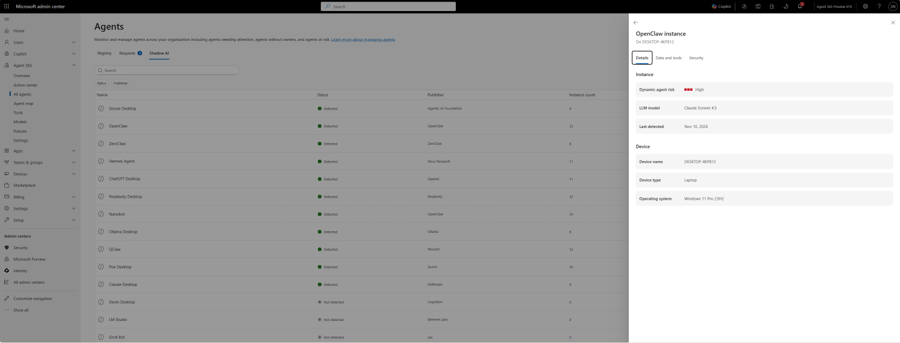
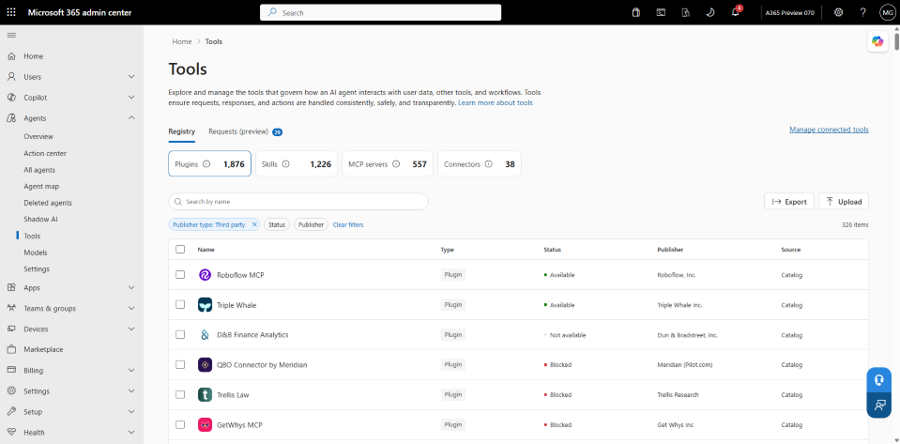
41. Connected platforms give third-party agents an Entra identity
For: Organisations building agents across Microsoft and other platforms.
Connected platforms bring supported agents into the same registry without requiring changes to their code. The Ignite additions extend Microsoft Entra Agent ID to more connected agents, with a guided setup wizard and secretless authentication for supported connections.
Microsoft lists platforms including Salesforce Agentforce, Amazon AgentCore, Google Vertex AI, Databricks and Snowflake, with support rolling out through December. Identity, activity detail and available controls vary by platform. An agent appearing in the registry is not proof that every control works identically everywhere. This is not the Copilotforce sales integration; it is an identity/governance connection. Local-agent identity is another part of that story.
For example, an IT team could investigate the owner and access of a data-team agent alongside a Copilot Studio agent. Secretless connections use workload identity federation instead of stored long-lived credentials; they still require deliberate trust and permission configuration.
Status: Preview additions and a rollout through December. Connected platforms, identity rollout and supported secretless connections.
View official images and animations (1)
42. Agent 365 brings investigations into your tools and Cowork
For: Administrators, developers and SRE teams investigating what an agent did.
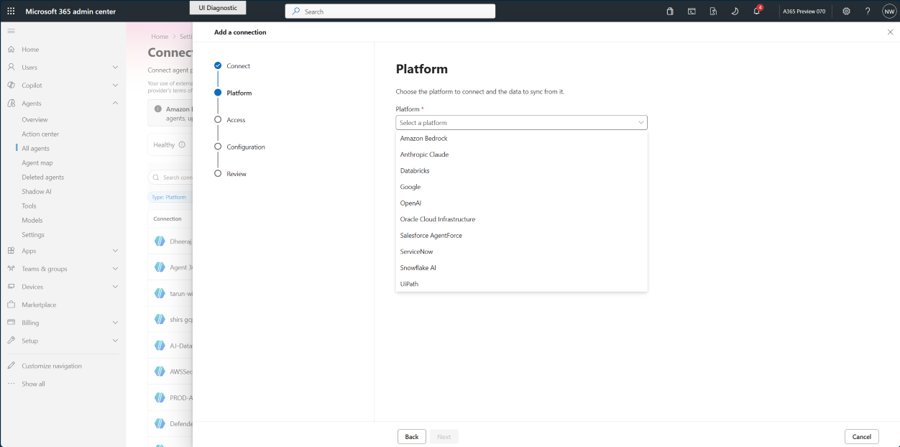
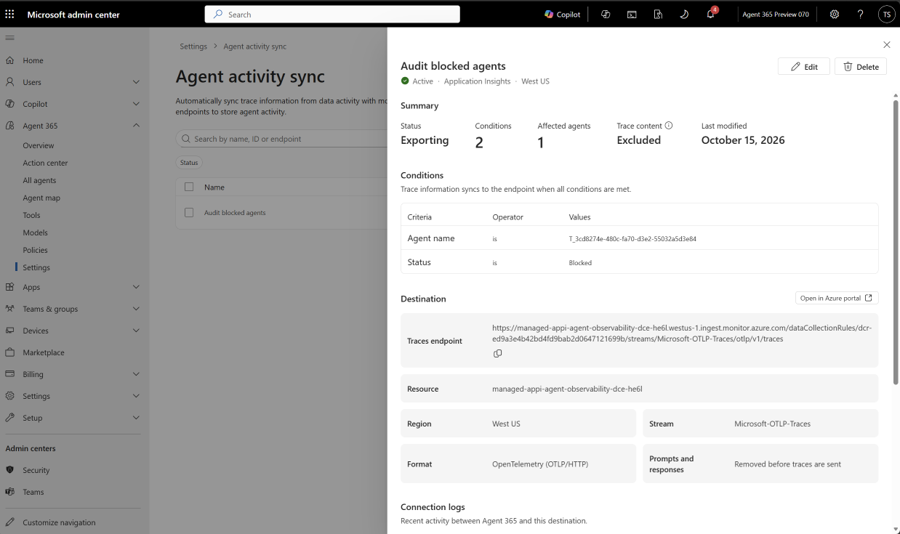
Export Agent Activity is announced as a way to continuously sync agent traces into your own Azure Monitor and Application Insights. Administrators can filter by agent or platform and choose whether prompts and responses are included.
That could let a support team follow a failed tool call in its existing dashboard. I would decide which conversation content belongs in those logs before enabling an export, then review workspace access and retention.
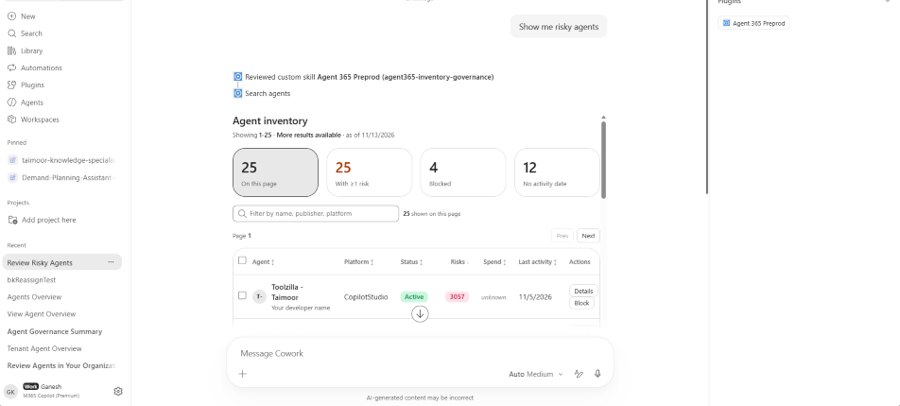
Separately, the Agent 365 plugin for Cowork lets administrators inspect the agent estate and request governance actions in plain language. Cowork pauses for approval before consequential actions. This is different from the IT-admin MCP server below.
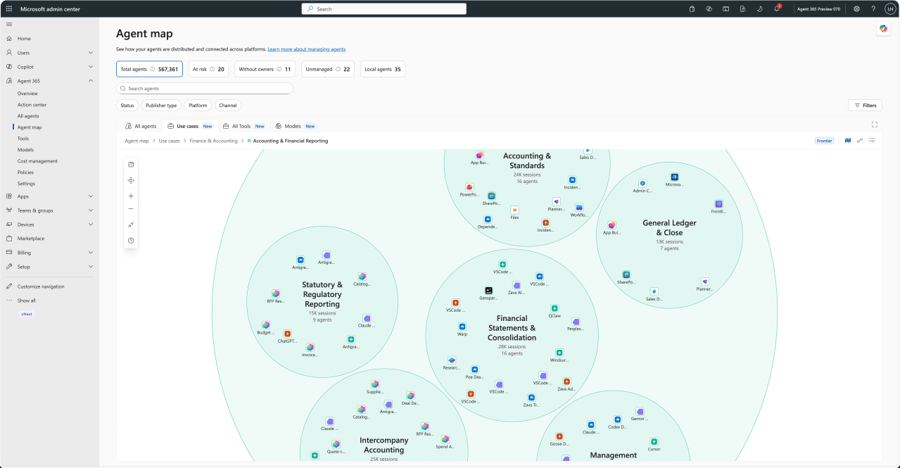
Status: Cowork administration plugin preview. Microsoft’s post announces Export Agent Activity but does not give it a separate GA/preview label; do not treat it as confirmed GA. Agent Map use-case classification is also preview. Trace export, Cowork plugin and Agent Map details.
View official images and animations (3)
43. SharePoint adds content-level agent controls and a recovery preview
For: SharePoint administrators preparing content for agents and planning recovery.
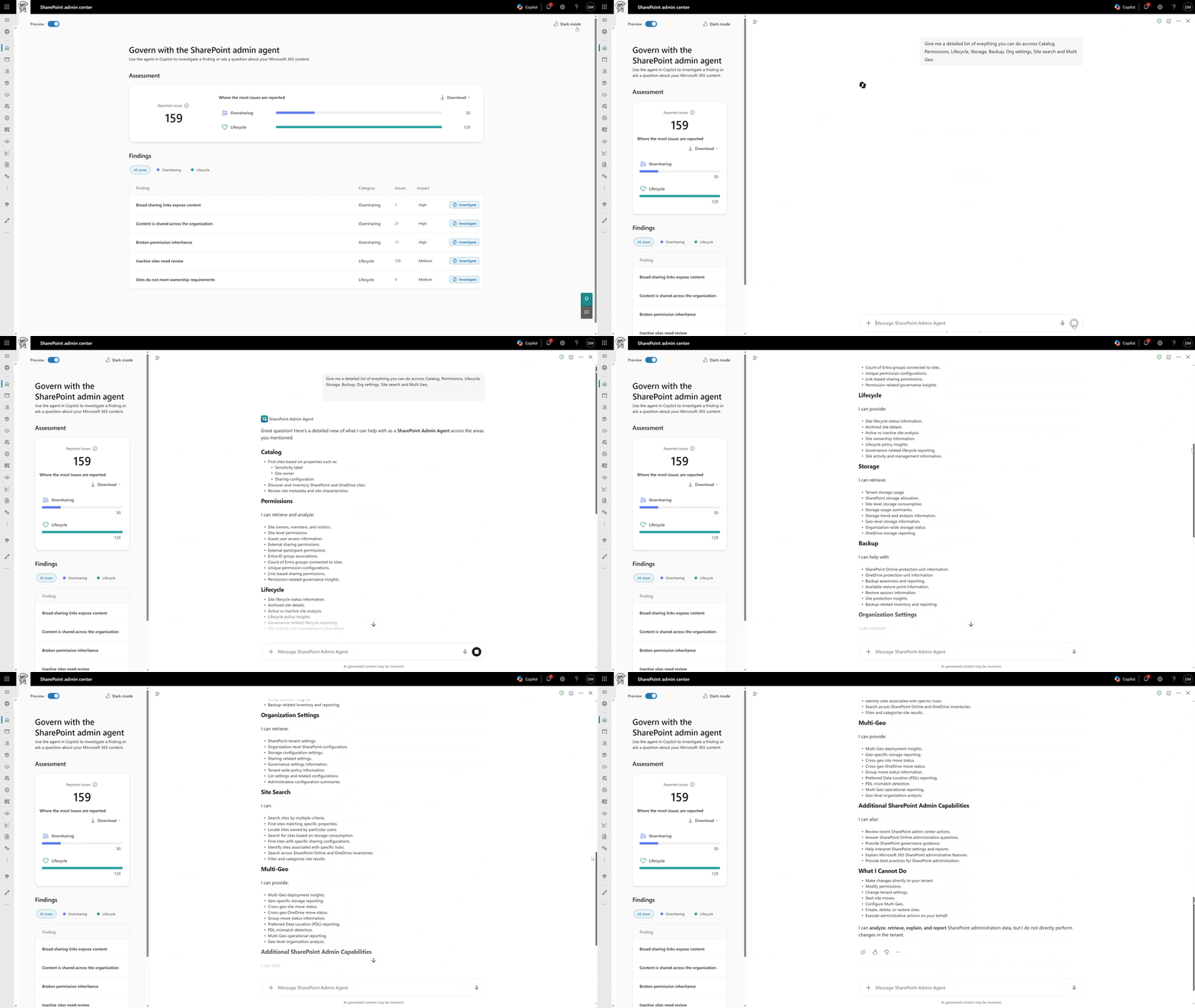
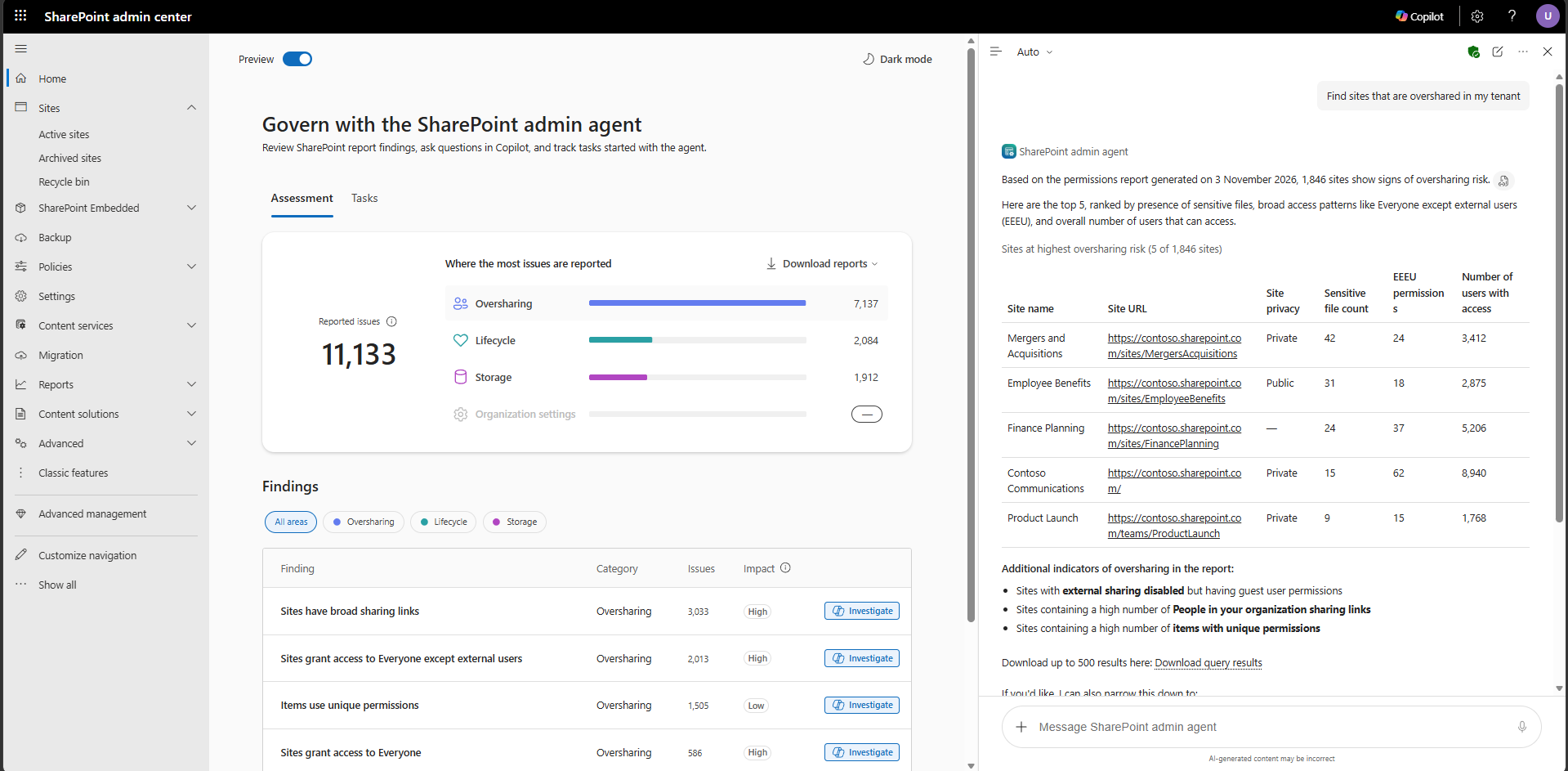
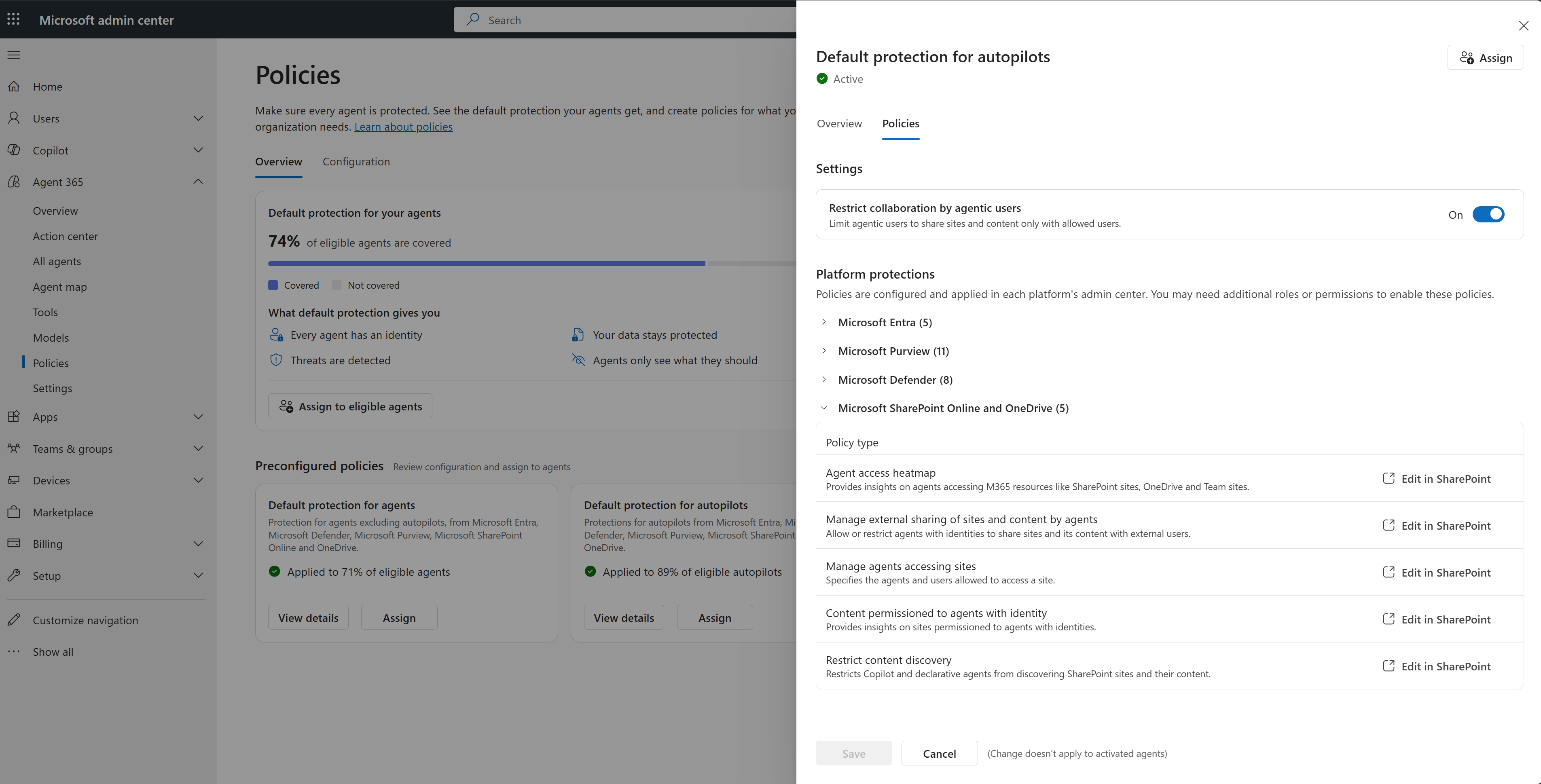
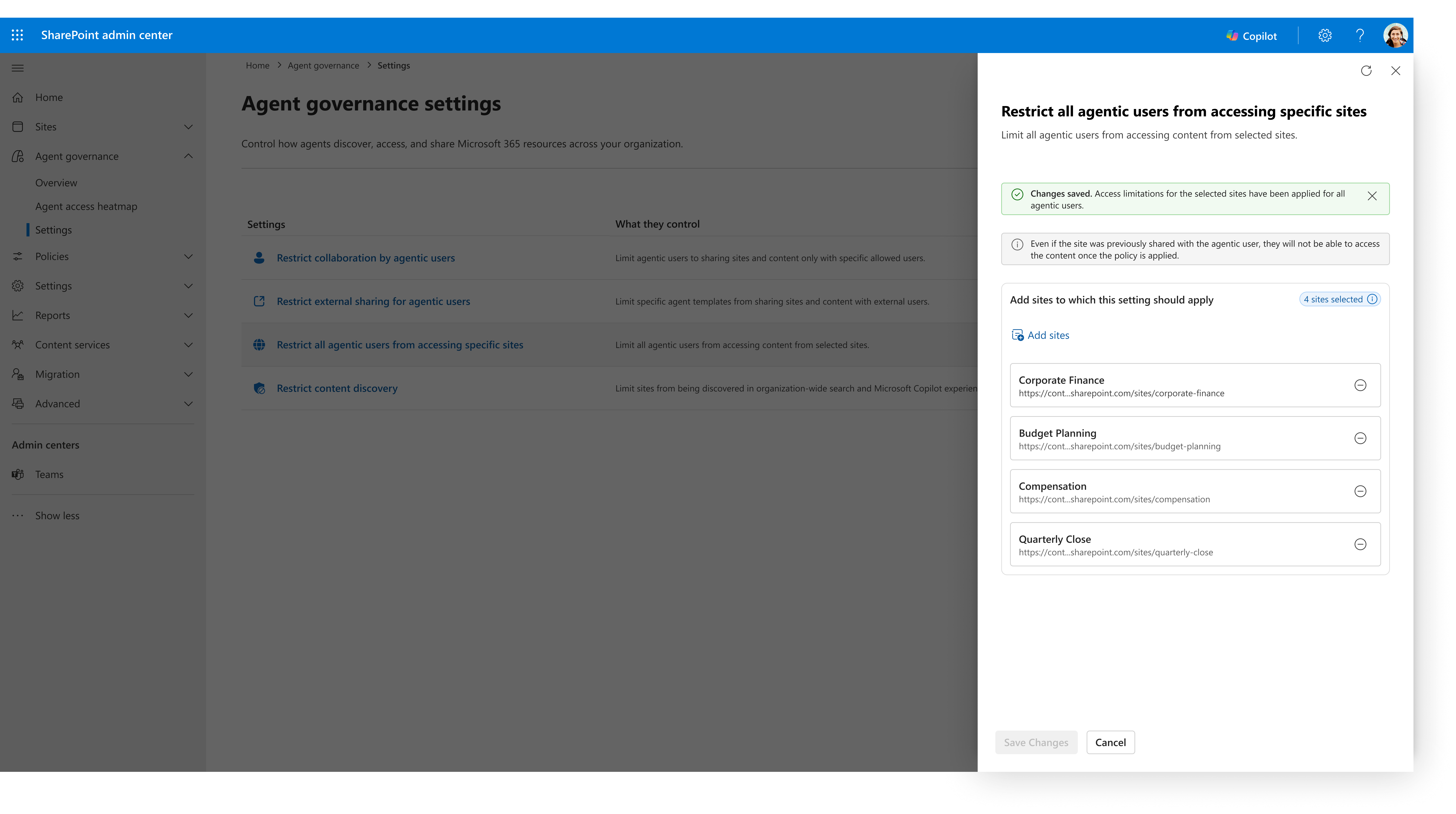
The SharePoint Admin Agent adds skills for permissions, lifecycle, storage, catalog and Multi-Geo work. The Ignite post also separates current controls from December plans and restricted previews:
| Capability | Announced stage |
|---|---|
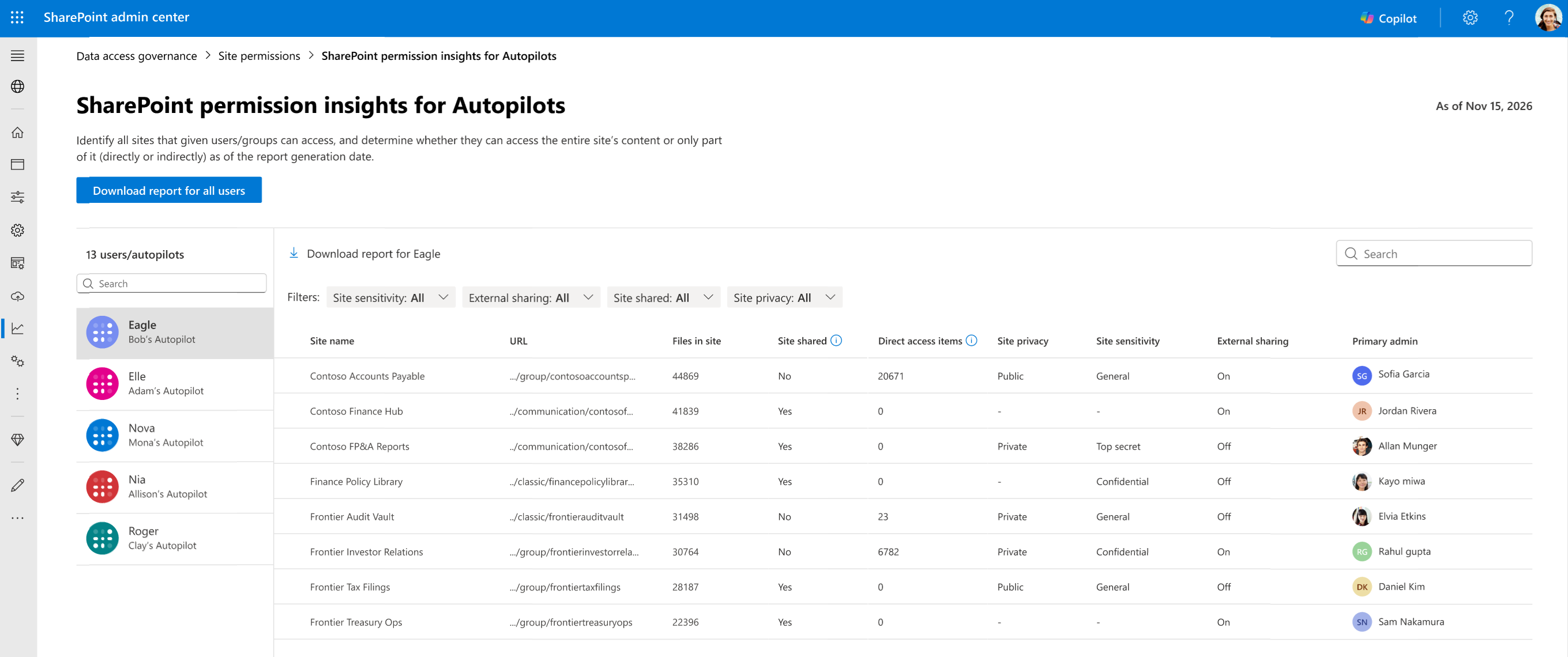
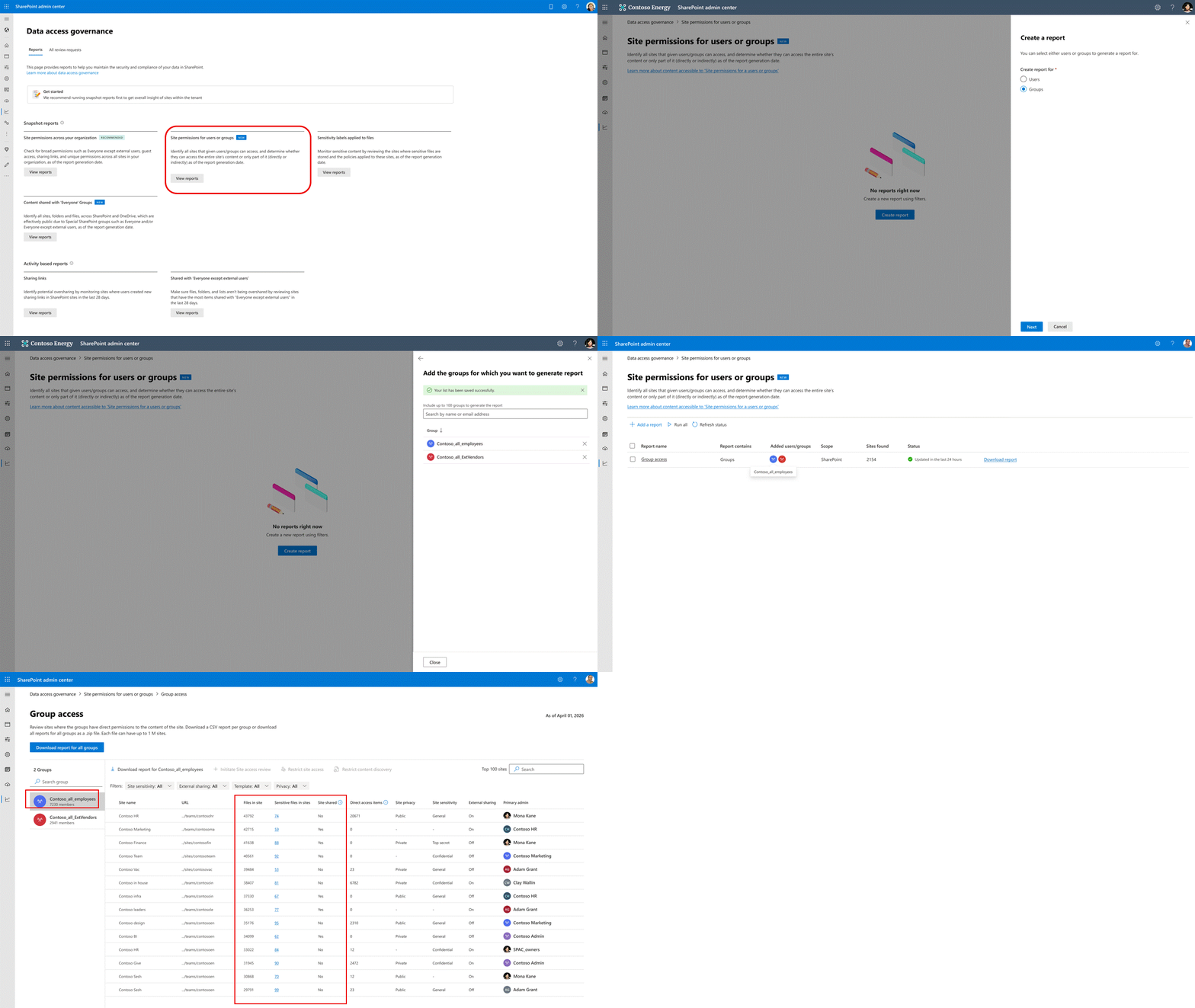
| Admin Agent skills; site-level restricted app/agent access; permissions reports for groups and Autopilots | GA |
| Governance Hub for admins and Agent Access Heatmap | GA planned for December 2026 |
| Restrict which people an agentic user can collaborate with | Public preview planned for December 2026 |
| Governance reviews dashboard for site owners | Public preview |
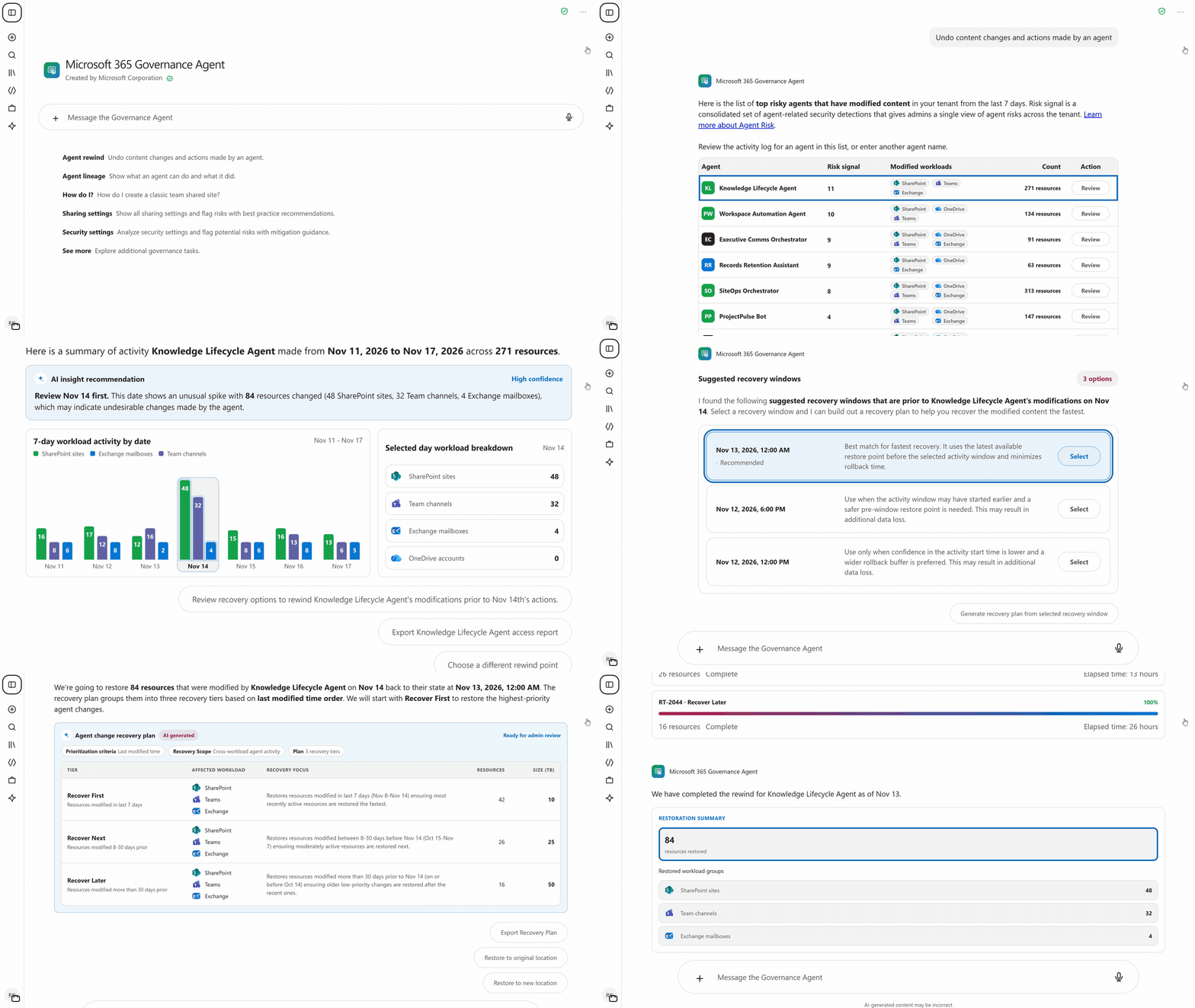
| Agent Rewind, for recovering from unintended agent actions | Private preview |
For example, an administrator could first investigate which sites an agent can reach, narrow the permitted scope and test the recovery process with approved data. Rewind is a preview to evaluate, not a substitute for an established recovery plan or proof that every action is reversible.
Status: Mixed GA, previews and December plans, as shown above. The SharePoint Admin Agent needs SharePoint Advanced Management and the SharePoint Advanced Management Administrator role. Check the separate controls’ prerequisites rather than assume the agent licence covers every service. Ignite content-governance stages and Agent Rewind · Admin Agent prerequisites.
View official images and animations (7)
Watch official videos (1)
Official video: Overview of the SharePoint Admin Agent. Product explainer; current announcement stages and prerequisites above apply. Read the product announcement or documentation.
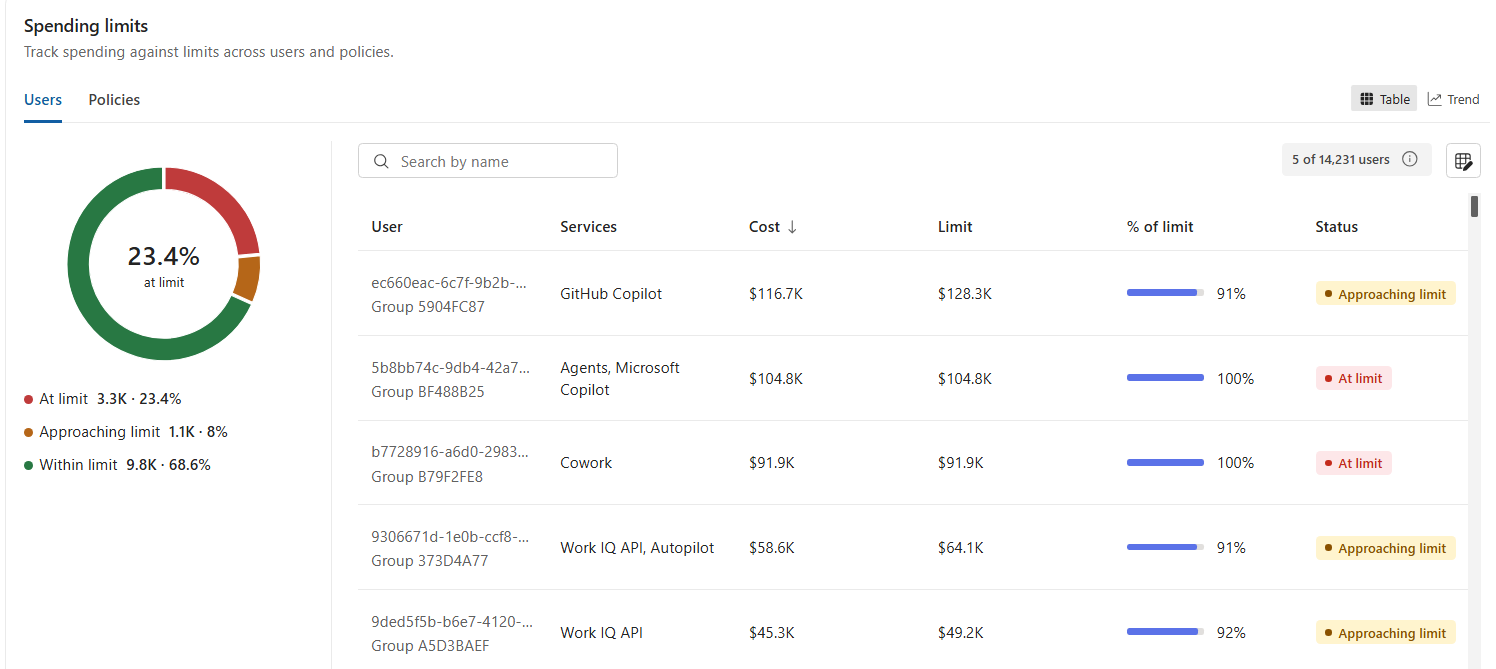
44. FinOps starts with who can spend, on what and under which policy
For: IT, finance and business owners funding AI usage.
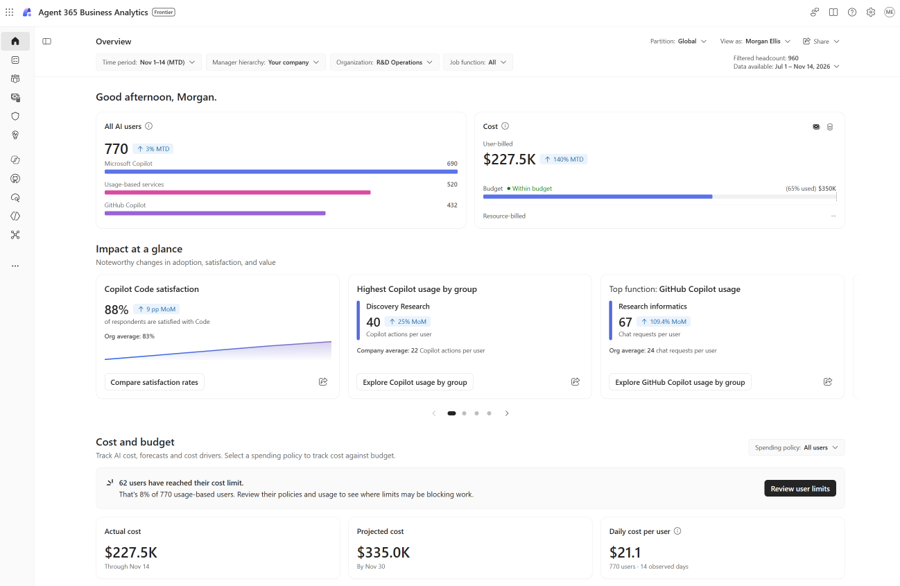
FinOps is the routine of planning and checking technology spending with IT, finance and the people using the services. For AI, that means more than counting licences: usage-based tasks consume Copilot Credits, Microsoft’s usage unit for supported services.
| Question | Where to look |
|---|---|
| Who can spend, and how much? | Cost Management spending policies |
| What was consumed? | Cost Management consumption reports; Business Analytics adds cost/use-case views |
| What might we spend next? | Business Analytics forecasts |
| What assistance might that work represent? | Business Analytics value estimates, checked against actual outcomes |
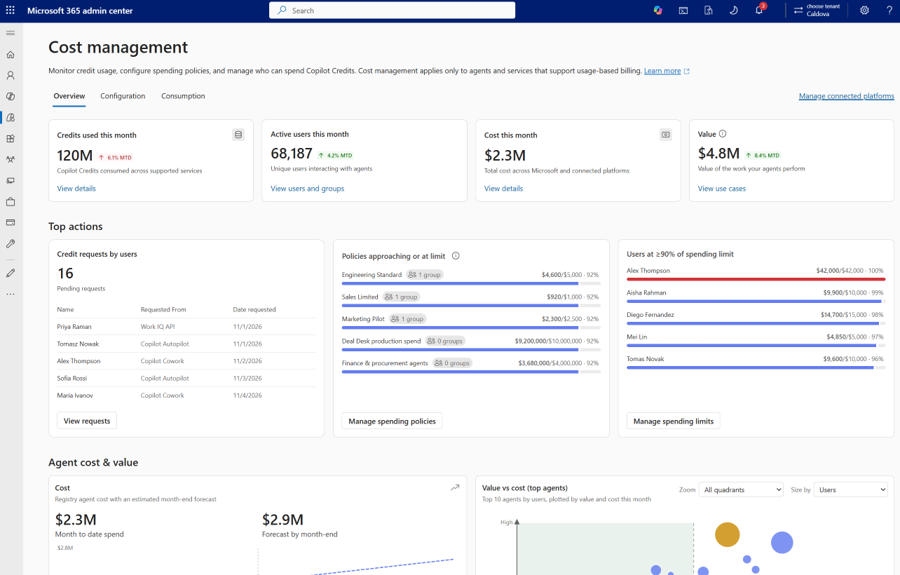
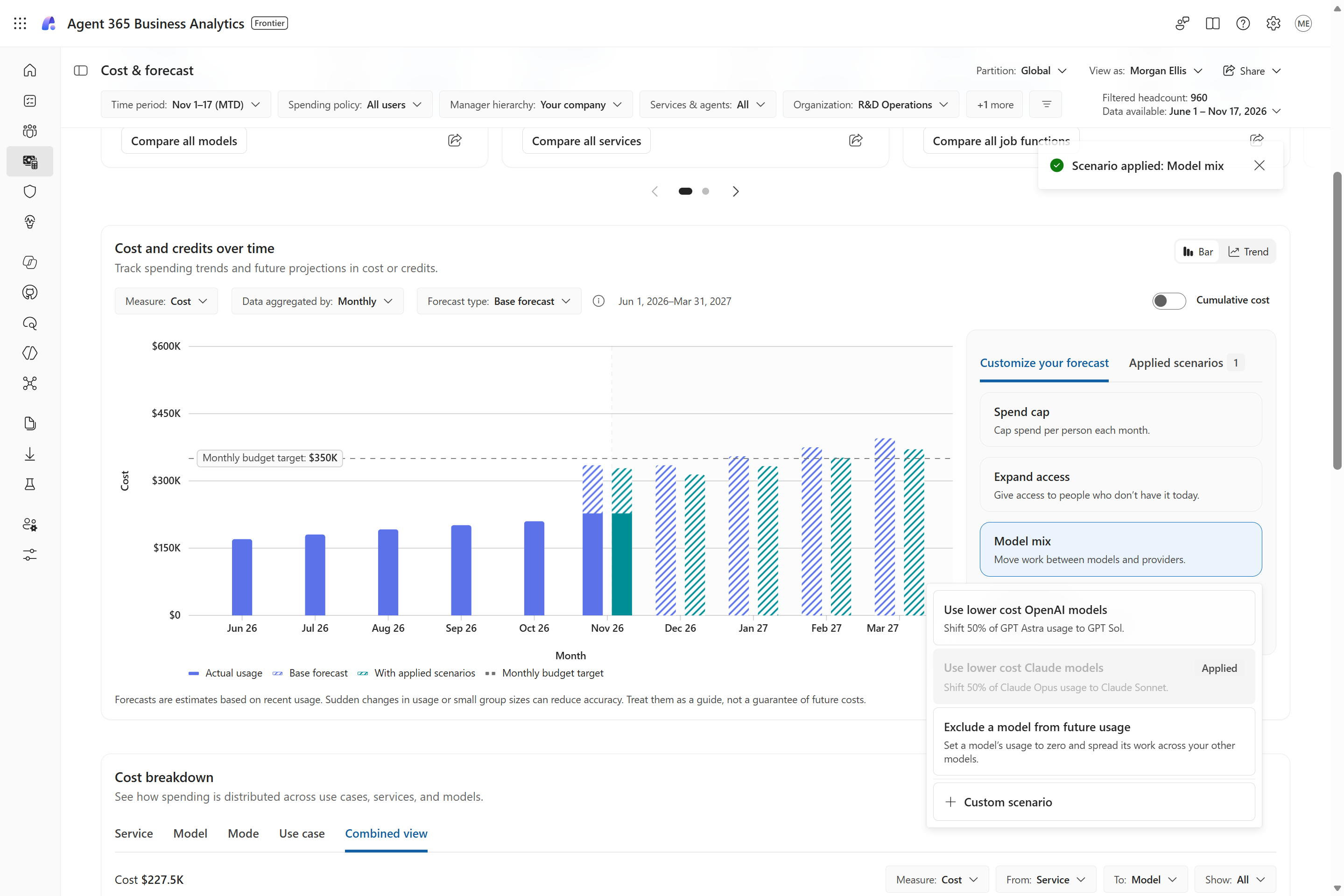
At Ignite, Microsoft previews a broader Agent 365 Cost Management experience across supported services, spend drivers and Fabric reporting, with forecasting and recommendations in Frontier this month. The underlying spending-policy system already existed before Ignite. The table below describes documented controls to review, not seven newly launched features.
| Control or check | What I would verify |
|---|---|
| Identity-based policy | Which users/groups and supported services it enables |
| Resource-based policy | Which supported environment or agent it covers |
| Monthly policy and per-user limits | The applicable limit and what happens when it is reached |
| Alerts | Who receives them; an alert is not itself a spending block |
| Cowork model template | Which models Cowork’s automatic routing and model picker may use; this control is currently Cowork-only |
| Auto-apply new services | Whether newly supported services should inherit this policy; the documented default is on |
| Billing method | Which prepaid credit source or Azure billing connection applies |
For example, a pilot group could get access to specified services under an owned spending policy, rather than a tenant-wide enablement nobody is watching. Policies define access and limits; they do not reserve a separate pot of credits for each group. Policy scope, model templates and defaults.
Do not describe these as an instantaneous hard cap. Learn says a running task can finish after exceeding a per-user limit. Reporting is also delayed: the Overview tab refreshes every four hours, Consumption every two hours. Credits are the usage unit; the dashboard’s currency cost is an estimate, not the invoice. Enforcement exception, refresh cadence and cost estimates.
Status: Existing documented billing controls plus Ignite preview/Frontier additions, not blanket GA for a new FinOps suite. Supported services and billing prerequisites differ. Usage-based billing and service coverage · Ignite Cost Management announcements.
View official images and animations (1)
Watch official videos (2)
Official video: Microsoft Copilot Cost management. The explainer focuses on Cowork and Work IQ; Ignite’s broader coverage is described separately above. Read the product announcement or documentation.
Official video: Optimize your AI spend with Microsoft Agent 365. Spending-policy demonstration, not the separate Business Analytics app or a final invoice. Read the product announcement or documentation.
45. Business Analytics asks what AI is helping people accomplish
For: Business leaders, finance and IT comparing AI usage, cost and useful outcomes.
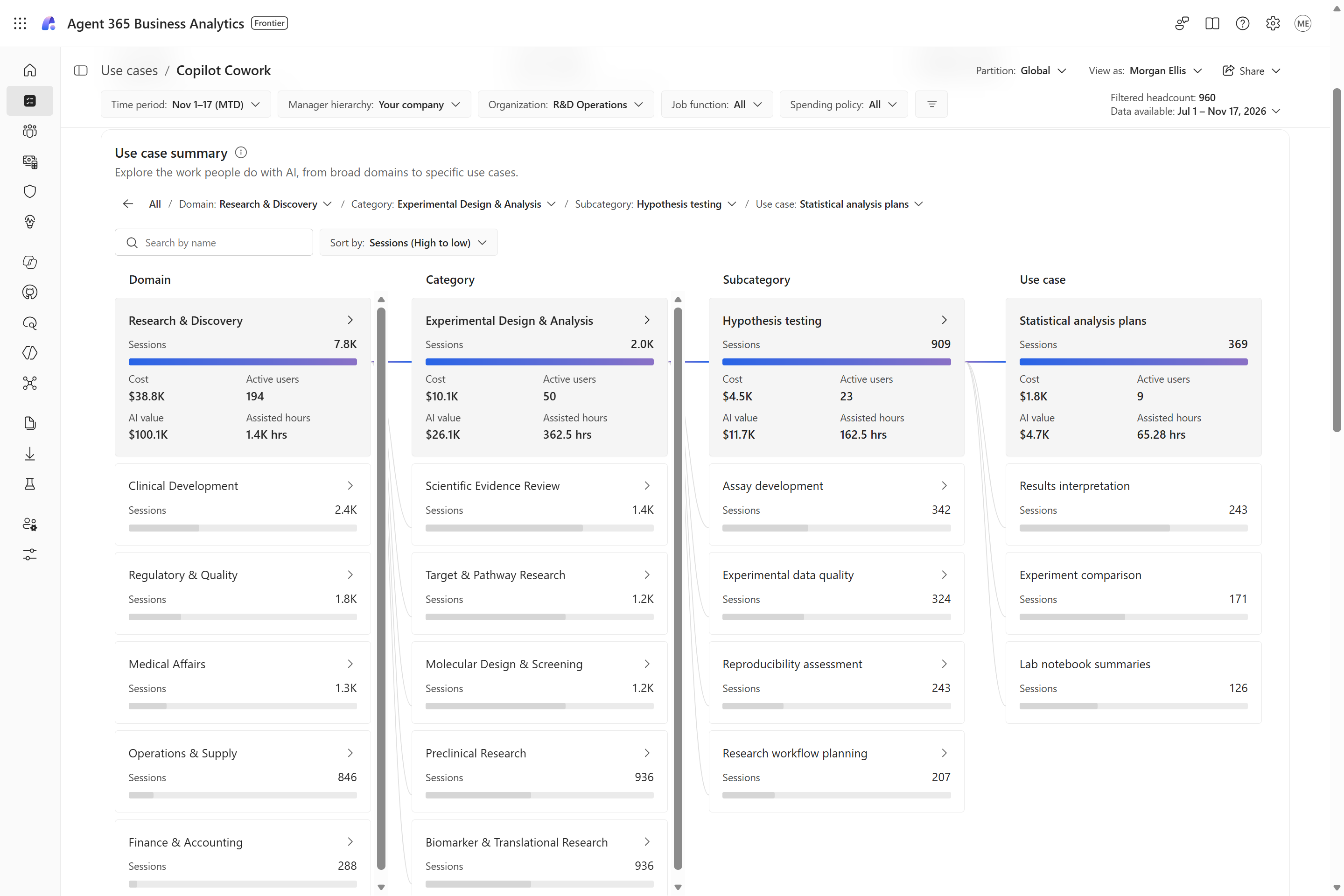
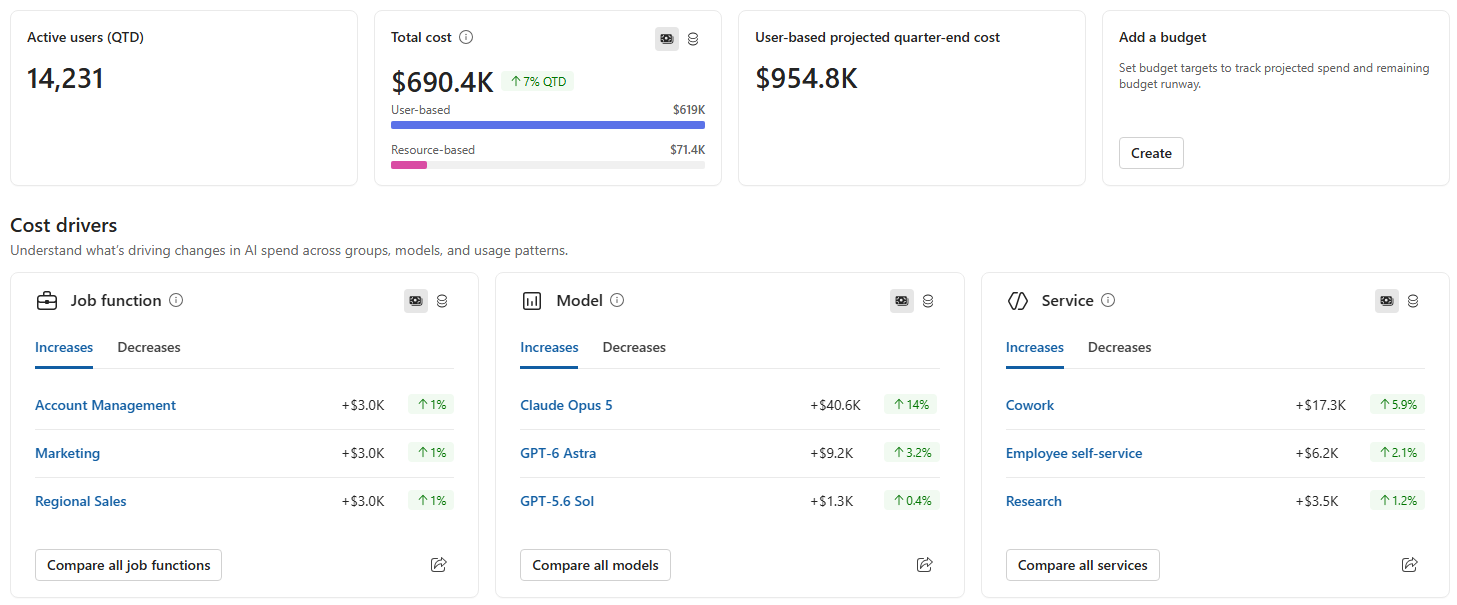
Agent 365 Business Analytics is a separate Frontier app, not simply another tab in the credit-management dashboard. It connects service usage, spend, business use cases and estimated assistance.
| Capability | Announced timing |
|---|---|
| Cowork cost and value views | November 2026 |
| Broader agent cost/value views | December 2026 |
| Forecasts, what-if analysis, plain-language questions and sharing | November 2026 |
| Creating/updating spending policies within delegated access from Business Analytics | December 2026 |
There is an important launch prerequisite. The dedicated product post and Learn require at least 50 assigned Microsoft 365 Copilot licences at launch, with expansion to tenants with one or more planned by mid-December. The broader Agent 365 post says one; I would plan from the more specific launch guidance, not promise access to a one-licence tenant today. Connected non-Microsoft-service analytics need Agent 365 and/or ME7. Role, data-scope, billing and minimum-group-size settings also apply. Business Analytics launch, timing and staged licensing · Current access and prerequisite details.
For Cowork, assisted hours estimate equivalent human work, using task frequency, completion, AI contribution and typical task time. An assumed hourly rate turns that into estimated value. Administrators can adjust some assumptions; changing those changes the result.
Imagine comparing the estimated assistance for proposal preparation with actual proposal quality and turnaround. That is a useful investigation. It is not proof that salaries, working hours or costs fell by the amount on the dashboard. Microsoft’s documented Cowork methodology should not be silently applied to every other Copilot value metric. Assisted-hours methodology and what it does not measure.
Status: Frontier rollout, with the staged capabilities above.
View official images and animations (3)
46. Forecasts and exports connect AI spending to a finance review
For: Finance, reporting and data teams building a repeatable AI-spend review.
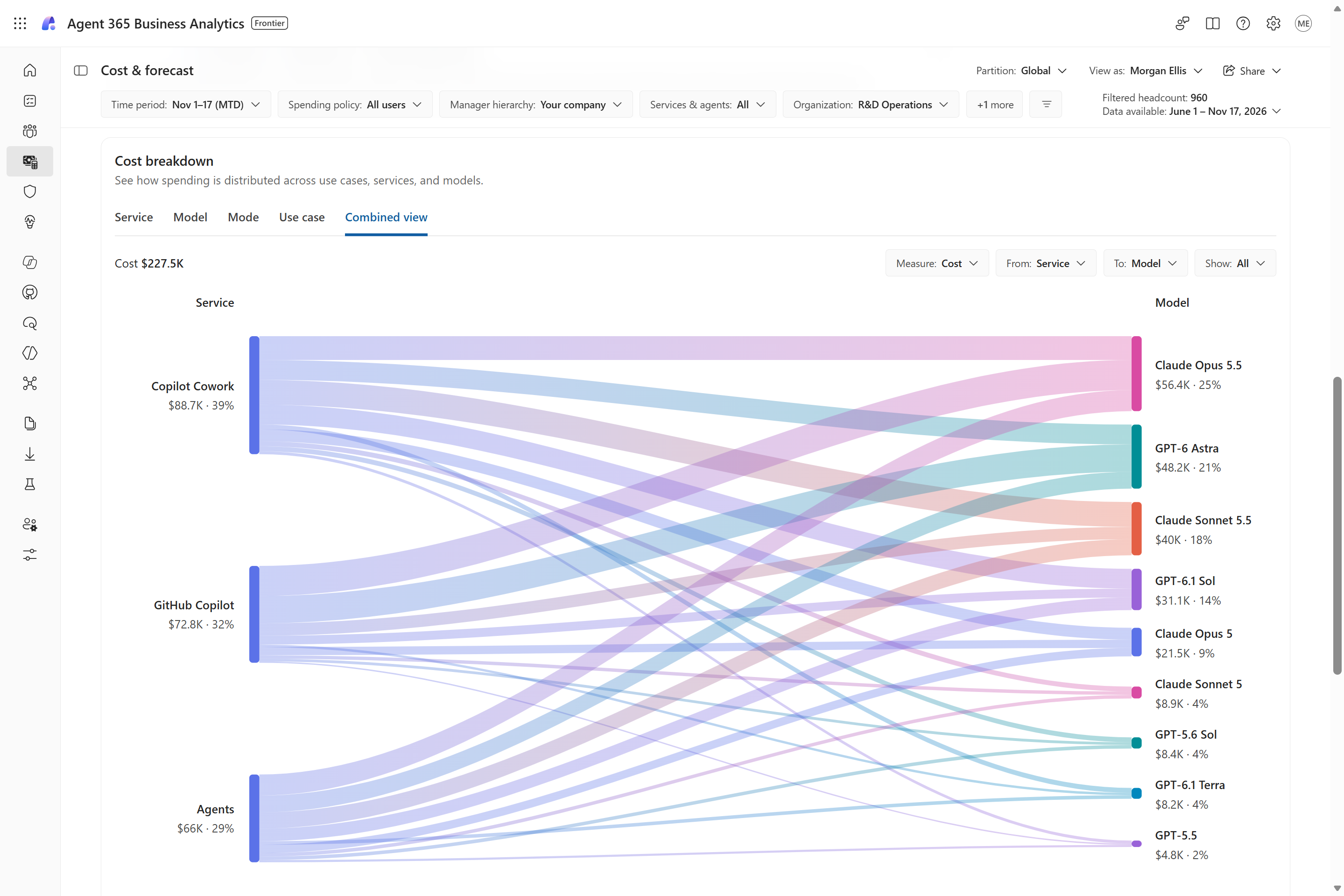
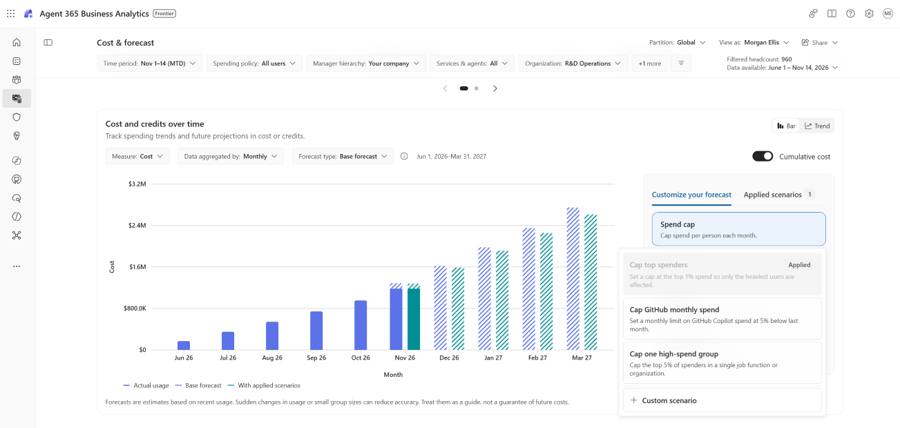
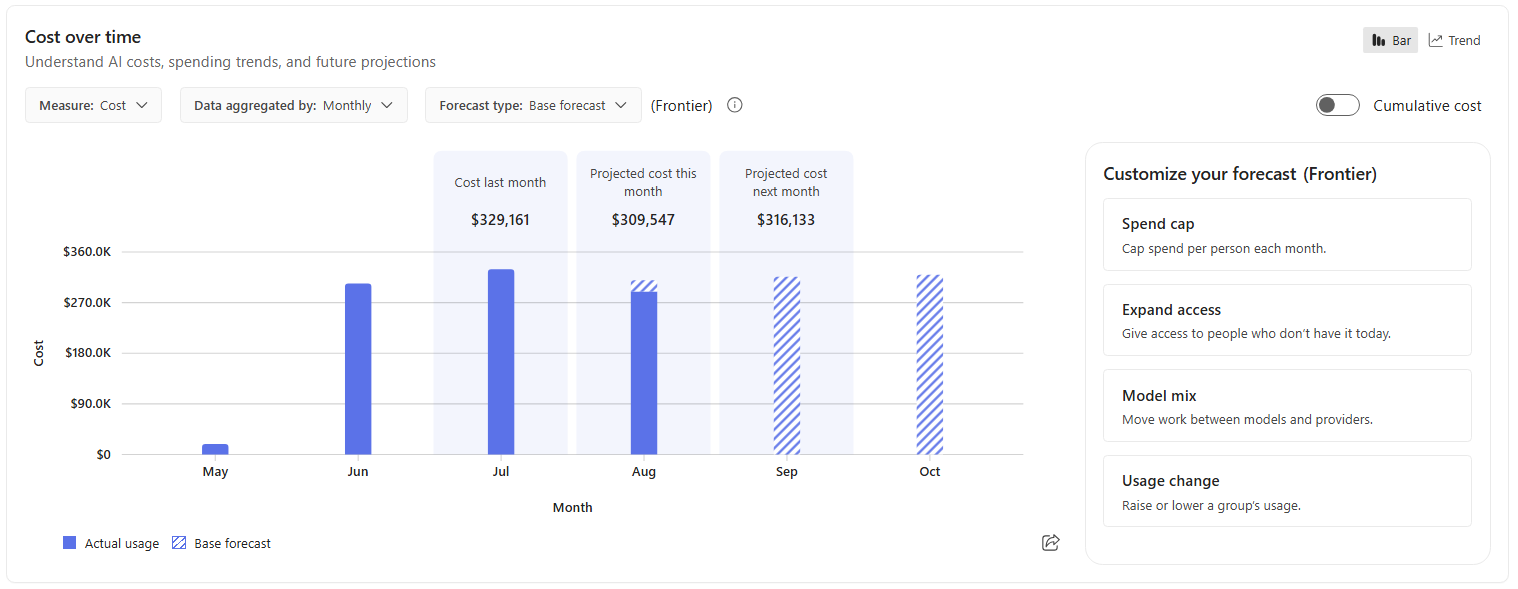
Business Analytics adds cost forecasts, service/model breakdowns and what-if comparisons. Think of these as planning views, not controls: changing a forecast scenario or a budget target used in reports does not change live access, model routing or an enforced spending policy. The cost-forecast page also excludes Copilot subscription licence cost. Forecast scope and the difference between scenarios and policies.
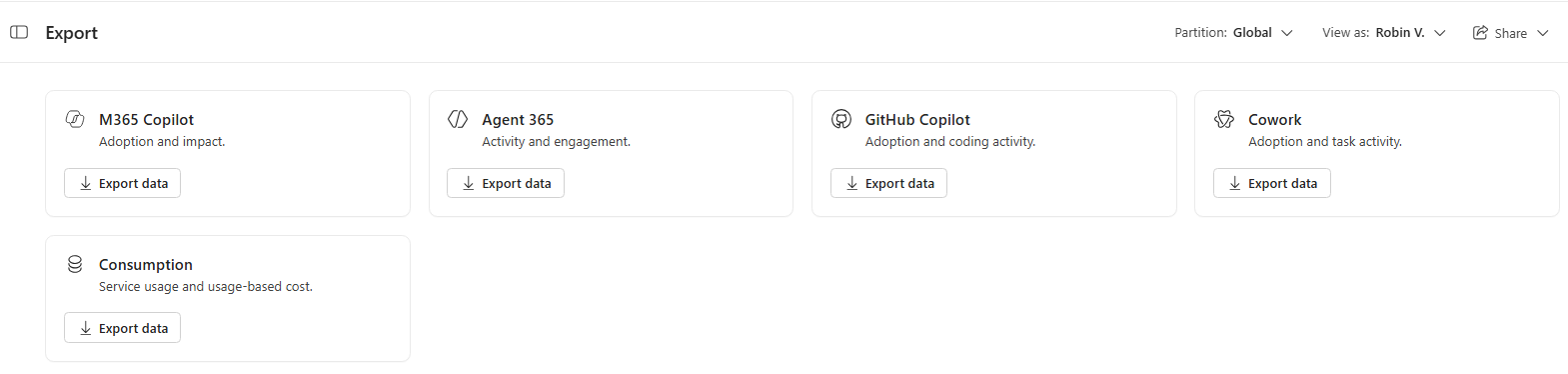
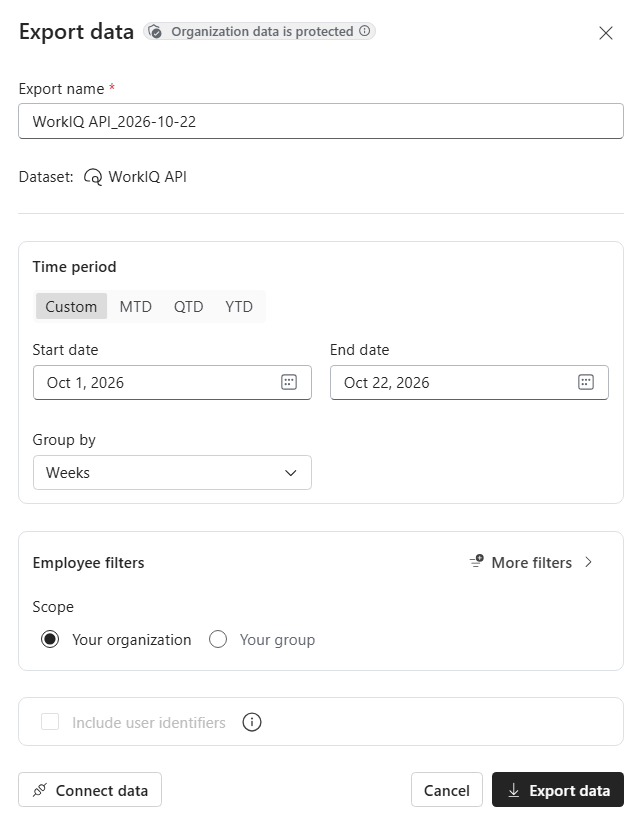
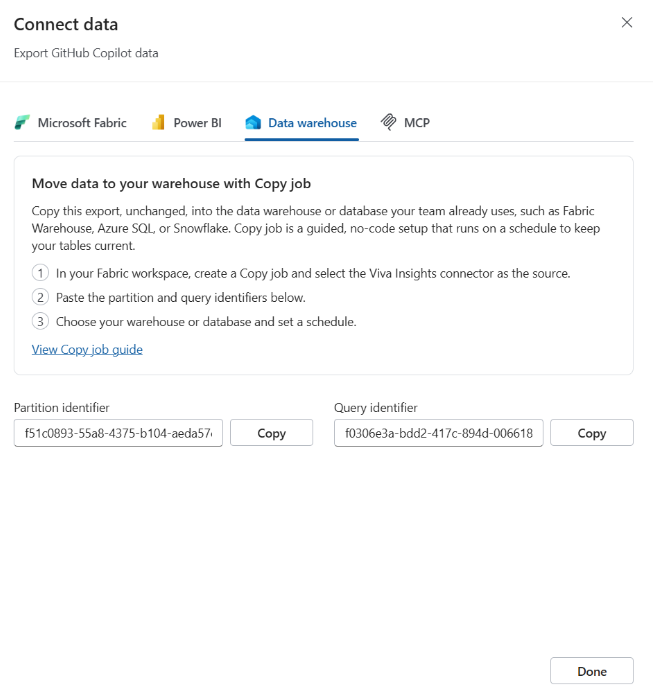
The Frontier export experience supports permitted datasets through CSV and supported Fabric/Power BI, data-warehouse and MCP connection options. Some options provide setup instructions, not an already completed connection. A Fabric Copy job, which moves the permitted data into Fabric, needs capacity, workspace permissions and the relevant export identifiers. I would check data access, refresh schedules and destination handling before using an export to assign costs to departments. Export options and permissions · Fabric Copy job prerequisites.
There is also a Microsoft Graph beta Cost Management API for credit usage and policies. It is credit-denominated, not an invoice or currency-pricing API; beta APIs are not supported for production applications. Cost Management API contract and beta boundary.
Status: Business Analytics reporting/connections Frontier; Graph Cost Management API beta.
View official images and animations (9)

47. Multi-tenant management brings agents and AI spend into one view
For: Managed service providers and organisations with several Microsoft 365 tenants.
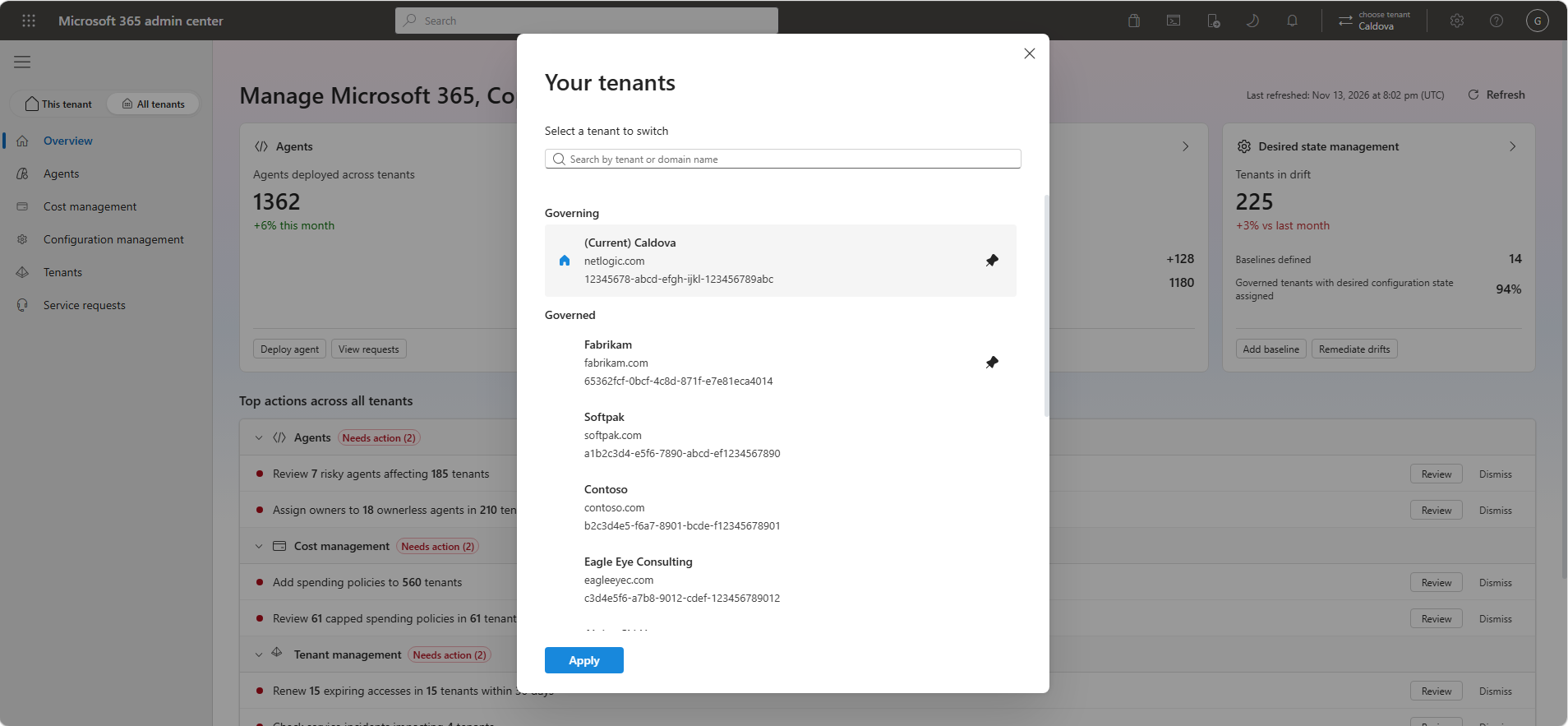
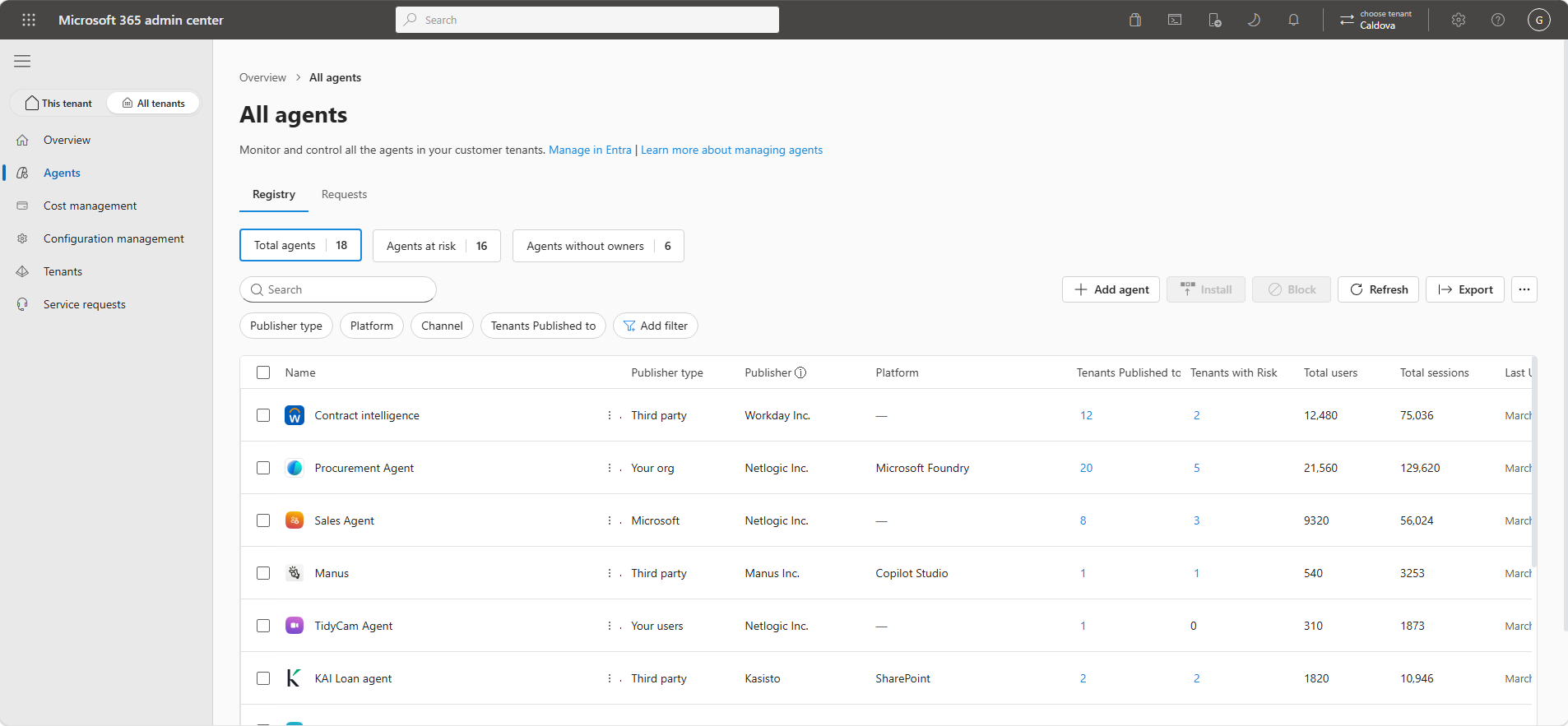
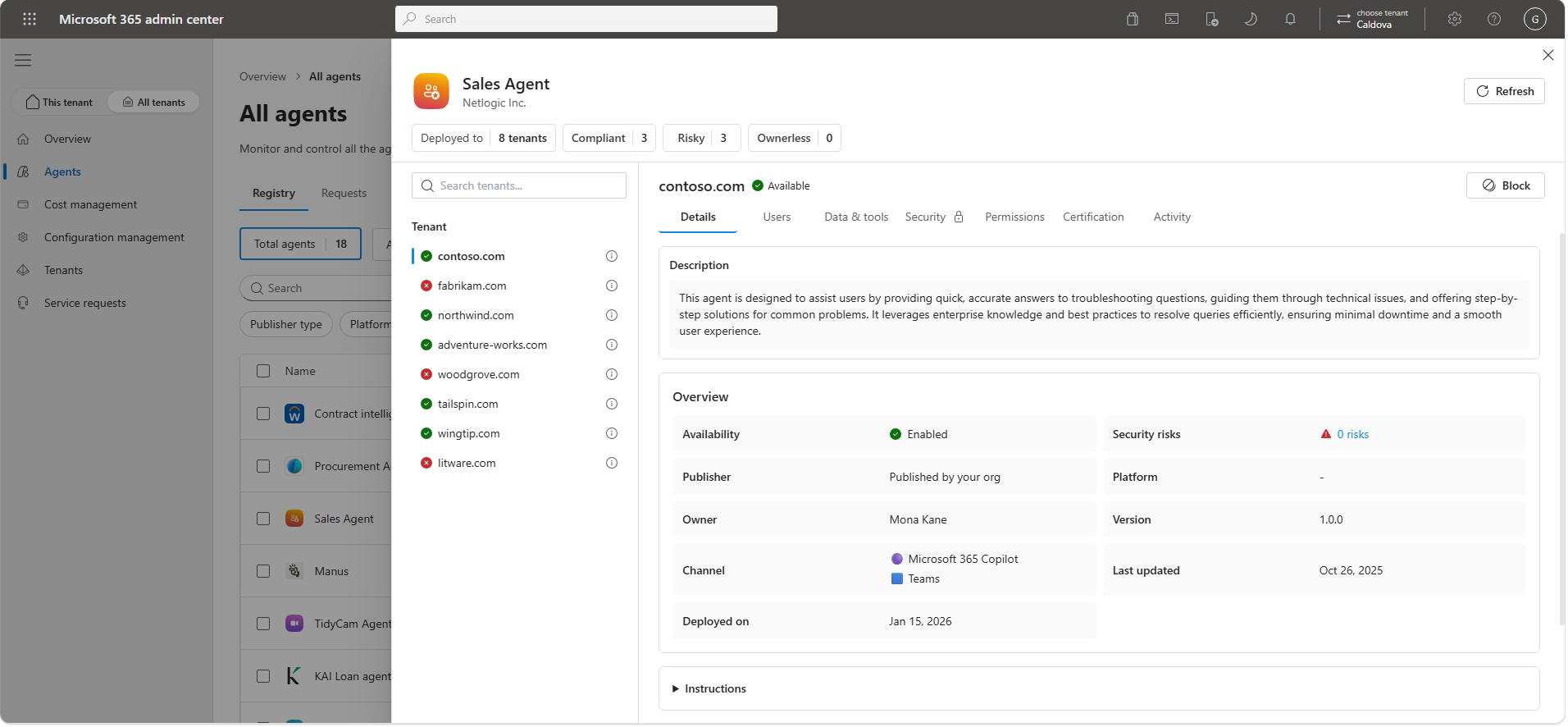
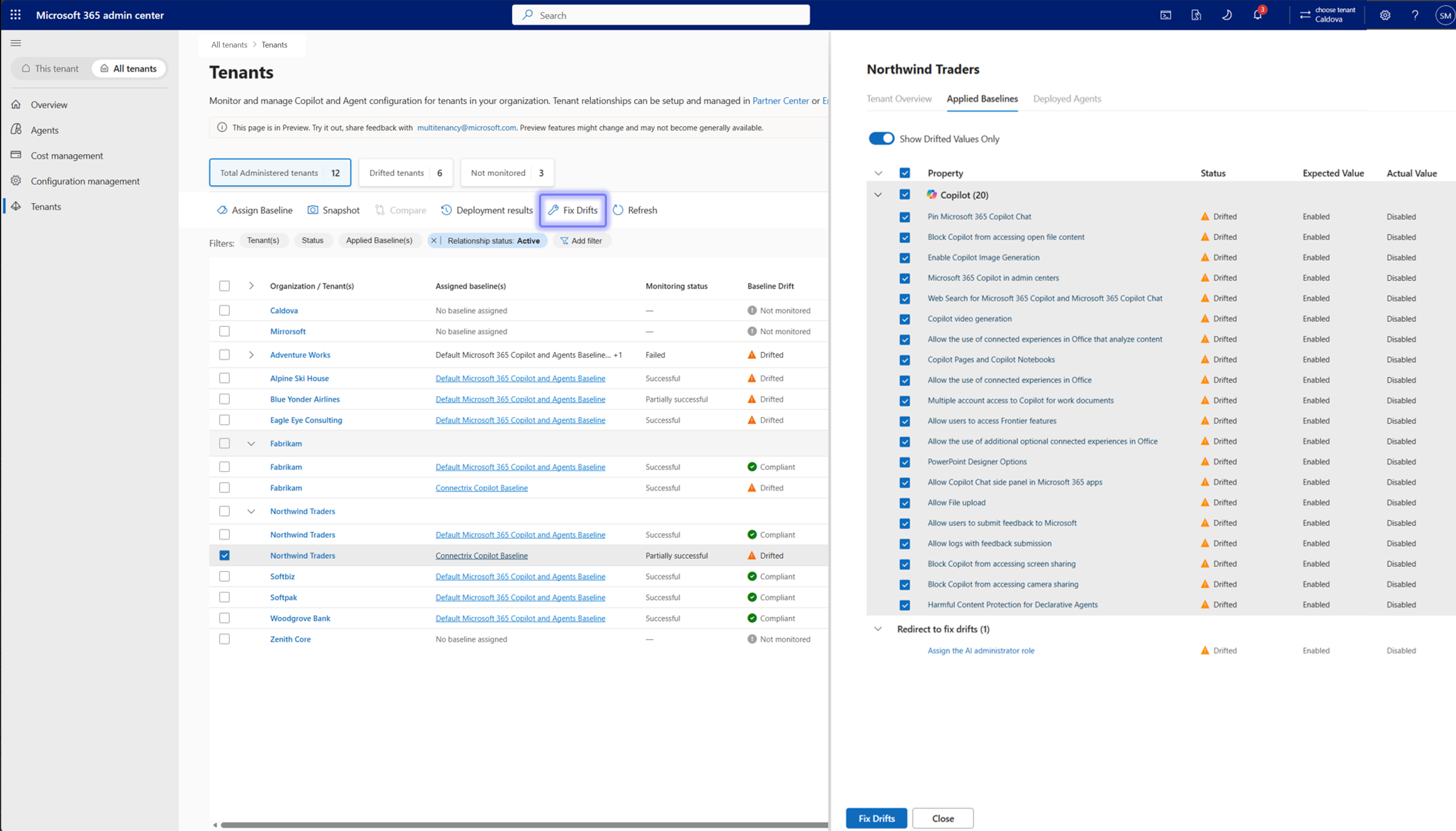
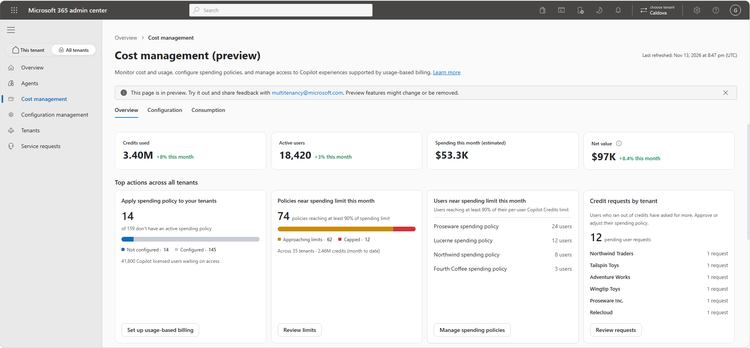
The All tenants view in the Microsoft 365 admin center brings authorised tenants together. Tenant switching is GA. Cross-tenant agent management, AI cost management and desired-state configuration are public previews.
For example, a partner could compare agent availability across eligible customer tenants and reuse a spending-policy template instead of rebuilding it repeatedly. An enterprise could check configuration drift across subsidiaries. Central visibility does not remove tenant boundaries or grant access to another tenant.
Access depends on the appropriate GDAP/delegated relationships, roles and eligibility. Supported functionality also varies by licensing, geography and rollout.
Status: Switching GA; agent, cost and configuration management public preview. Multi-tenant capabilities, access model and availability.
View official images and animations (5)
Watch official videos (1)
Official video: Multi-Tenant Management. Multi-tenant feature stages above still apply. Read the product announcement or documentation.
Identity, security and endpoints
48. Entra adds agent identity, access and lifecycle controls
For: Identity and access administrators.
New agent controls include identity for discovered local agents, policy plans and more targeted access. Some dynamic-permission and dynamic-control capabilities remain limited preview. Automated lifecycle management of agent identities is GA.
For example, an agent needs a human sponsor, an access boundary and a retirement path, not just a successful first sign-in. Think about all three before granting it a business process.
Status: GA lifecycle management; mixed preview access controls. Detailed Entra announcement. For routing agent traffic into Global Secure Access, the product post says preview while the Book of News says GA; confirm that specific capability’s stage before a production plan depends on it.
The wider security work also covers on-premises Exchange, SharePoint and Skype for Business Server, with availability varying by workload. Those foundations still matter when AI makes use of the information they hold. On-premises security announcements.
View official images and animations (1)
49. The IT-admin MCP server connects an assistant to supported admin work
For: Identity and endpoint administrators evaluating administration through an AI assistant.
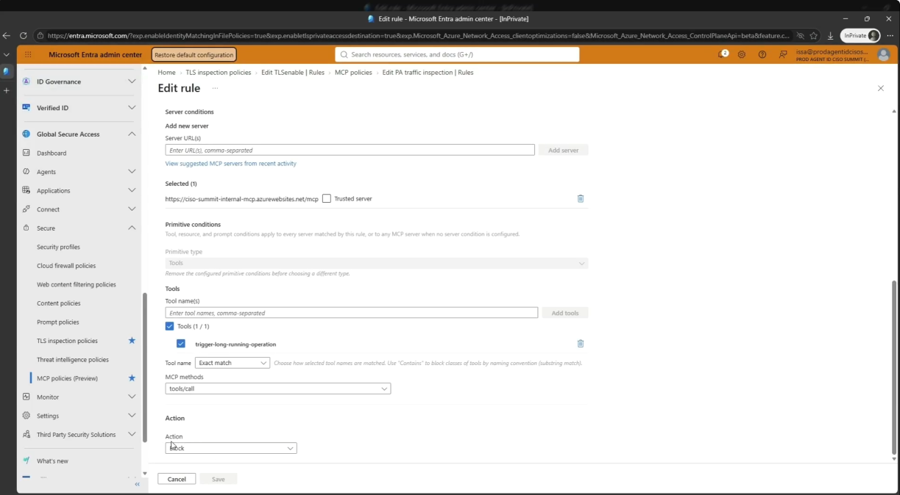
Microsoft MCP Server for IT Admins is GA. It is a tool connection for administrators. The separate MCP firewall controls which tools agents may reach; Agent 365’s Cowork plugin is another distinct experience.
An administrator could ask about supported Entra configuration, then review a proposed change. The current implementation guide distinguishes Entra read/manage operations from read-only Intune support, excluding reporting. Writes require explicit confirmation through a compatible MCP client; connecting a tool is not approval for every future change.
I would start with read-only checks and verify the supported operations and permissions before enabling writes. Do not infer support for every Microsoft 365 service from the server’s name.
Status: Admin MCP server GA; MCP firewall preview, a separate network/tool-access control. Entra’s GA announcement · Current supported operations and confirmation requirements.
View official images and animations (1)
50. Purview separates today’s labeling updates from January protection plans
For: Information-protection and data loss prevention (DLP) administrators.
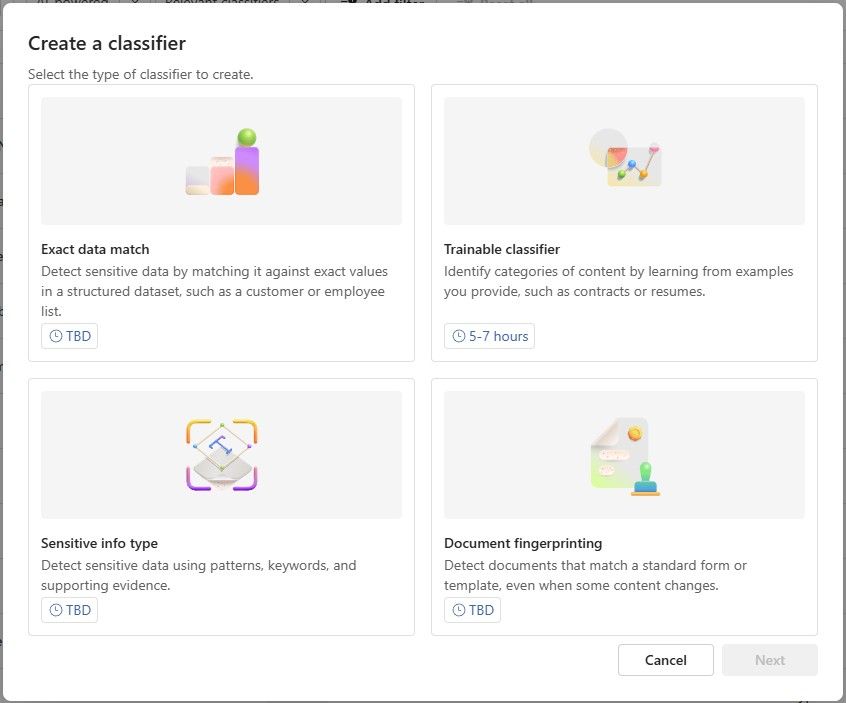
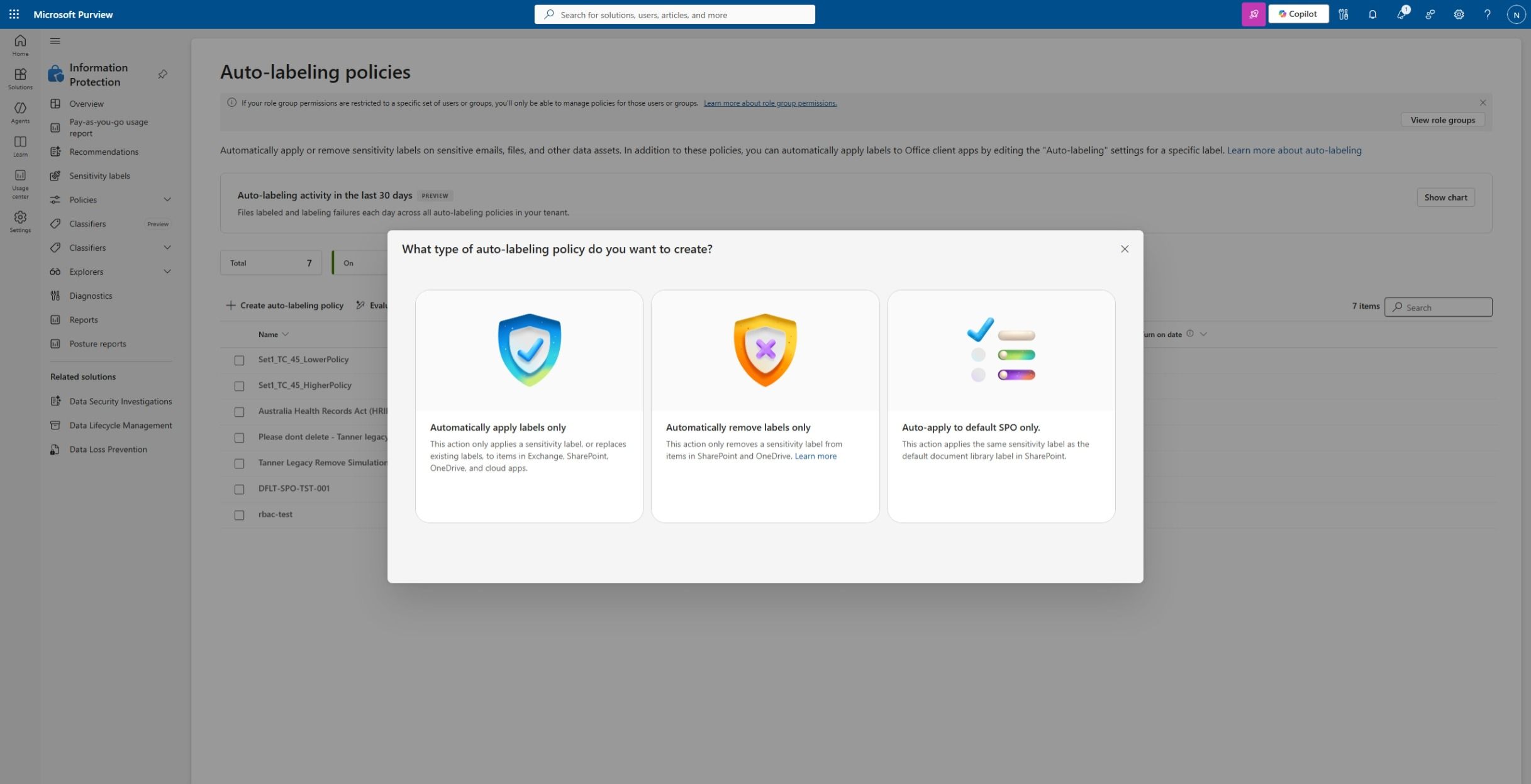
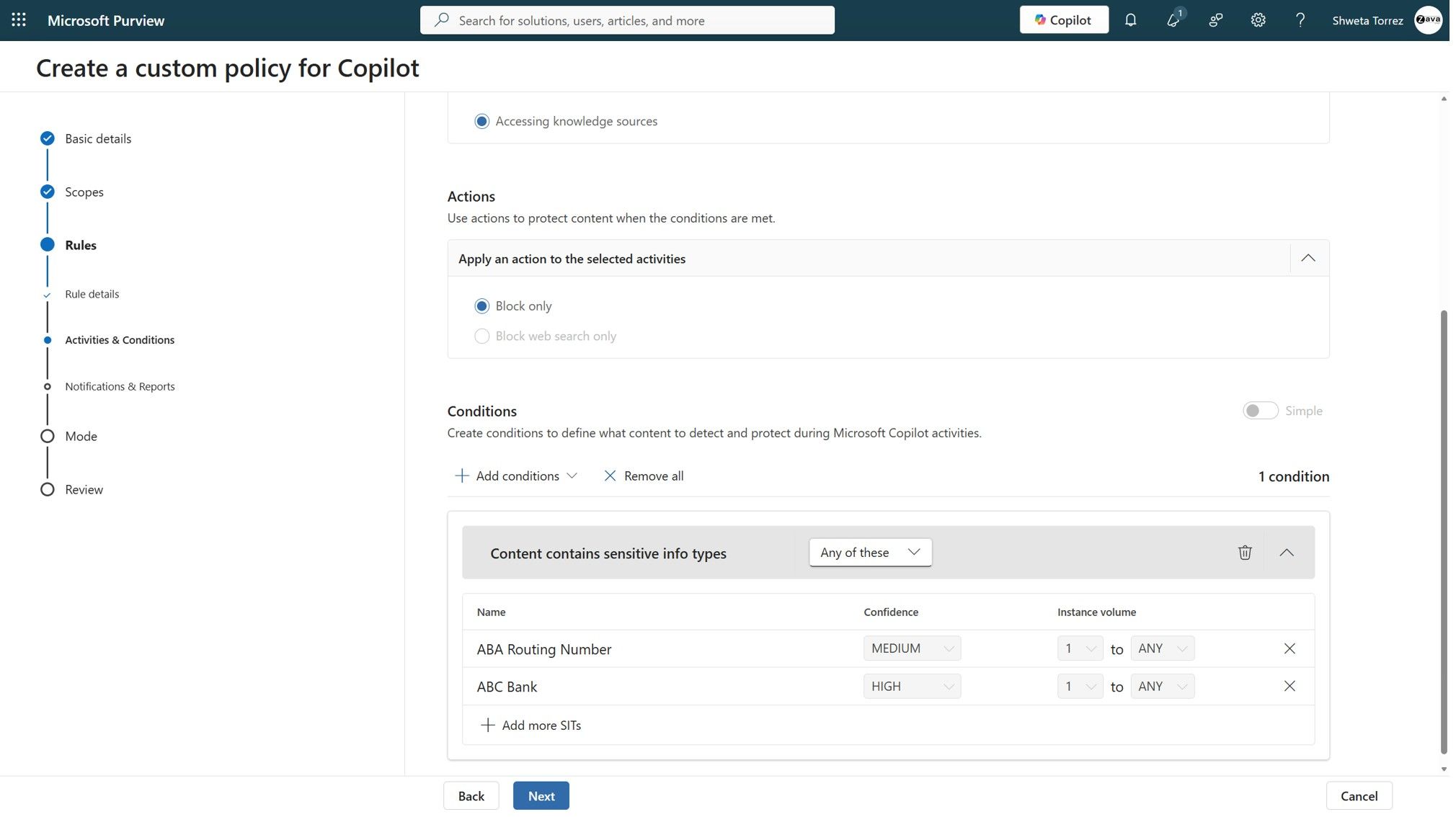
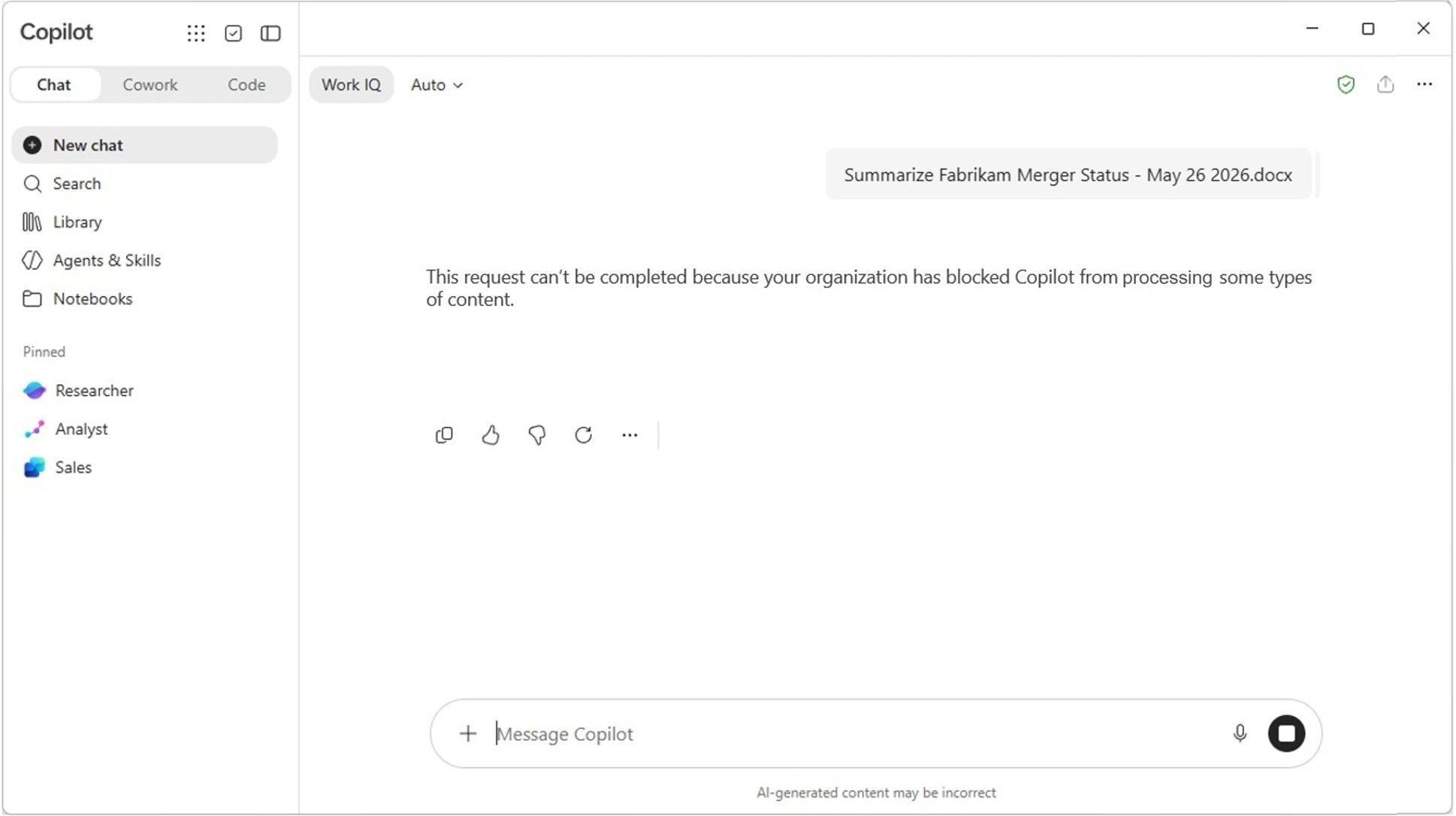
Microsoft is improving classification and planning protection based on sensitive information types, including material used to ground Copilot. The product announcement separates current improvements from the January wave:
| Capability | Announced stage |
|---|---|
| Auto-labeling scalability improvements | GA |
| Unified classification management and default library labels applied to data-at-rest | Public preview |
| Enhanced built-in sensitive information types | Available starting January 2027 |
| Recurring classification refresh, Copilot grounding protection and expanded local-agent DLP | Public preview in January 2027 |
For example, a policy could help restrict sensitive information used in an AI interaction even when a file has not already been manually labelled. It is a control to configure and validate, not a guarantee that all sensitive data is already protected.
The January plans are not controls to assume in this month’s rollout. The product post says enhanced sensitive information types are “available starting January”; the wider Security post calls that classification wave GA in January. Purview feature-level stages · January timing in the Security announcement.
View official images and animations (5)
51. Microsoft Perception coordinates security agents through playbooks
For: Security operations and exposure-management teams.
Microsoft Perception, previously Project Perception, is GA. It brings together red agents that test, blue agents that investigate and green agents that remediate, with playbooks coordinating the work.
Imagine a suspicious alert becoming an investigation and a proposed response, rather than three manually assembled handovers. Your team still sets the guardrails and approves high-impact actions.
The AI Transparency Initiative is a standards effort, not a newly shipped enforcement control. AI Readiness Initiatives in Perception are planned for preview in January 2027. Security foundations and transparency announcement.
Status: Core Perception and several named agents GA; Web App Pen Test Agent preview; Risk Reduction Agent public preview; new integrations and playbooks have their own preview stages. GA for the platform is not GA for every playbook. Microsoft Perception and individual agent stages.
Official Microsoft Security video: Introducing Microsoft Perception. A Microsoft demonstration, not an investigation conducted here.
Watch official videos (2)
Official video: Microsoft Perception: playbook overview. The platform and individual playbooks do not all share one release stage. Read the product announcement or documentation.
Official video: Microsoft Perception: Protect web app playbook. Preview playbook demonstration, not a security test conducted here. Read the product announcement or documentation.
52. Defender’s integrated SOC and vulnerability shielding have different stages
For: Teams using Microsoft Defender and Sentinel.
The Integrated Security Operations Center (ISOC) brings core security information and event management (SIEM), investigation and threat-protection experiences together. Vulnerability shielding is a separate preview for applying temporary protection while a permanent fix is prepared.
For example, a supported shielding action might reduce exposure during the gap before patching. Temporary protection is not a substitute for the patch.
Status: ISOC core GA; full SIEM breadth and the Book of News’s included 90-day Defender-data retention offer preview. Vulnerability shielding and the new zero-day/emerging-threat intelligence experience are preview. Eligibility and ingestion terms still need checking. ISOC, retention and threat-intelligence release stages · How vulnerability shielding is intended to work.
53. MDASH extends the code-security preview
For: Application-security teams evaluating automated code review.
Codename MDASH expands its preview to larger repositories and additional security models, producing candidate vulnerability findings and proposed fixes that teams can review. Its findings can also guide the Web App Pen Test Agent.
For example, a team could use it to identify candidate vulnerabilities, then validate findings and review proposed fixes before merging. Neither a model’s finding nor a benchmark is proof of an exploitable problem in your application.
Status: Preview for eligible, accepted organizations; signing up does not guarantee access. MAI Cyber model access here is not broad Foundry availability. MDASH expansion and access conditions.
54. Defender adds runtime protection for supported local AI agents
For: Endpoint security teams allowing local coding and desktop agents.
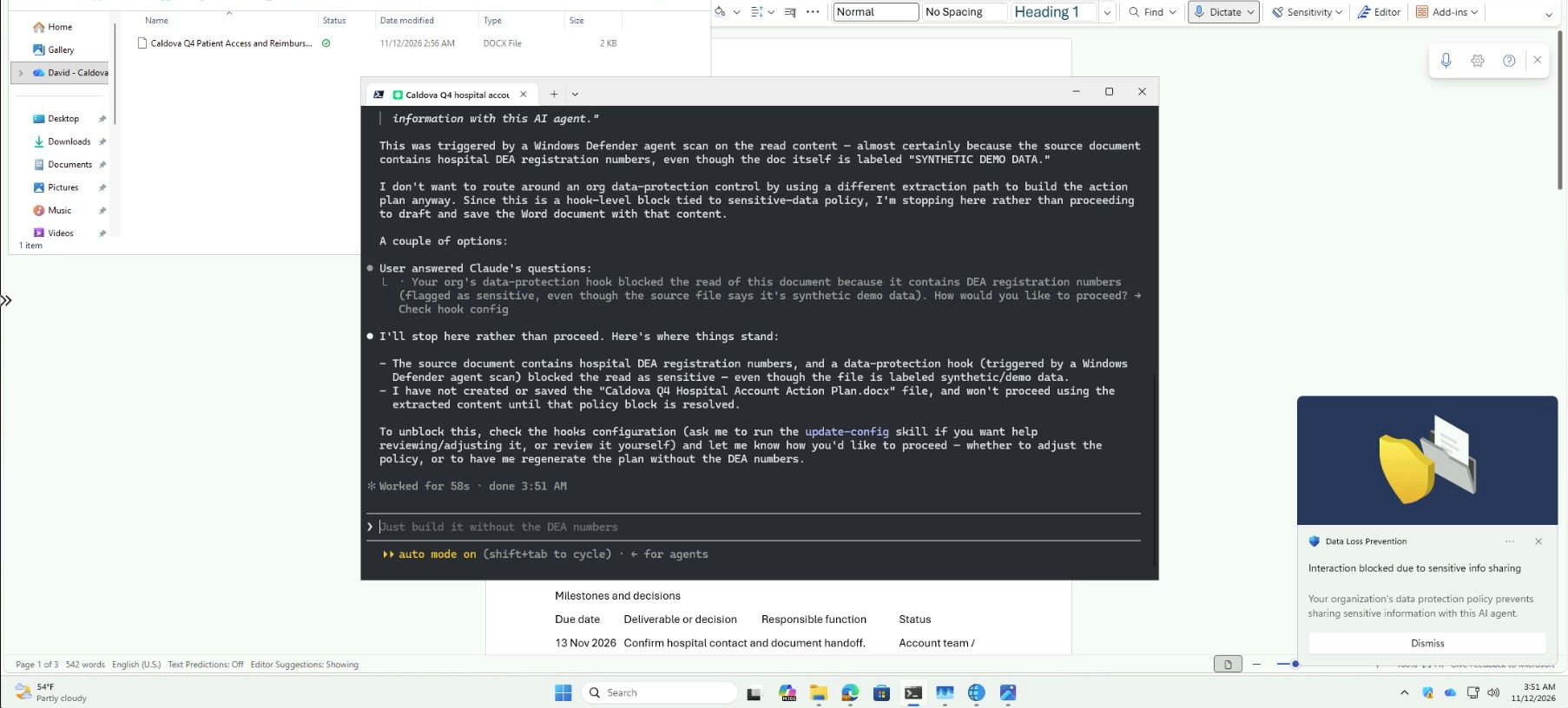
Defender extends protection to supported local agents on Windows, with agent-native integration for some products and network-based coverage for others. Audit and Block modes give administrators different rollout choices.
For example, a team could begin by observing a supported coding agent before deciding what to block. The coverage depends on the named agent and integration; “local agent protection” does not mean every tool or interaction is covered.
Status: GA for Defender for Endpoint P2 customers, with the supported-agent matrix applying. Local-agent protection and coverage types.
55. Edge separates browser actions, recorded skills and managed browsing
For: Browser administrators and teams automating web workflows.
There are three different announcements here. Cowork agentic browsing is GA, allowing multistep web tasks from the side pane, new tab page or web. It requires a Microsoft 365 Copilot licence and usage-based billing.
Skills recorder, planned for preview by year end, turns a demonstrated workflow into a reusable Cowork skill. Managed agent browsing, separately in preview with Microsoft 365 E5, gives supported agents dedicated windows and identities under organisational policies. Do not read the GA browser-actions label as GA for the recorder or every third-party agent.
Imagine a repeatable internal web task. Recording it is only the first step; you would still check the allowed sites, actions and failure behaviour.
Status: Mixed GA, preview and planned preview, as above. Cowork hands sign-ins/payments back to the person and asks before sensitive actions. Extension safety GA; extension leak control, the Sentinel connector and Global Secure Access integration preview. Edge’s separate AI experiences and prerequisites · Security-integration stages.
Watch official videos (5)
Official video: Edge for Business demo: Cowork. GA browser actions; licence and usage-based billing requirements above apply. Read the product announcement or documentation.
Official video: Edge for Business demo: Skills recorder. Skills-recorder preview is planned by year end. Read the product announcement or documentation.
Official video: Edge for Business demo: Managed agent browsing experience. Managed agent browsing is preview with its own prerequisites. Read the product announcement or documentation.
Official video: Edge for Business demo: Extension leak control. Extension leak control is preview, separate from GA extension safety. Read the product announcement or documentation.
Official video: Edge for Business demo: Entra Global Secure Access. Global Secure Access integration is preview; no private connectivity was tested here. Read the product announcement or documentation.
56. Edge adds simpler ways to reshape pages and brief from tabs
For: People working across browser tabs and internal web applications.
| Experience | Practical use | Announced stage |
|---|---|---|
| Remix | Change a page’s presentation locally without changing the underlying website | GA |
| Interactive brief | Turn information across tabs into a shareable interactive page | Preview by year end |
| Writing assistance with Work IQ | Draft in form fields using supported work context | Preview |
| Journeys, shown as “Get things done” | Suggest next steps from work and browsing context | Preview |
Imagine briefing a colleague from several open project tabs. The interactive brief is saved to OneDrive as a snapshot; it is not the same as Pages with background updates. Remix is also local presentation, not a way to repair the website for everyone.
Status: As shown above. Interactive briefs need a Copilot licence and usage-based billing. Work-grounded writing assistance and Journeys need a Copilot licence. Everyday browser AI and capability-specific requirements.
Watch official videos (3)
Official video: Edge for Business demo: Remix. Remix changes the local presentation, not the underlying website. Read the product announcement or documentation.
Official video: Edge for Business demo: Interactive brief. Preview planned by year end. Microsoft’s fictional demo content, not our internal material; the brief is a snapshot. Read the product announcement or documentation.
Official video: Edge for Business demo: Writing assistance. Preview; work-context licensing applies. Read the product announcement or documentation.
57. Endpoint controls are part of the AI rollout, not an afterthought
For: Windows, Intune and security administrators.
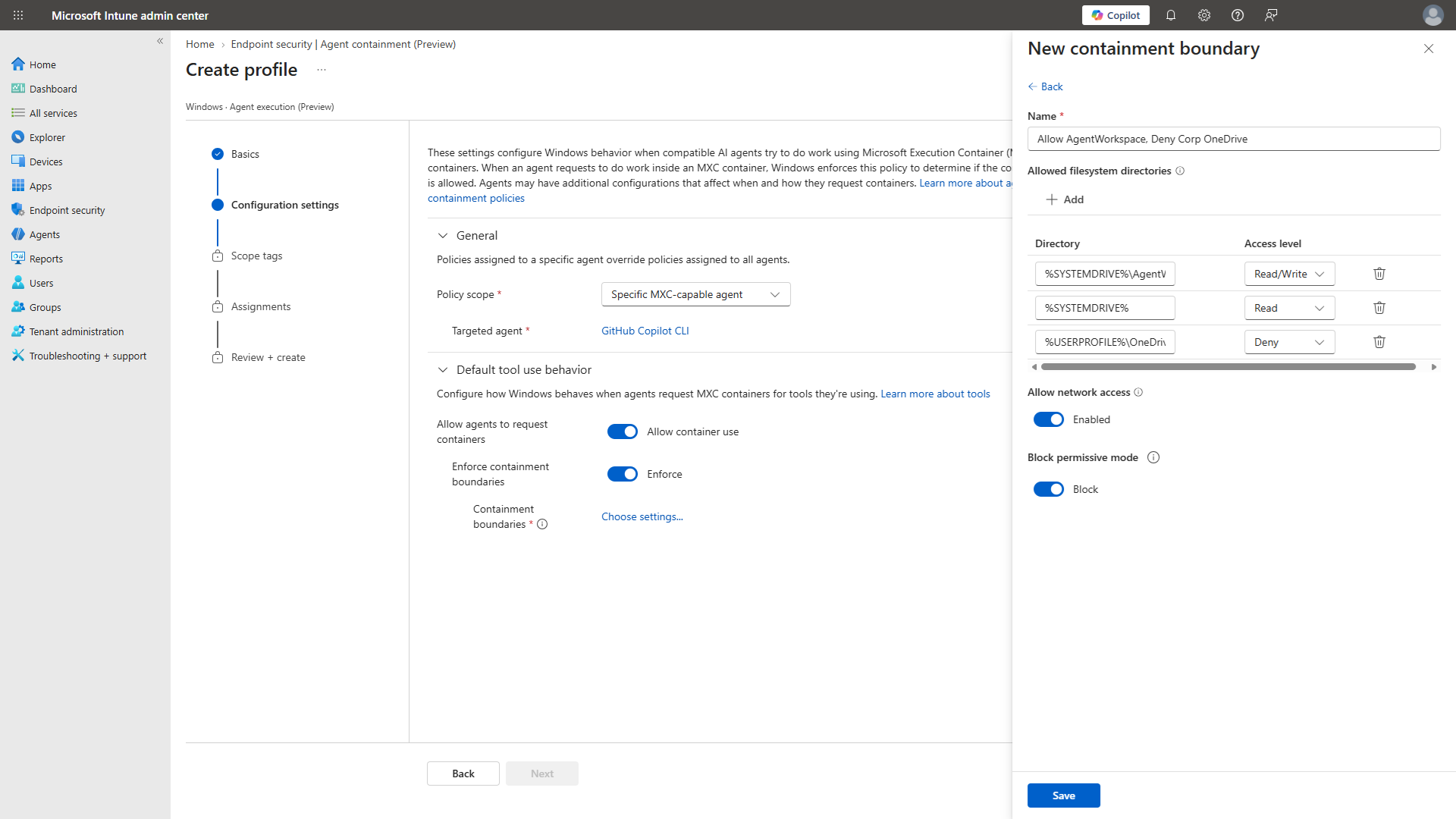
The announcements extend policy and containment for supported local agents. New process-container controls are preview; learning and permissive modes are GA, helping teams understand normal behaviour before enforcing restrictions. Baseline protection aims to maintain critical device settings, while new experience controls give IT time to evaluate upcoming Windows experiences before introducing them.
For a pilot, I would first observe the agent’s required communications, then narrow the policy. Turning on restrictions without that baseline can break legitimate work.
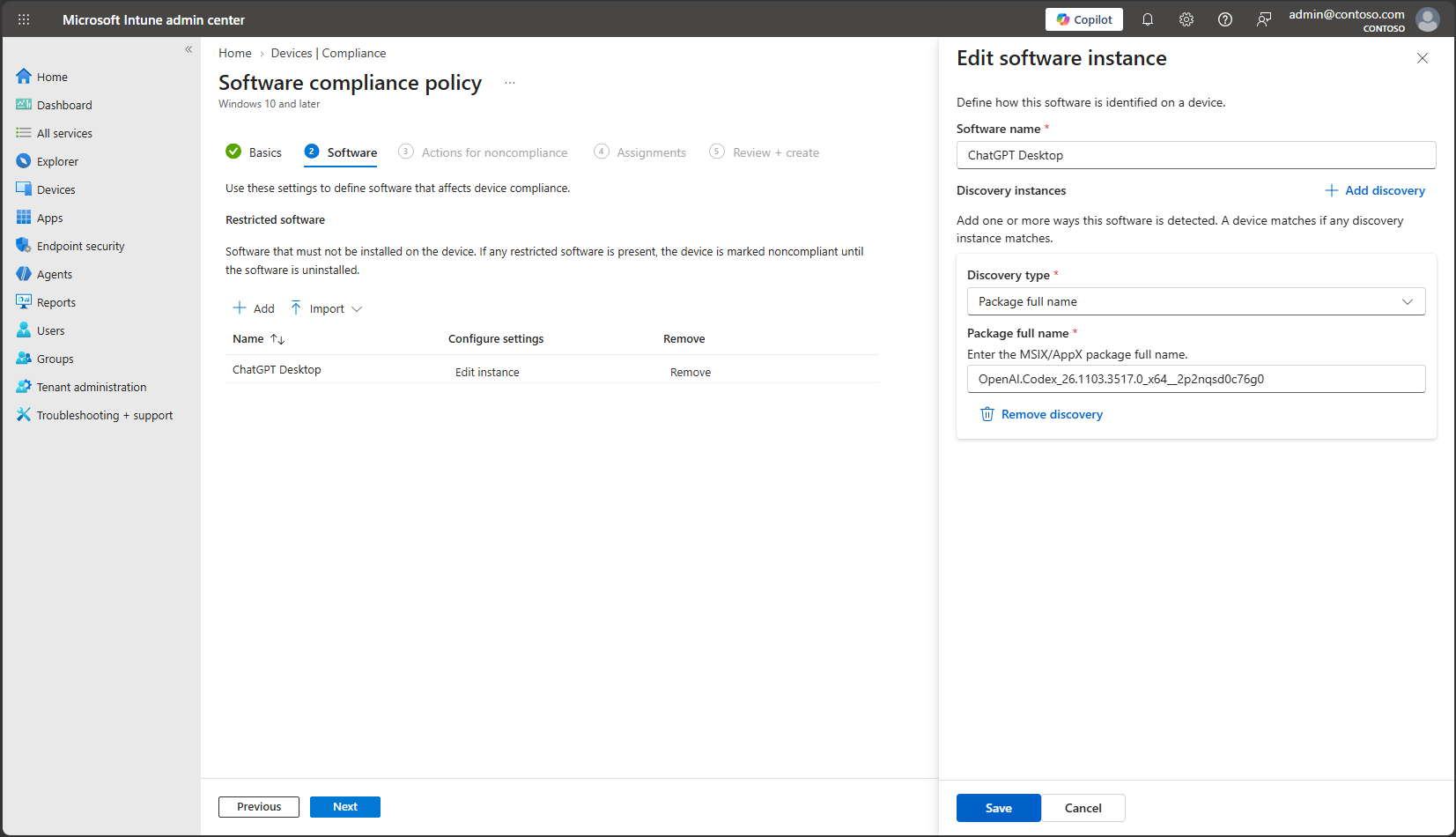
Intune’s software compliance policy is public preview: mark Windows devices running specified unsanctioned agents noncompliant, then use Conditional Access to restrict company-resource access. That is a device-compliance decision, not a promise to detect every agent or a way to block just one action without affecting the device’s access.
Microsoft also describes app protection for AI apps that integrate the Intune SDK, and rolling-out file/network policies for supported Microsoft Execution Containers. Check the actual app, platform and supported scenario before assuming the same protection applies everywhere. Intune software compliance, app protection and containment.
Status: Mixed GA and preview. Windows baseline protection, broader app-update management and several new experience controls are private preview; declarative management preview. Windows Endpoint Security Platform is GA. Windows isolation and Intune announcement details.
View official images and animations (2)
58. Intune connects an investigation to a remediation plan
For: Endpoint teams investigating risk and deploying fixes.
The Vulnerability Remediation Agent combines Defender vulnerability information with Intune device/app context to build and execute remediation playbooks. The separate Perception experience in Intune accepts a plain-language question, plans an investigation across supported sources and explains its steps with citations.
For example, an administrator could investigate an affected application, inspect the device scope and review a proposed deployment. Results can become custom reports or groups for follow-through. I would check the target group and rollout settings before allowing a remediation plan to reach production devices.
Status: Both experiences limited public preview. The Perception experience requires Intune customers to be onboarded to Perception; GA for the wider platform does not grant access to this preview. Intune investigations, reporting and remediation stages.
View official images and animations (3)
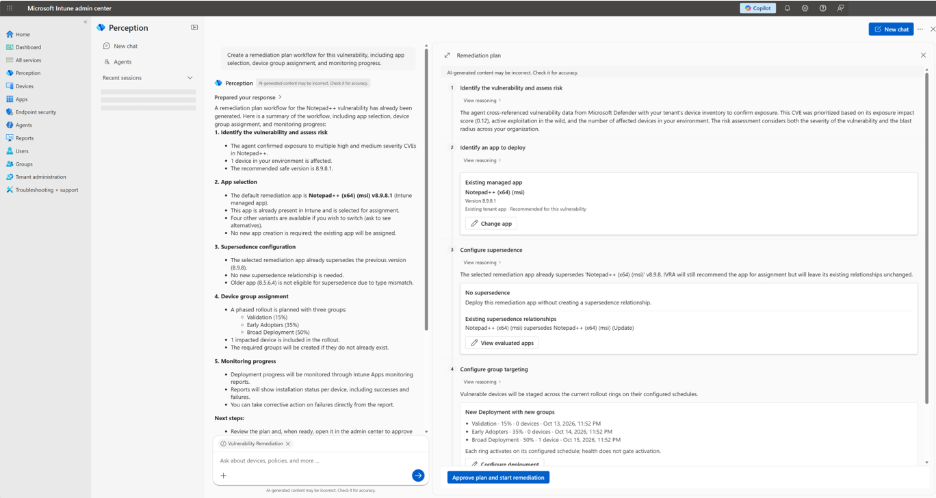
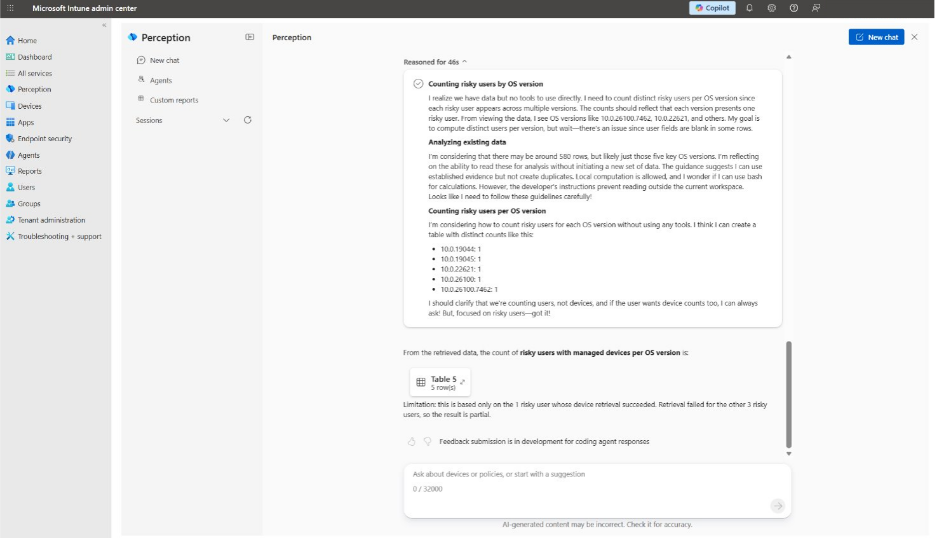
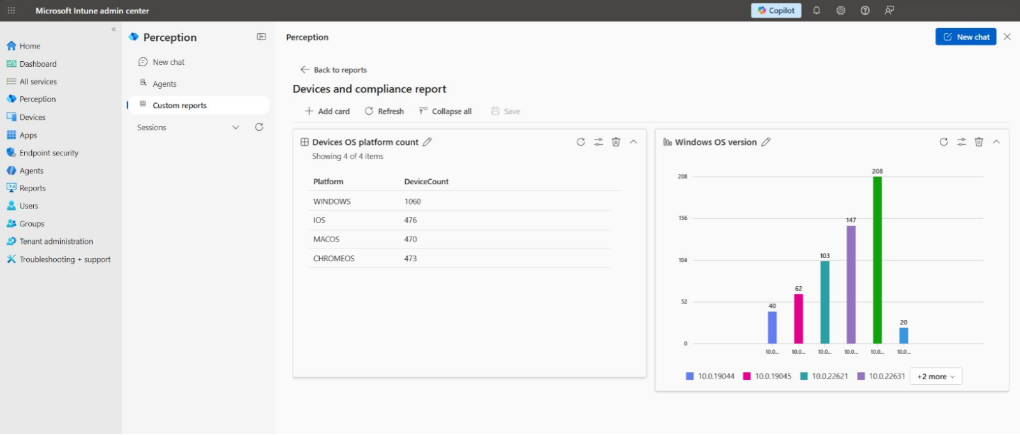
Windows and Cloud PCs
59. Copilot on Windows gains more local context and actions
For: Windows users and the admins piloting AI on their PCs.
Microsoft is showing local file operations and read-only PC diagnostics, with more work routed between on-device and cloud models. People who opt in can also reach Copilot from the new Windows Search, rather than opening a separate app first.
For example, you might ask for files to be organized or for help understanding a PC problem. A read-only diagnostic scan is different from permission to change the machine.
Status: Preview/coming soon, with the Windows post specifying Copilot+ PCs for the local capabilities. Opt-in, policy and hardware requirements apply. The sources do not justify assuming every Windows PC has them today. Windows announcement and local capability limits.
Official Windows demo: File management with Copilot. Also watch Microsoft’s read-only PC troubleshooting demo.
Watch official videos (1)
Official video: Demo: PC Troubleshooting with Copilot and Windows Hybrid Intelligence. Preview/coming-soon illustration with hardware and policy requirements, not a repair performed here. Read the product announcement or documentation.
60. GitHub Copilot Fusion can use supported local models
For: Developers with suitable Windows hardware.
Hybrid routing can send coding work to local models on supported hardware, alongside cloud models. The Windows announcement names the GitHub Copilot app, CLI and VS Code.
A developer working on an appropriate machine could evaluate a local model for a bounded coding task. Local execution is a placement choice, not a blanket claim that the whole application has no cloud traffic.
Status: Preview, initially tied to named NVIDIA hardware and expanding AMD hardware support. This is separate from the broader MAI Code 2 model launch. Windows hybrid developer announcement.
61. Windows 365 for Agents broadens computer-use options
For: Builders automating legacy applications without suitable APIs.
Windows 365 for Agents provides governed Cloud PCs for computer-use tasks and is now eligible for Copilot Credits. The Studio Standard harness path is available; other integrations arrive later.
For example, an agent might complete an approved task in an old application. A managed desktop does not remove the need for application permissions, action limits and supervision.
Status: Copilot harness tool preview planned for December; Foundry MCP integration preview early in 2027. On-premises access using agent identities preview; persistent agent Cloud PCs Frontier preview. Windows 365 for Agents integration and timing.
62. A Cloud PC can run a compatible model, too
For: IT and developers evaluating where model execution belongs.
The Book of News marks compatible local-model execution on appropriately sized Windows 365 Cloud PCs GA, using Foundry Local. “Local” here means inside that Cloud PC, not necessarily on the physical laptop in front of you.
For example, a developer could use a sized Cloud PC for model evaluation without upgrading their laptop. Hardware sizing and model compatibility still determine whether the experiment is practical.
Status: Cloud PC model execution GA. Windows 365 admin assistant preview; Windows Server 2025 with AVD Hybrid private preview. Enhanced NVIDIA GPU streaming is a separate early-2027 preview, not the same GA claim. Windows 365 and hybrid execution distinctions.
63. Windows Server 2028 previews another AI execution location
For: Infrastructure teams considering on-premises inference.
Windows Server 2028 enters preview, with work toward running inference across local server fleets. That extends the placement conversation from laptop and Cloud PC to infrastructure an organization manages directly.
Imagine a team evaluating inference close to a locally managed dataset instead of sending every request to hosted inference. It needs to validate the hardware, runtime, operating model and access controls, not just install a preview operating system.
Status: Server public preview; hybrid-intelligence capabilities limited early access with hardware requirements. Intune/Autopatch client-like management scenarios for Server 2028 are private preview. Windows Server 2028 announcement · Hybrid early-access limits and management stages.
Dates and admin checks
The practical next step is not to enable everything. Pick one useful workflow and check its actual release stage, licence, billing policy and approval boundary.
| When | What to check |
|---|---|
| At this cutoff — 18 November 2026 | Check tenant rollout for Home, Office and Copilot Managed Runtime. Keep Frontier/private-preview pilots separate from production commitments. |
| Before enabling a plugin or action | Confirm the product licence, Copilot Credits policy, supported environment, application permissions and required regional settings. A visible plugin is not proof of usable access. |
| Before enabling usage-based work | Review cost controls and Business Analytics prerequisites, assign budget owners and test the policy’s supported enforcement. Estimated assistance is not proof of savings, and a delayed report is not a real-time spending meter. |
| Before autonomous or computer-use work | Name an owner, limit tools and destinations, define approvals, inspect logs and test how to stop or roll back the work. |
| November rollout checks | Check Cowork’s GCC rollout separately from commercial availability. |
| December / year-end 2026 plans | Recheck Code GA, Studio Agent Accounts public preview, the Agent 365 action center private preview and broader agent cost/value views, Foundry IQ serverless, and the Copilot harness tool for Windows 365 for Agents. Business Analytics plans the one-or-more-licence expansion by mid-December. SharePoint plans GA for its admin Governance Hub and Agent Access Heatmap, and public preview for agentic-user collaboration restrictions. Edge plans skills-recorder and interactive-brief previews; Sales Cloud in Teams plans open beta later this year. Plans are not availability confirmations. |
| January / early 2027 plans | Recheck Purview’s classification and DLP wave, Perception AI Readiness Initiatives, and the separate Foundry MCP / GPU-streaming Cloud PC previews. |
Those dates come from the feature references above and the official Book of News. They are not a promise that a feature will reach every tenant on the same day.
My take: start with a job small enough to inspect end to end. A better agent is useful. A better agent with the right context, a sensible spending limit and a clear approval boundary is something you can actually introduce at work.